This article explains, step by step, how you can allow your members to pause or cancel their membership themselves. We also refer to pausing memberships as “frozen.”
Pause and cancel membership
You can use this feature when you want to pause or cancel memberships in a simpler, time-saving way if members don’t want to renew their contracts. This way, you put the responsibility on the members themselves, and they follow the club’s rules.
- Go to Settings - Memberships
- Select the membership you want and click “Edit”
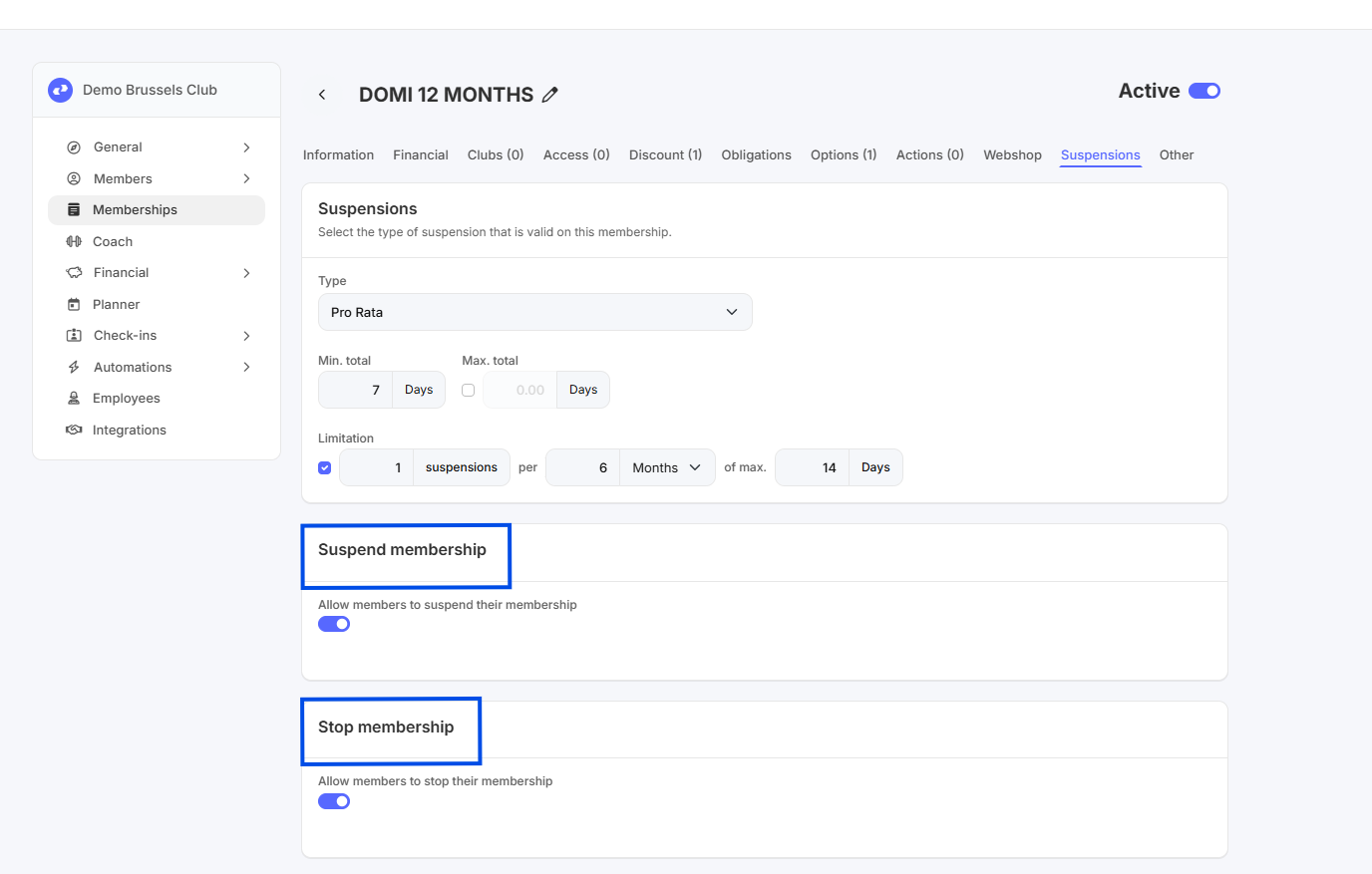
- Go to the “Suspensions” tab
- Select the desired switch boxes
What types of suspension are there?
- Go to Settings - Memberships
- Select the membership you want and click Edit.
- Go to the “Suspensions” tab
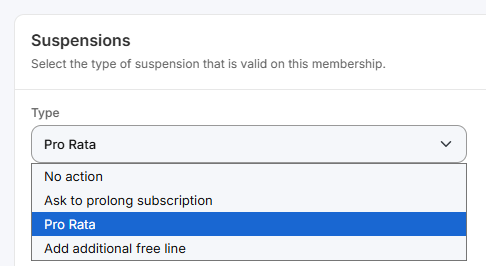
- Under the “Type” dropdown menu, you'll find 4 options:
- No action: Accounts are frozen, but nothing happens to the membership (it is not renewed or prorated)
- Ask to prolong subscription: This option is primarily used for prepaid plans and prepaid cards. The exact number of days of the suspension will be added to the membership expiration date.
- Pro Rata: This type is primarily used for recurring memberships. On the next unpaid subscription period(s), the number of frozen days is applied as a discount (in cash).
- Add additional free line: A free subscription period (of the same membership type) is added after the subscription's end date. This type is primarily used for recurring subscriptions (with a fixed end date, i.e., without automatic renewal) and prepaid memberships
How do I set the rules for my suspension?
- Go to Settings - Memberships
- Select the membership you want and click “Edit”
- Go to the “Suspensions” tab
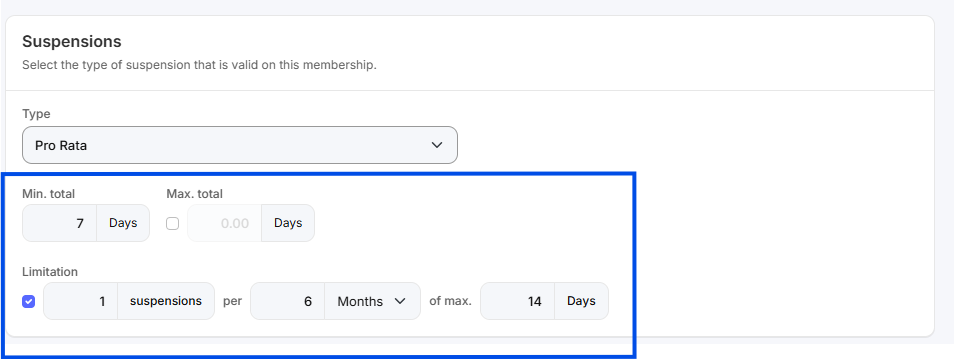
- Next, you can set the type, duration, and restrictions:
- Type: See the explanation in the section above
- Duration: You can set a minimum and maximum duration. For example: minimum 7 days and maximum 14 days
-
Restrictions: You can specifically limit the number and duration of suspensions.
For example: 2 suspensions per 6 months, with a maximum duration of 14 days (if you set a minimum duration in the field above, this minimum duration will also be taken into account)
Where can my member set their own suspension or cancellation?
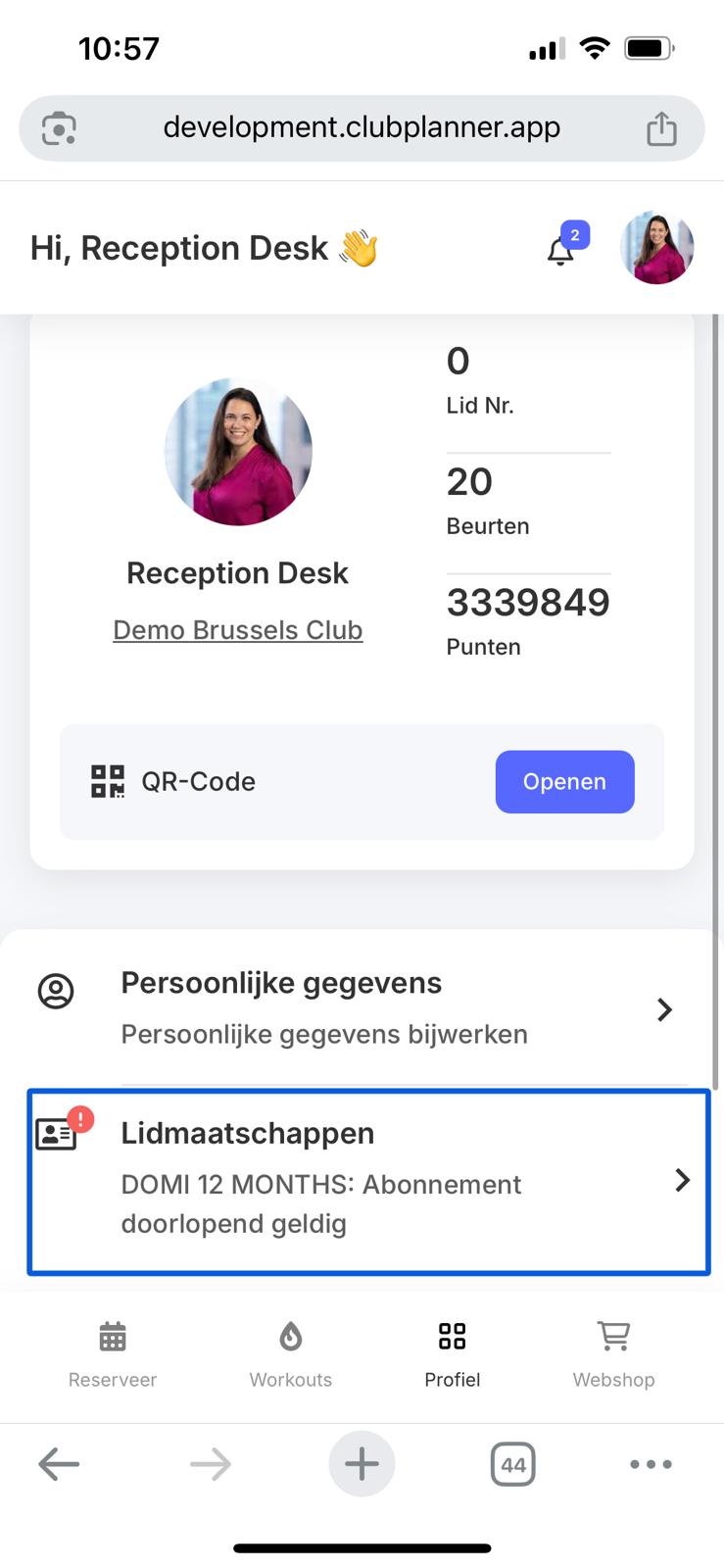
Members can log in via the mobile app or the member portal (web) and then go to their profile. There, they can click on “Memberships.”
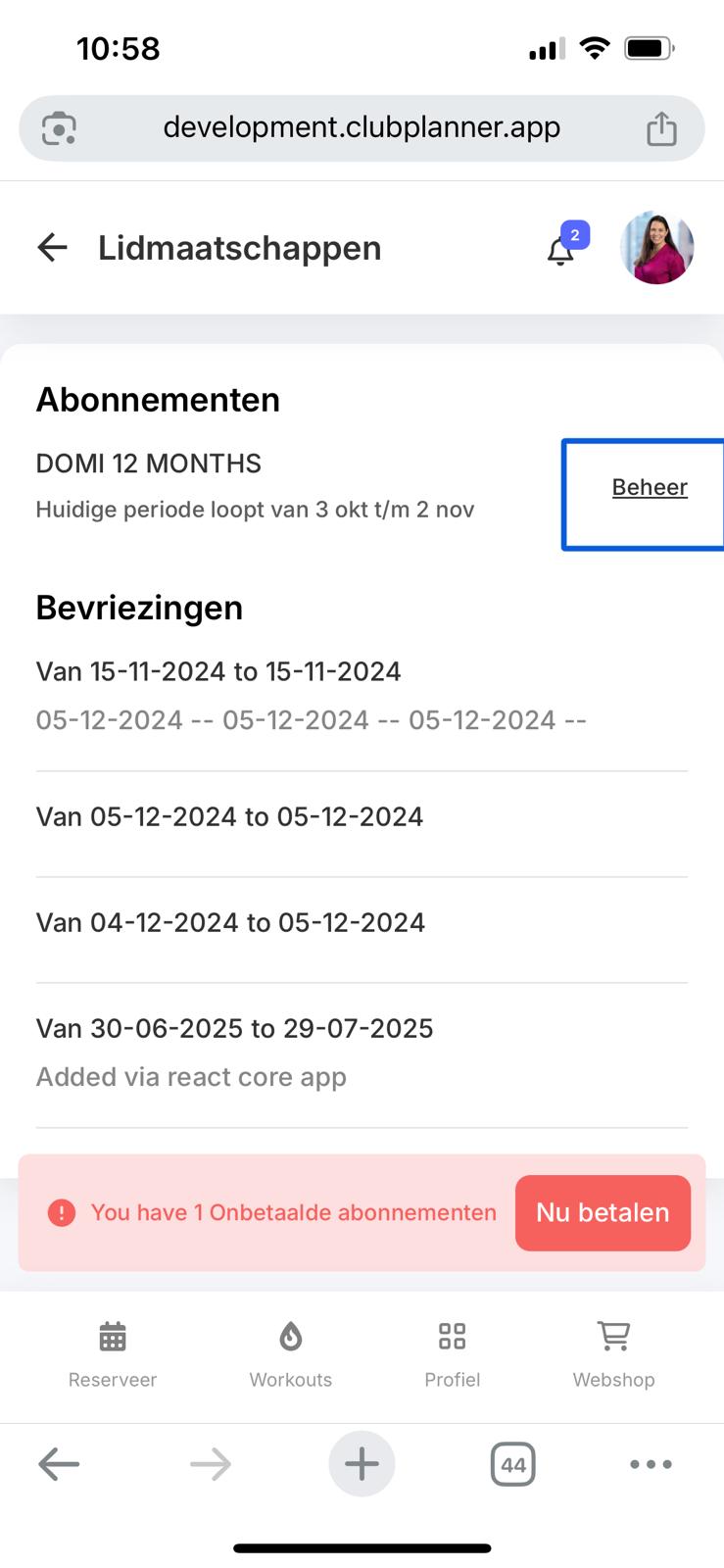
If the “Suspension” or ‘Cancel’ button has been enabled for a specific membership type, the member will see a “Manage” button next to their membership.
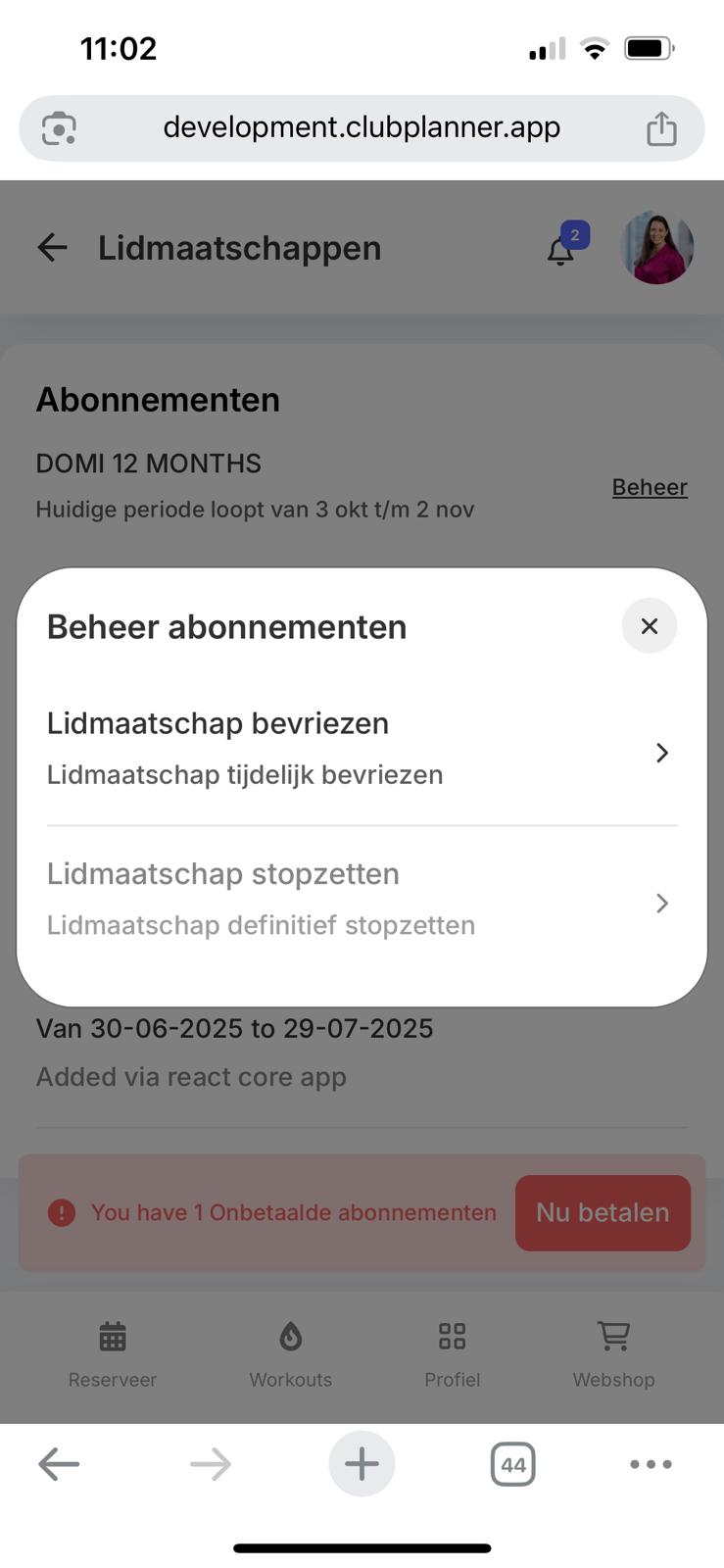
When the member clicks on this, they can choose between suspending or canceling their membership, in accordance with the club's rules.
- Cancellation is only possible after the contract end date (e.g., for a 12-month contract, cancellation takes effect on the first day after the contract ends) and upon full payment of all subscription fees.
- A suspension follows the rules established by the club (see the section above)