
Learn more about authorization groups you can assign to a staff member to determine their rights within Club Planner.
What are authorization groups?
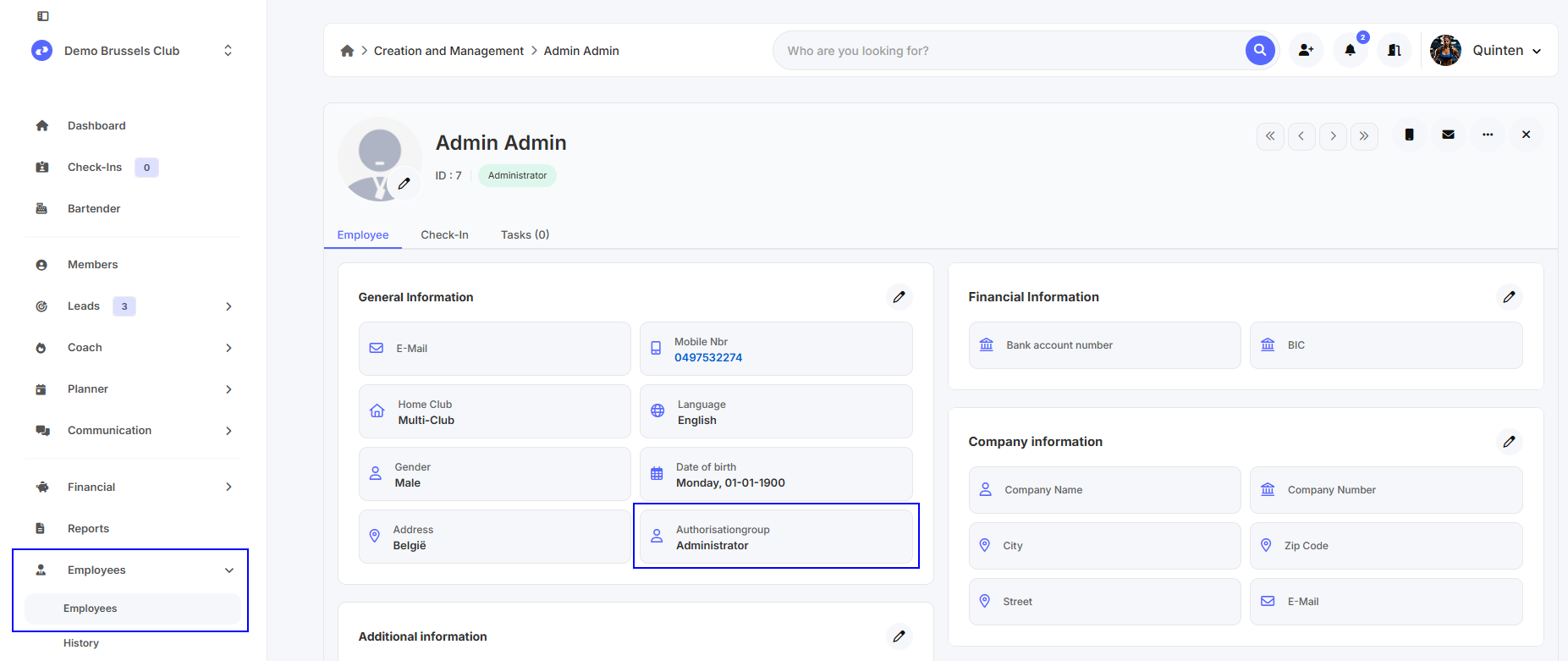
For each staff member, you can set an authorization group under 'General Information'. This authorization group determines which rights a staff member has and, consequently, what they can see and edit within Club Planner.
Creating Authorization Groups
You can find authorization groups under 'Settings - Staff - Authorization Groups'.
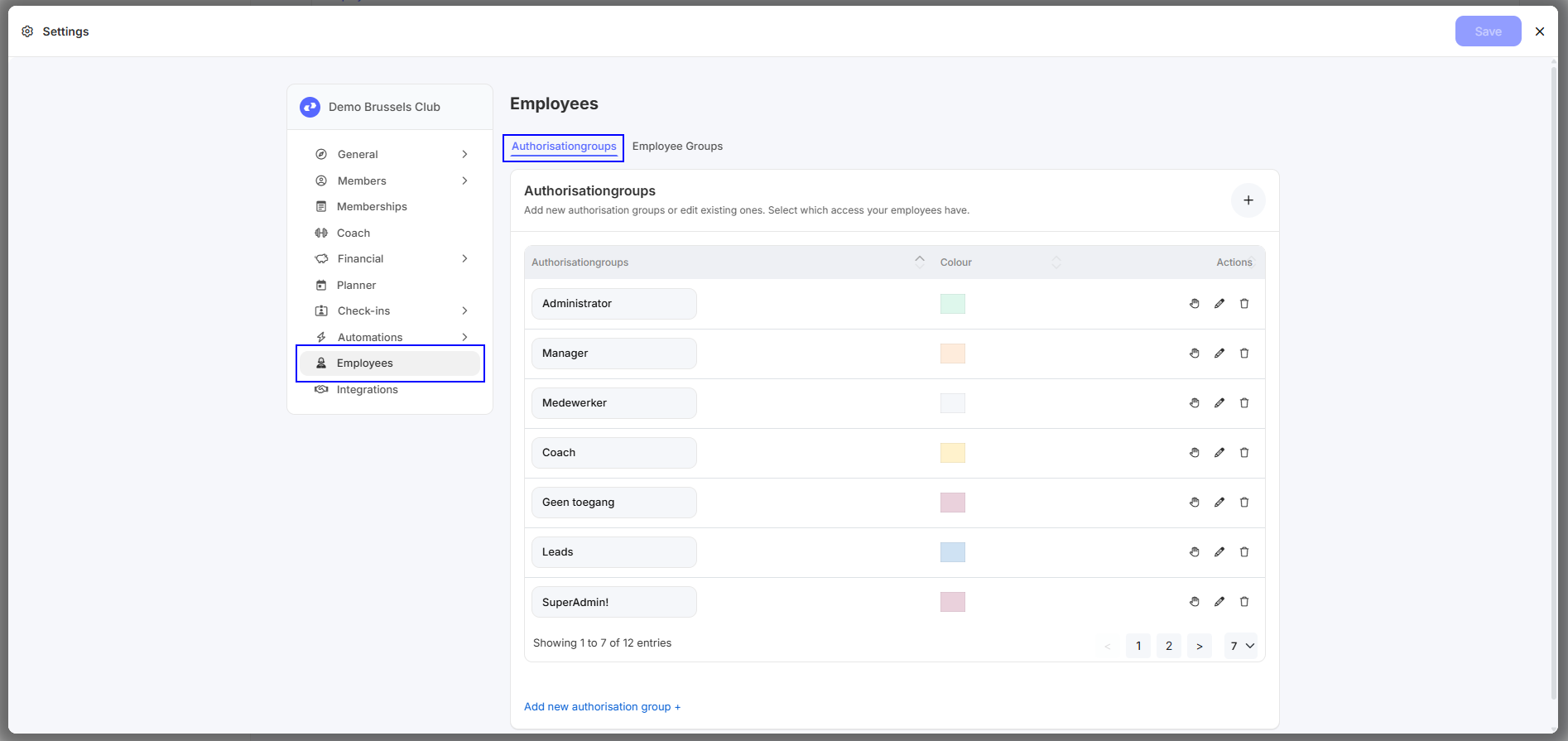
Add a new group by clicking the '+' in the top right corner. Delete a group by clicking the trash can.
You can set a different color for each authorization group. This color is displayed together with the authorization group name when searching for staff members.
Set up authorization groups
Members
| Members | Provides access to member files. Some information about members is hidden. | Add | Allows you to add new member records. |
| Adjust | Allows member records to be modified. | Block Members | Allows you to block members. |
| Delete | Allows member records to be deleted. | ID | Allows you to change the code of a linked membership card or wristband. |
| Member ID | Provides access to manually adjust membership numbers. | Club | Allows you to change the Home Club of member records. Only applicable to MultiClubs. |
| Employee | Allows you to change the staff member who created the member file. | Subscriptions | Provides access to the subscriptions tab in the member files. |
| Creation and management | Provides access to subscription management | Search subscriptions | Provides access to the search subscriptions section |
| Add | Allows you to add subscriptions to a member file. | Delete | Allows you to remove subscriptions in a member file. |
| Date | Allows you to change the expiration date of a subscription. | Price | Allows you to change subscription prices in a member file. |
| Visits | Allows you to change the number of turns on a turn card. | Pay Bill | Allows subscriptions to be paid for in a member file. |
| Adjust payment line | Allows you to change the payment lines of a subscription. | End prolongation | Allows you to specify an end date in the member file for subscriptions that repeat indefinitely over time. |
| Dashboard | Allows you to view the “Members” section of the Dashboard on the club's web platform. | Club balance | Provides access to club balance in the member files. |
| Export to Excel | Allows you to export an Excel file of the results in the members & subscriptions section. | Export SEPA | Provides access to the SEPA section. |
| Suspensions | Provides access to freeze the member files. | Save suspension | Allows new freezes to be saved. |
Check-In
| Check-In | Allows members to check in. | Remove Check-In | Allow removal of Check-Ins. |
| Search | Provides access to the check-in section. | Open Gate Check-In Point | Provides access to open the gate from the check-in screen. |
Employees
| Employees | Provides access to the personnel management section. | Adjust | Allows changes to be made to personnel files. |
| Delete | Allows you to delete personnel files. | Dashboard | Allows you to view the “Staff” section of the Dashboard on the club's web platform. |
| Tasks | Allows you to create tasks in the personnel files of other staff members. |
Planner
| Planner | Provides access to the planner section. | Adjust | Allows changes to be made to the planner. |
| Delete | Allows you to delete calendar activities. | Reservation | Allows you to edit reservations for an activity. |
| Add without membership | Allows reservations for an activity to be added without membership. | Add as not paid | Allows you to add reservations for a paid activity without payment. |
| Settings | Provides access to the Planner settings in the navigation bar at the top. | Export to Excel | Allows results to be exported to Excel. |
| Check-In | Provides access to check in members. |
Pos
| Pos | Provides access to the sales and revenue report sections. | No filter | Allows you to remove the search filter. |
| Settings | Provides access to the Pos settings in the navigation bar at the top. | Search | Allows you to adjust the search filters for the parts sales and sales report. |
| Delete | Allows sales lines to be deleted. | Adjust | Allows sales lines to be modified. |
| Invoices | Provides access to the invoices section. | Invoice Delete | Allows invoices to be deleted. |
| Invoice Adjust | Allow invoices to be modified. | Invoice Search | Allows you to search for invoices. |
| Dashboard | Allows you to view the “Pos” section of the Dashboard on the club's web platform. | Revenue report | Allows you to view the sales report. |
| Orders | Allow viewing of orders | Export to Excel | Allows results to be exported to Excel. |
| Bar Tender | Provides access to the Bartender within the software. | Undo | Allows you to undo the most recent sale in Bartender. |
| Today | Provides access to the Today tab in external Bartender. | Stock | Provides access to the Stock tab in Bartender. |
| Tables | Provides access to the Tables tab in external Bartender. | Empty | Allows you to clear a table in the external Bartender. |
General
| Settings | Provides access to the general Club settings and Database Jobs, as well as the member management and personnel management settings in the navigation ribbon at the top of the software. | SMS | Allows sending text messages to members. |
| Open gate | Allows you to use the Open Gate function in the check-in screen to manually unlock access controls. | Mailbox | Provides access to the Mailbox section. |
| Reports | Provides access to the “Reports” section in the navigation bar. | Leads | Provides full access to the Leads section. |
| Desktop App | Gives you access to the desktop version as a staff member. | Web App | Gives you access to the web version as a staff member. |
| Mobile App | Gives you access to the mobile version as a staff member. |
Coach
| Coach | Provides access to the Coach section on the online platform. | Delete | Allows you to delete workouts and exercises. |