
In dieser Anleitung erfahren Sie, wie Mitglieder von der Warteliste auf die Reservierungsliste nachrücken.
Wie rücken Mitglieder von der Warteliste auf die Reservierungsliste nach?
Wenn eine Aktivität ausgebucht ist und die Warteliste aktiviert ist, können Mitglieder sich auf die Warteliste setzen.
Sobald ein Platz auf der Reservierungsliste frei wird, können Mitglieder von der Warteliste nachrücken. Das geschieht auf zwei verschiedene Arten, je nach den Einstellungen des Kalenders.
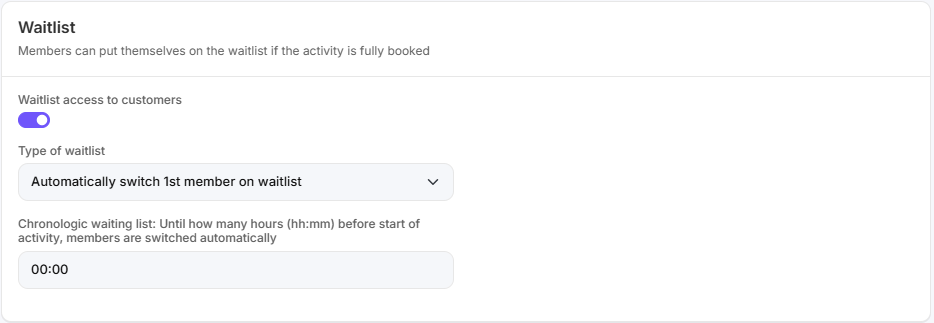
Option 1: Automatisch das erste Mitglied hinzufügen
Wenn diese Option aktiviert ist:
wird automatisch das erste Mitglied auf der Warteliste zur Reservierungsliste hinzugefügt, sobald ein Platz frei wird.
Das Mitglied, das am längsten auf der Warteliste steht, erhält als Erstes einen Platz in der Aktivität.
Sie können einstellen, bis wie lange vor der Aktivität Mitglieder automatisch auf die Reservierungsliste übertragen werden.
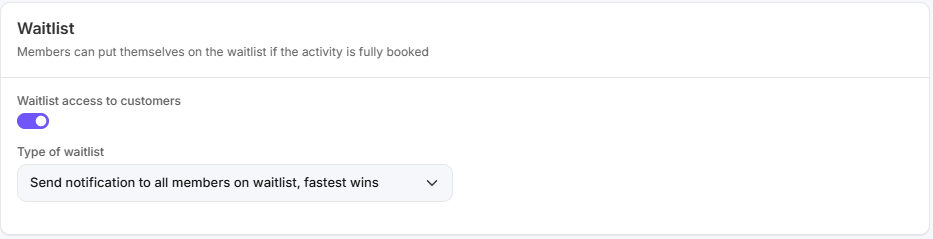
Option 2: Benachrichtigung an alle Mitglieder auf der Warteliste (wer zuerst kommt, mahlt zuerst)
Wenn diese Option aktiviert ist:
erhalten alle Mitglieder auf der Warteliste eine Benachrichtigung, sobald ein Platz auf der Reservierungsliste frei wird.
Der Platz wird dem ersten Mitglied zugeteilt, das die Reservierung bestätigt.
Es gilt das Prinzip „wer zuerst kommt, mahlt zuerst“.
Weitere Informationen
Möchten Sie mehr über die Kalendereinstellungen erfahren? Lesen Sie dann den Artikel über Kalendereinstellungen.