
In this article, you'll learn how to cancel and restart a direct debit/subscription with automatic renewal.
📝step-by-step guide with photos
Cancel a subscription
- Search for the member and open their membership details.
- Go to the 'Memberships' tab.
- Select the last subscription line you want to keep. All subscription lines after the selected line will be deleted.
Note! If there are already paid subscription lines after the selected lines, they will also be deleted. The associated sales lines will also be deleted, meaning your revenue will no longer be the same.
- Double-click the subscription line or click the 3 dots -> 'Edit' to edit the subscription line.
- Click 'Stop membership' in the top right corner.
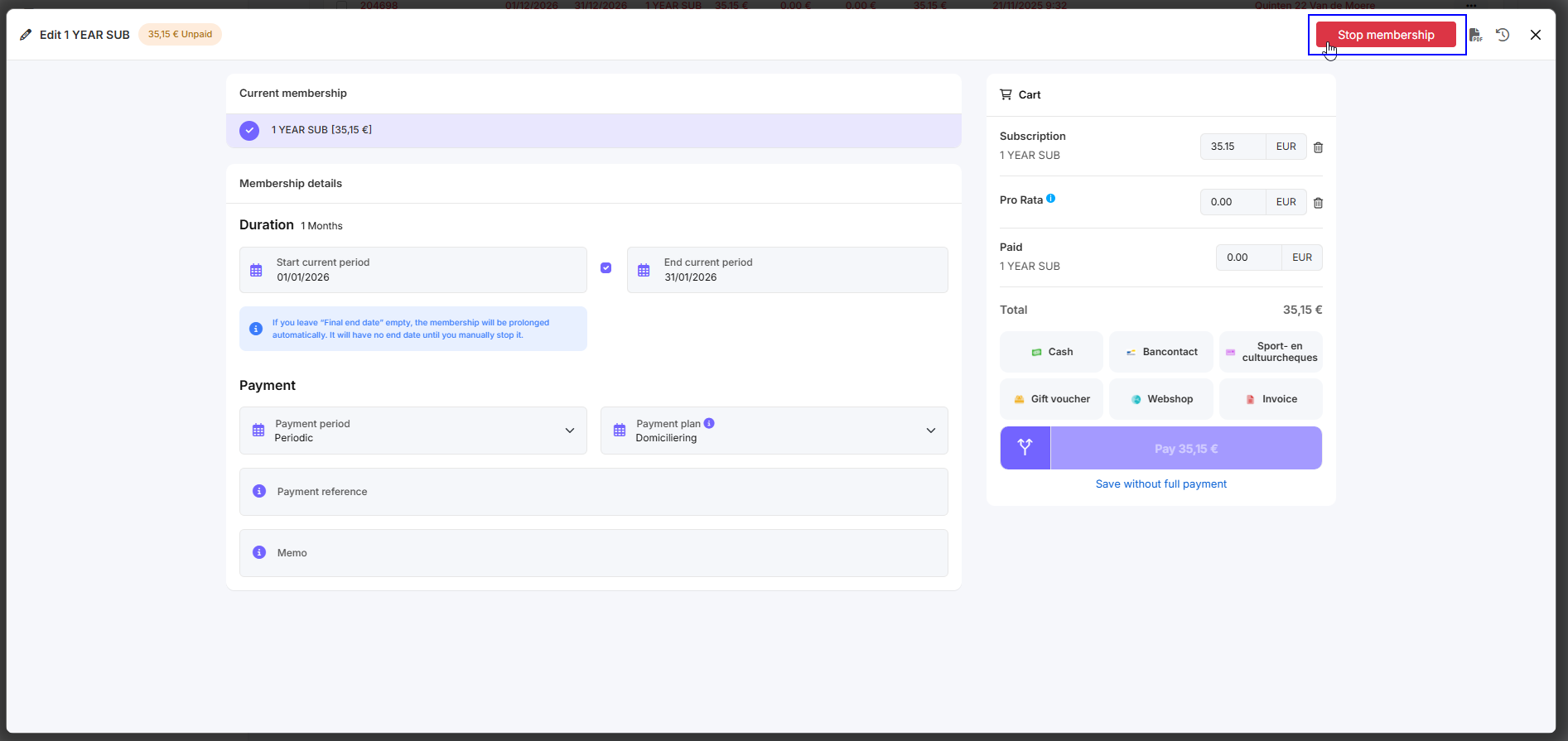
- A message will appear on the screen stating that all subscription lines will be deleted after this end date. You can click 'OK' if you're sure it's okay.
Restarting a subscription
- Find the member and open their membership details.
- Go to the 'Memberships' tab.
- Click on the subscription that has been cancelled. You can see this by the red hand next to 'Current Plan'.
- Click 'Resume membership' in the top right corner.
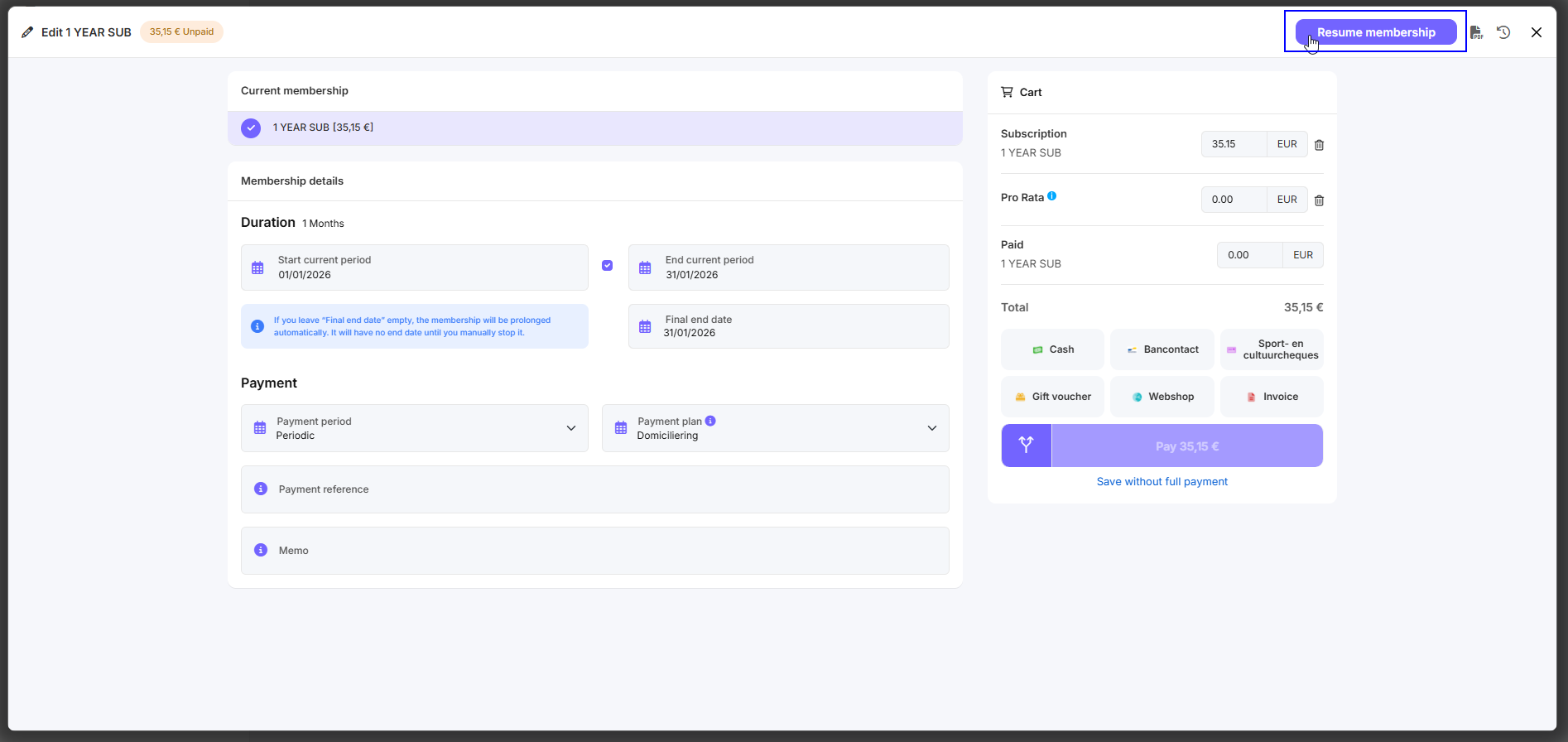
- You will receive a message saying 'Do you want to resume the subscription?' Click 'Yes'.
- Select the last subscription line. Click on the three dots and then on 'Extend subscriptions'.
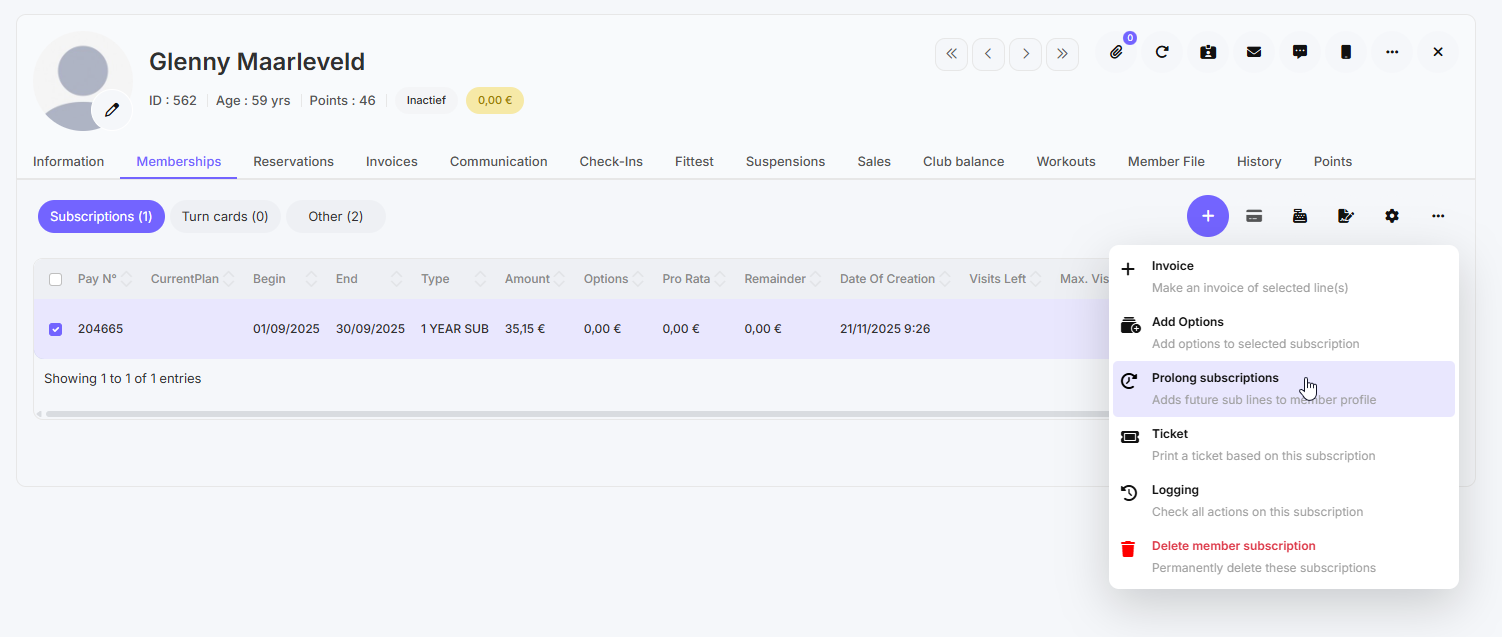
- Reload the member file and all future subscription lines will be available again.