
In this guide, you'll learn how to convert an email template from HTML to plain text.
Customize email template
Go to Settings.
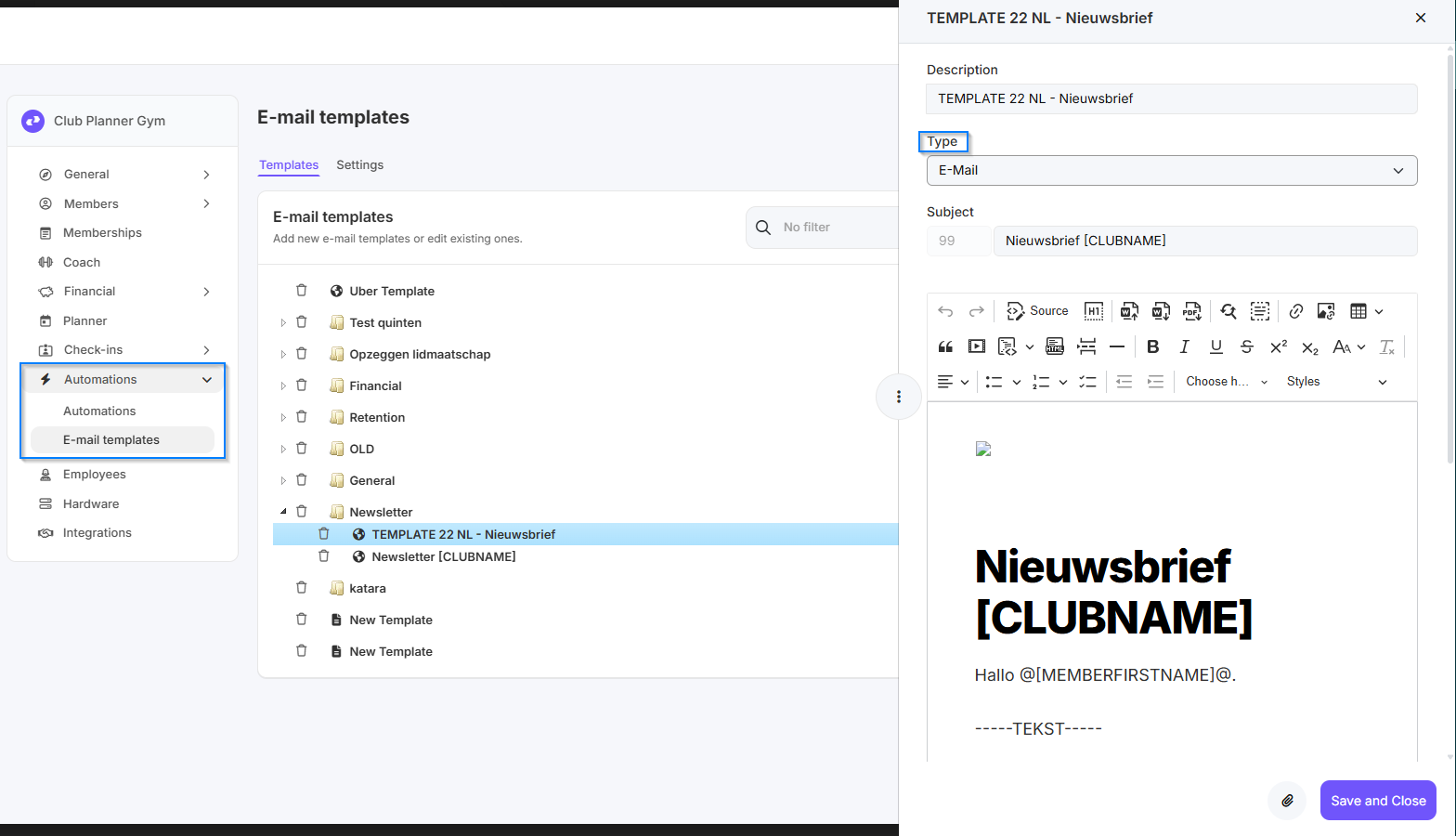
Click on Automations.
Select E-mail templates.
- Open the template that is currently in HTML.
- Change the email type from HTML to Text.
Click on Save and Close.
The email template will now be displayed as text.
When should you use which type
Text: This type is used for push notifications within the platform or application.
E-mail: This type is used when an email message needs to be composed.
SMS: This type is used for sending text messages to users.
This classification helps you select the right message type for each communication channel.