
In dieser Anleitung erfährst du, wie du eine E-Mail-Vorlage von HTML in Text umwandelst.
E-Mail-Vorlage anpassen
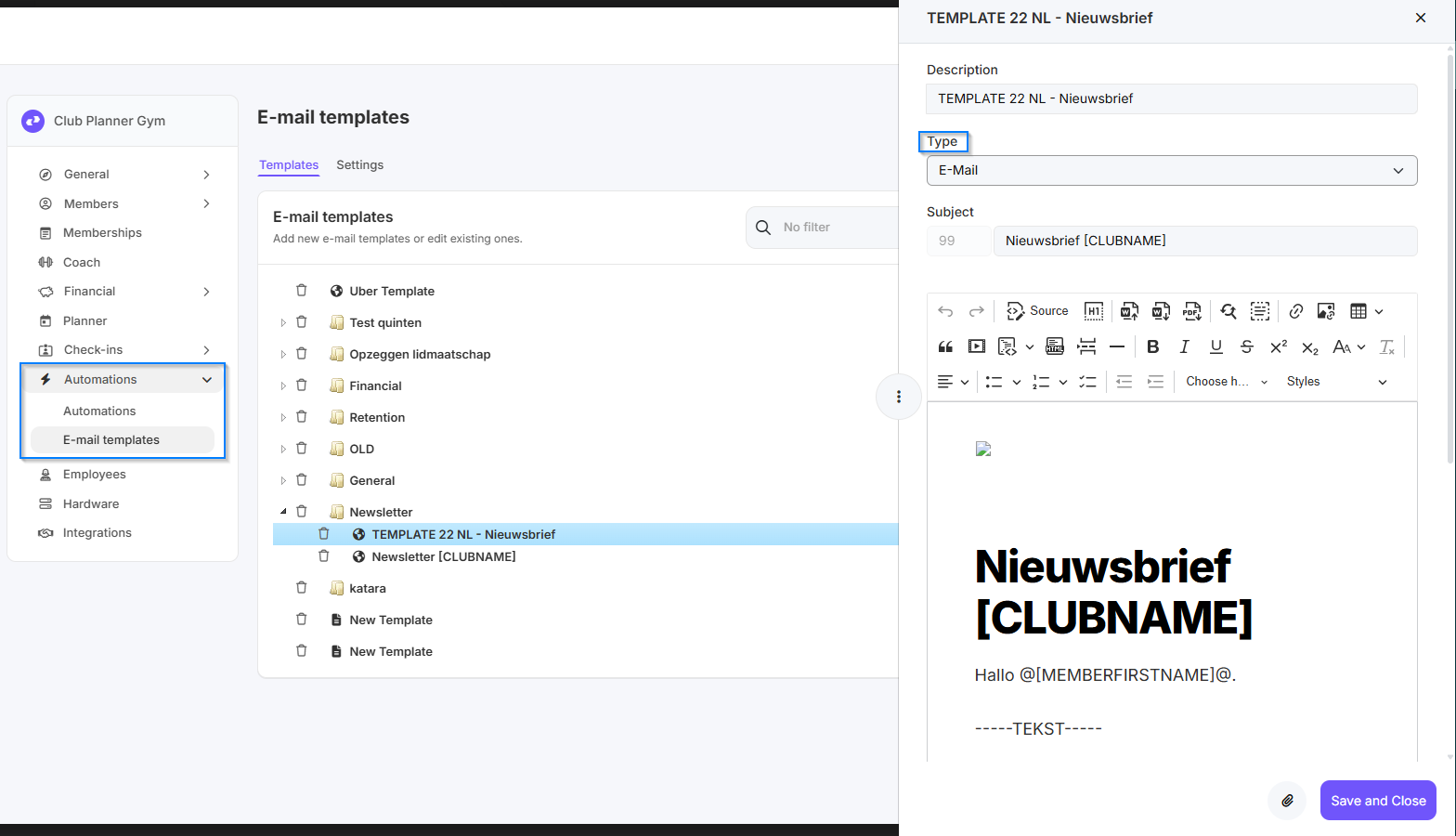
Gehe zu Einstellungen.
Klicke auf Automatisierungen.
Wähle E-Mail-Vorlagen aus.
Öffne die Vorlage, die derzeit in HTML vorliegt.
Ändere den Typ von E-Mail (HTML) in Text.
Klicke auf Speichern und schließen.
Die E-Mail-Vorlage wird jetzt als Text angezeigt.
Welcher Typ wird wann verwendet
Text: Dieser Typ wird für Push-Benachrichtigungen innerhalb der Plattform oder der Anwendung verwendet.
E-Mail: Dieser Typ wird verwendet, wenn eine E-Mail-Nachricht verfasst werden soll.
SMS: Dieser Typ wird für den Versand von SMS-Nachrichten an Benutzer verwendet.
Diese Aufteilung hilft dir, für jeden Kommunikationskanal den richtigen Nachrichtentyp auszuwählen.