In dieser Anleitung erfahren Sie, wie Sie in Club Planner Credits verwenden.
Eine neue Punktekarte anlegen
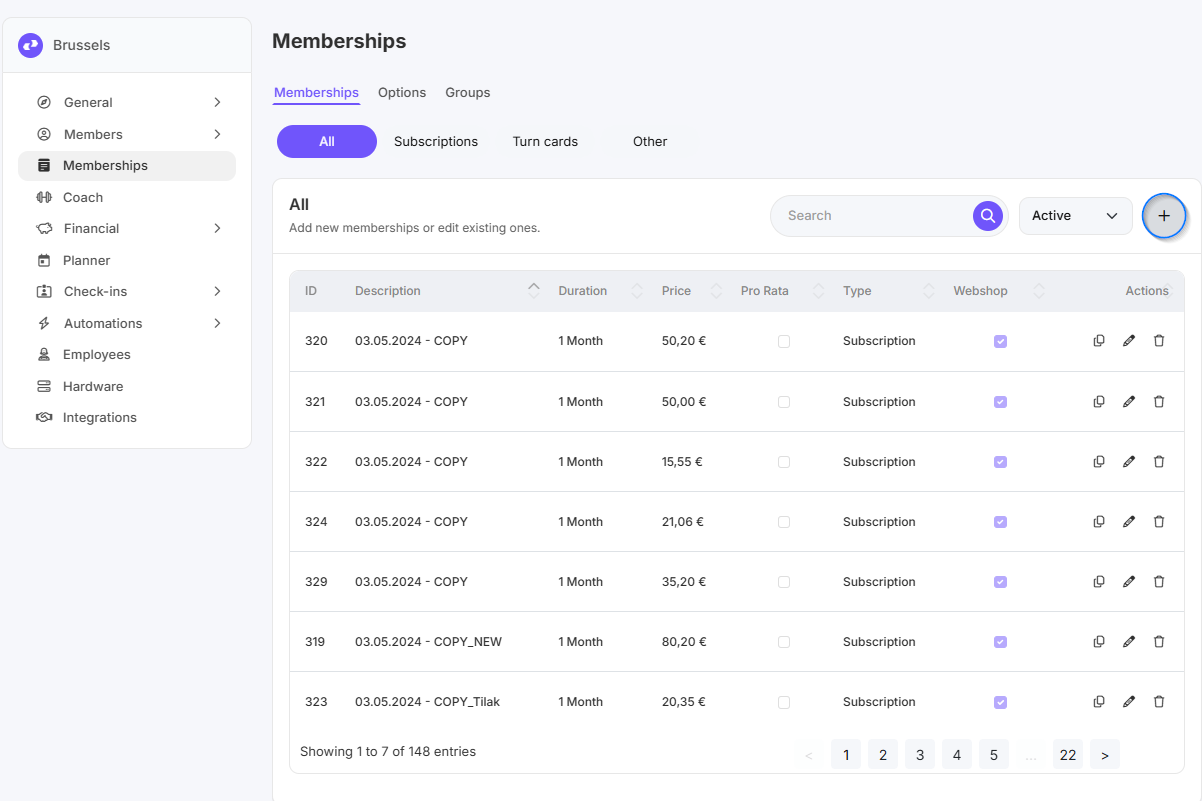
- Gehen Sie zu Einstellungen
- Klicken Sie auf Mitgliedschaften
- Klicken Sie auf das Pluszeichen (+), um eine neue Mitgliedschaft anzulegen
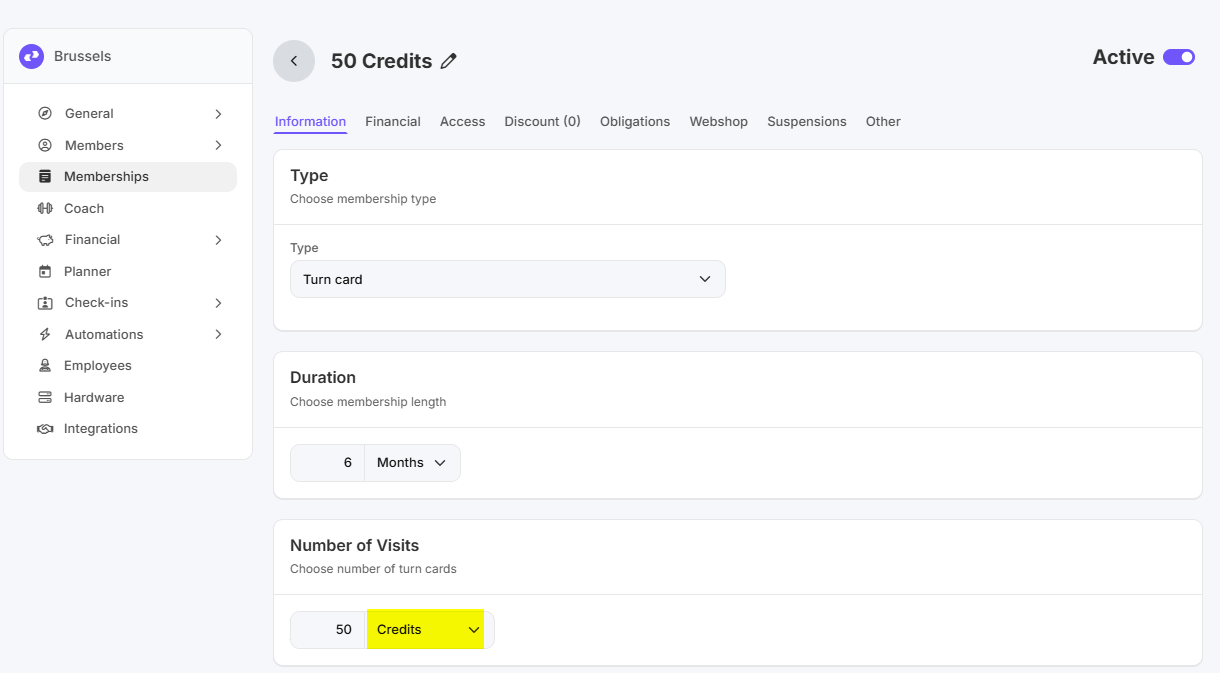
Reiter Daten
Füllen Sie hier folgende Angaben aus:
- Typ: Punktekarte
- Dauer: legen Sie hier fest, wie lange die Credits gültig sind
- Number of Visits: geben Sie die Anzahl der Credits ein und wählen Sie im Dropdown-Menü Credits
Weitere Einstellungen
Für die Einstellungen der übrigen Reiter verweisen wir auf diese Anleitung
Nach dem Anlegen der Mitgliedschaft müssen Sie ihr noch Zugang geben, damit Aktivitäten reserviert werden können. Auch dafür verweisen wir auf diese Anleitung.
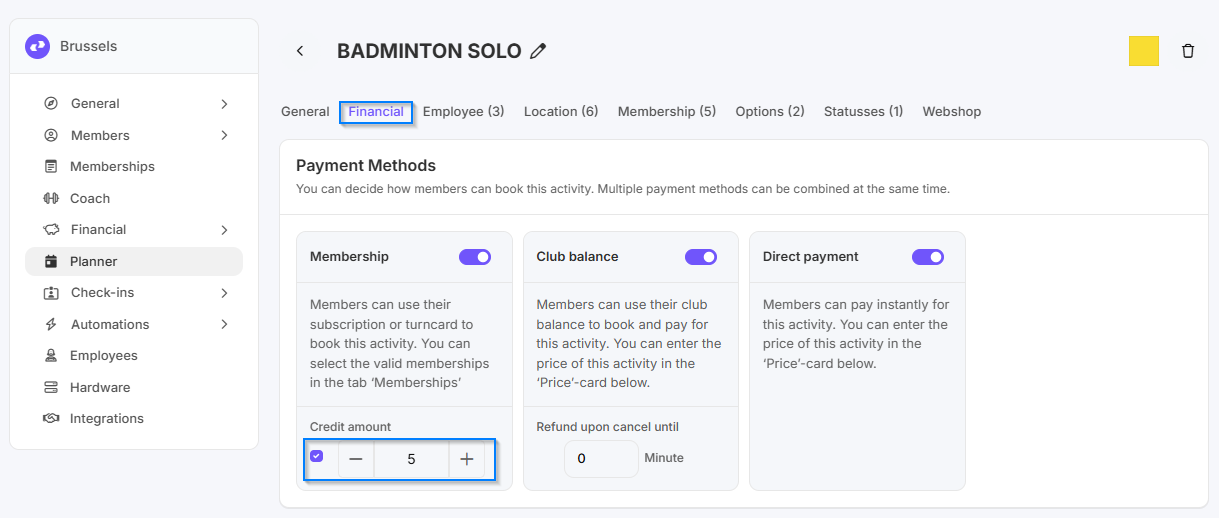
Credits für eine Aktivität einstellen
- Gehen Sie zu Einstellungen
- Klicken Sie auf Planner
- Gehen Sie zum Reiter Aktivitäten
- Doppelklicken Sie auf die Aktivität, für die Mitglieder Credits verwenden können sollen
- Gehen Sie zum Reiter Finanziell
Zahlungseinstellungen
- Bei Zahlungsart „Membership“ setzen Sie den Haken bei Credit amount
- Geben Sie anschließend ein, wie viele Credits für diese Aktivität abgezogen werden.