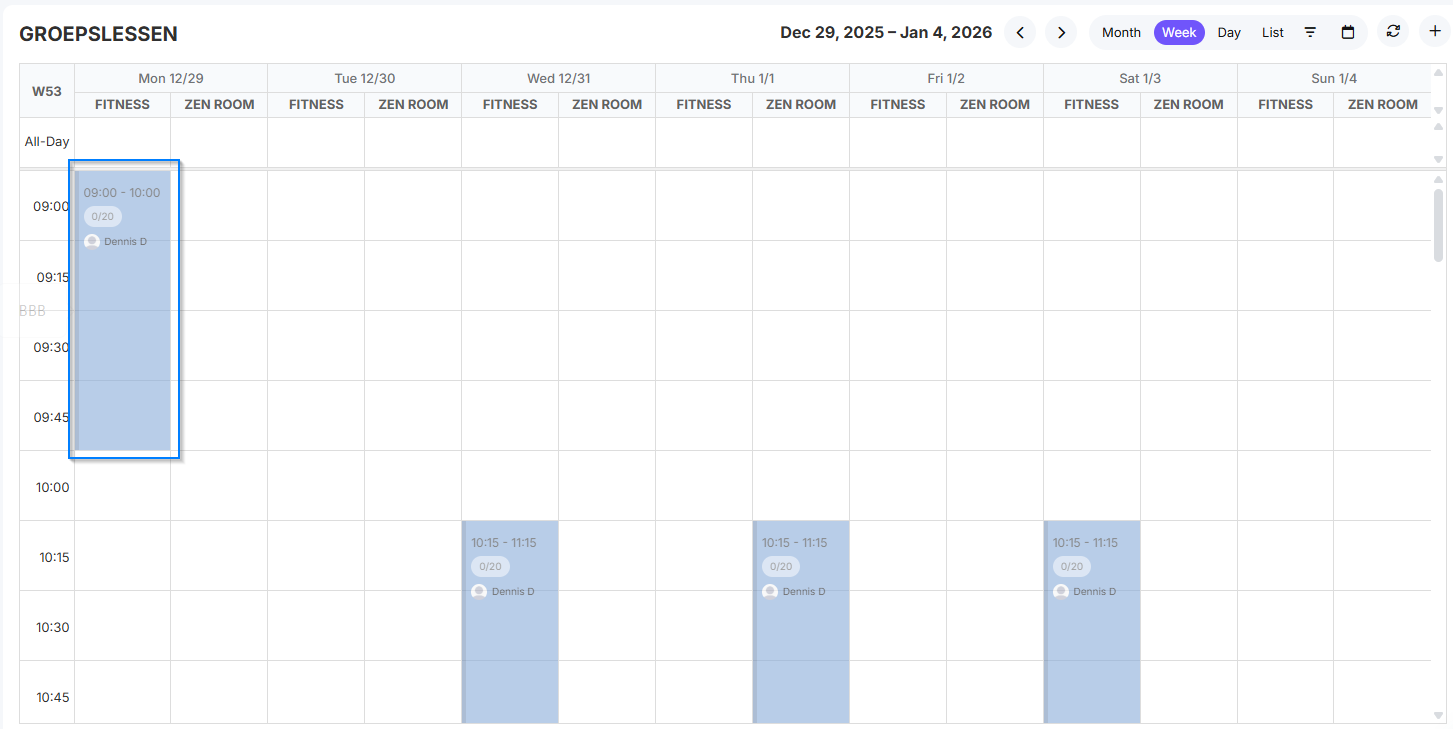
In this manual, you will learn how to schedule new classes in Clubplanner for your club's schedule.
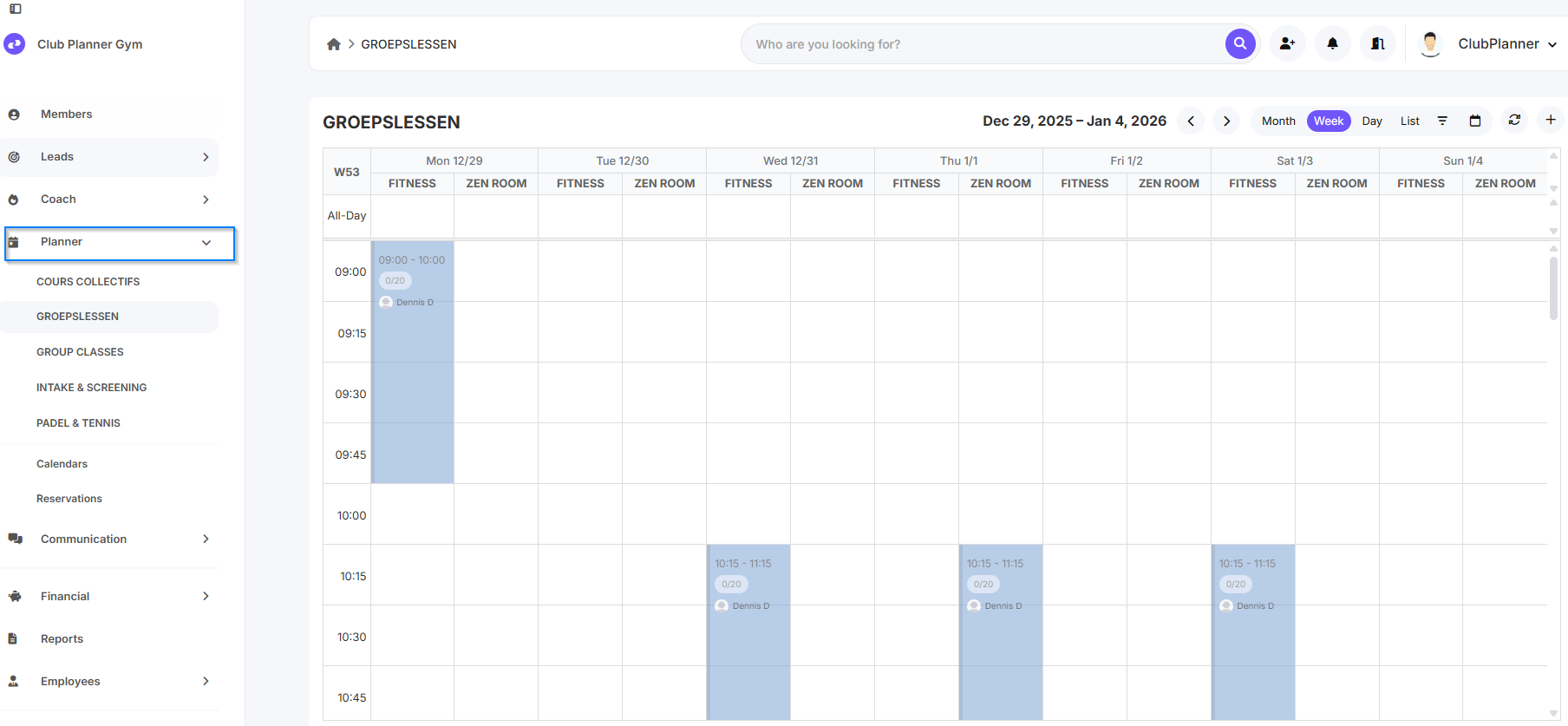
Step 1 – Go to “Schedule”-section
- In the main menu, navigate to “Planner”.
- Here you will find an overview of all scheduled lessons.
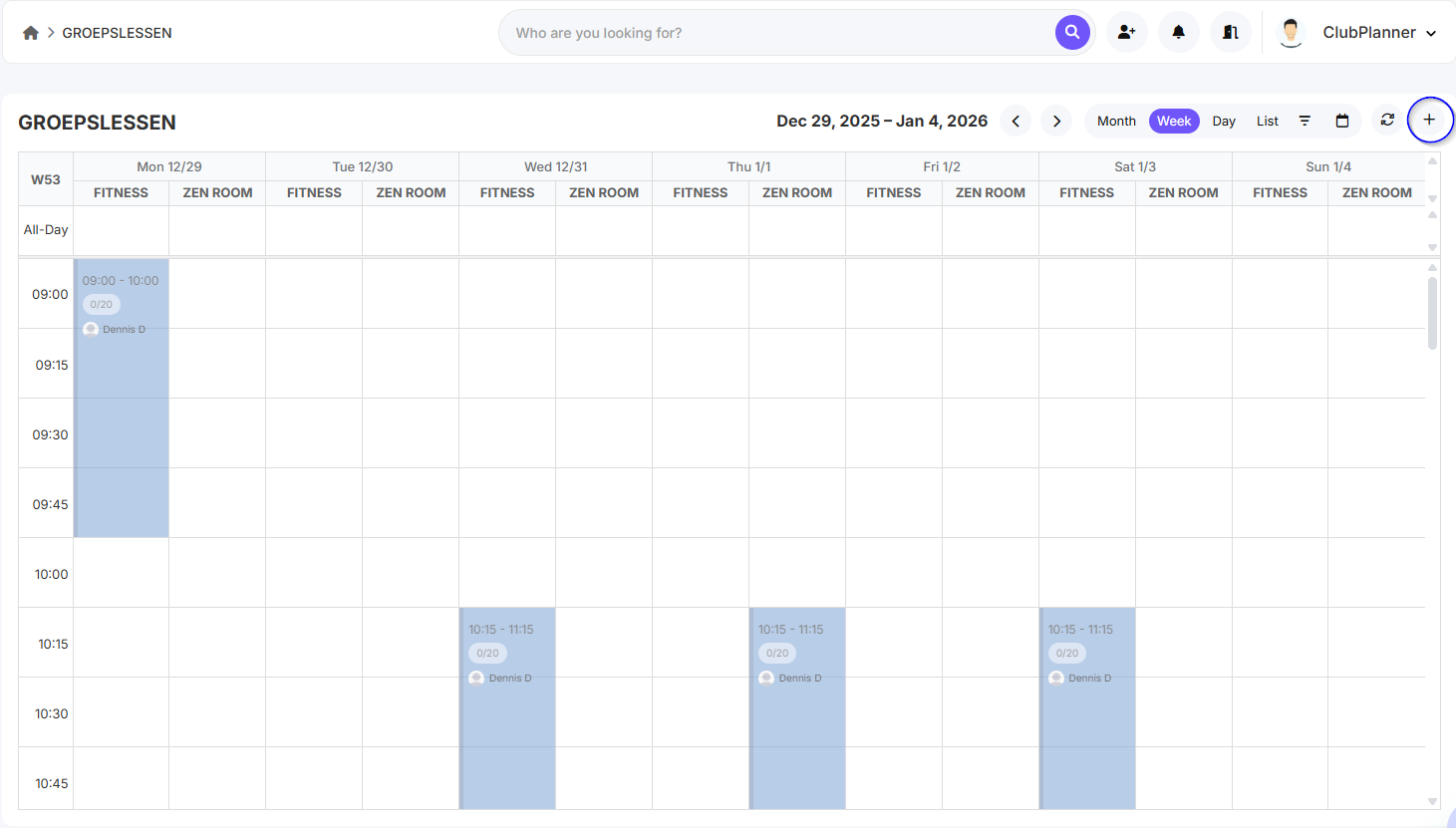
Step 2 – Click on “Add Lesson”
- Click the “Add Lesson” button to add a new lesson.
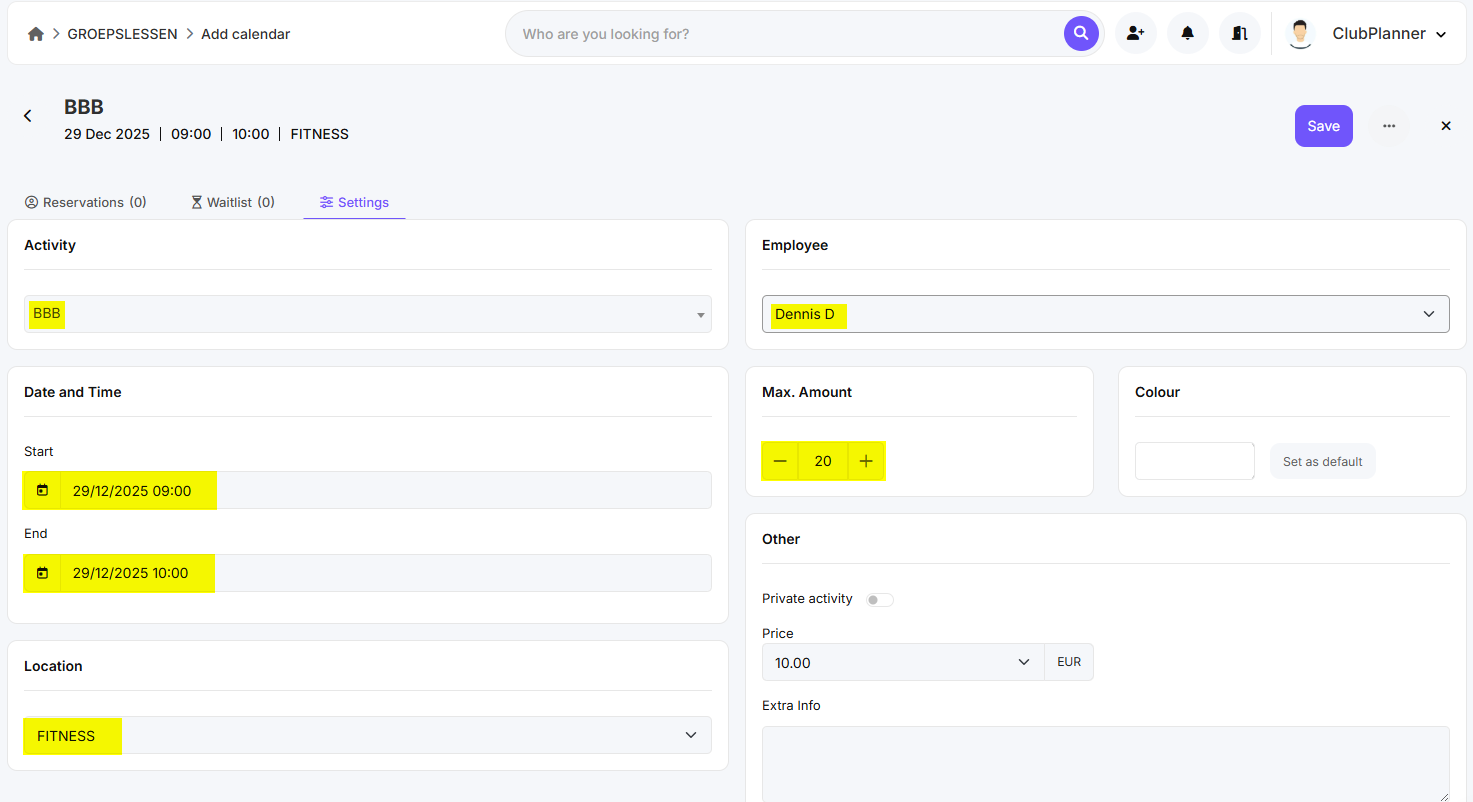
Step 3 – Select lesson details
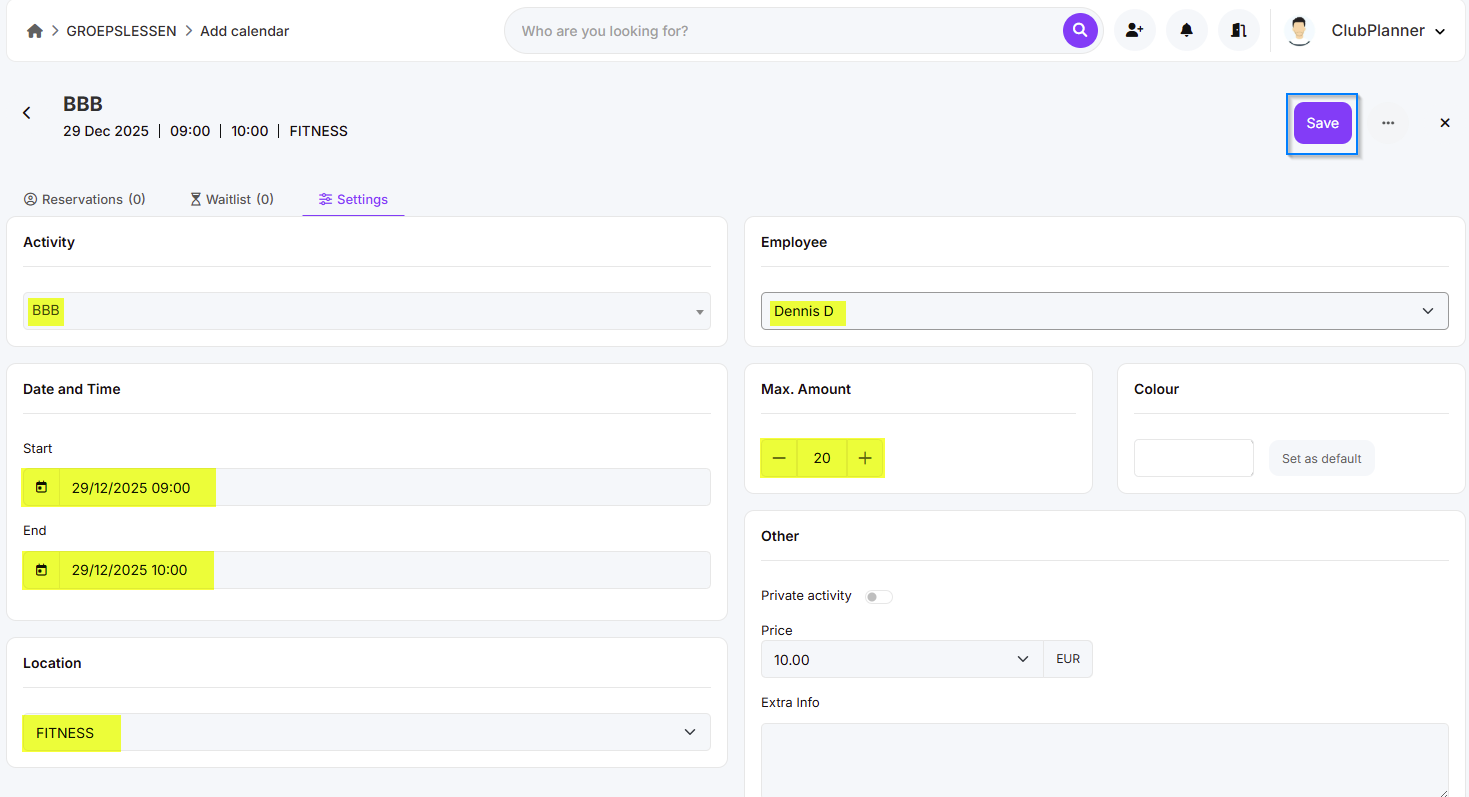
- Fill in the details of the lesson:
- Name of the class (bijv. Yoga, Spinning, HIIT)
- Instructor
- Date and time
- Location/room
- Number of places (class capacity)
Step 4 – Optional settings
- Depending on your settings, you can add additional options:
- Repetition (e.g., weekly recurrence)
- Price or included in membership
- Specific conditions or comments
Step 5 – Confirm
- Click “Save” to add the lesson.
- The new lesson will now appear in the schedule.
Step 6 – Check in schedule
- Check the schedule to verify that the class is scheduled correctly.
- Here you can also edit or delete the lesson later.