Erfahren Sie hier, wie Sie die Allgemeinen Geschäftsbedingungen und Datenschutzerklärung Ihres Clubs anpassen können.
Allgemeine Geschäftsbedingungen
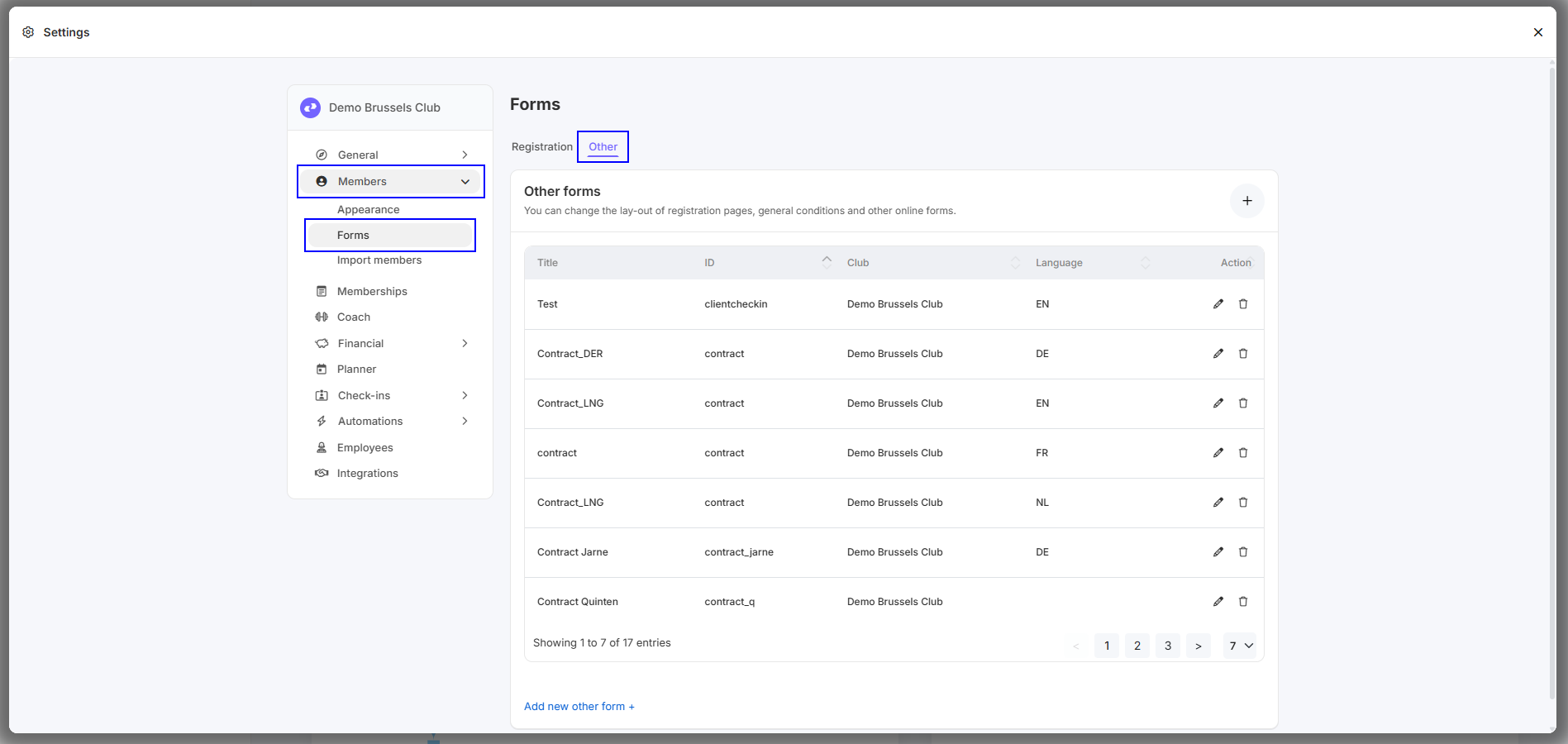
Schritt 1 - Gehen Sie zu 'Settings - Members - Forms - Other'
Schritt 2 - Suchen Sie das Formular mit der ID 'Termsandcond_body'.
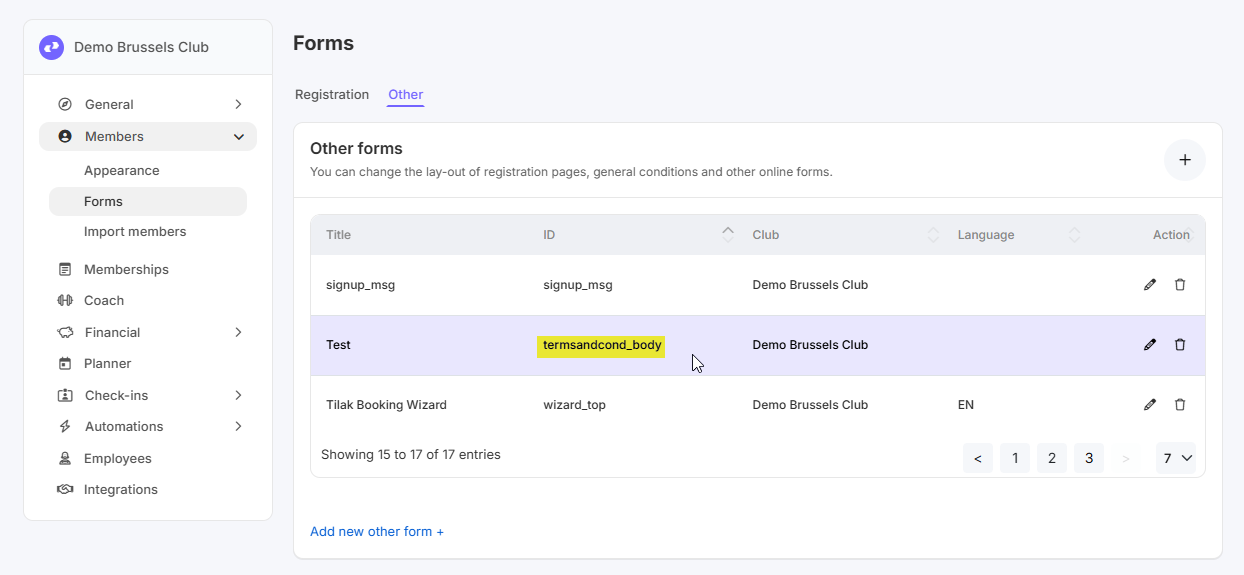
Falls dieses Formular nicht vorhanden ist, wird ein Standardtext für die Allgemeinen Geschäftsbedingungen angezeigt.
Sobald Sie dieses Formular hinzufügen und etwas eingeben, wird dieser Text angezeigt.
Link für die Allgemeinen Geschäftsbedingungen: https://[CLUBNAAM].clubplanner.app/termsandconditions
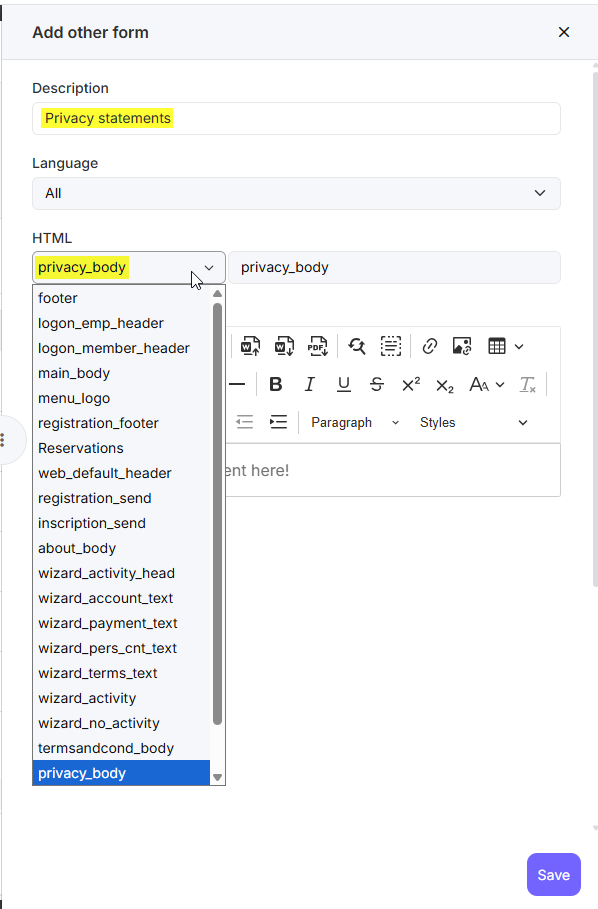
Falls Sie das Formular mit der ID 'termsandcond_body' noch nicht sehen, können Sie es hinzufügen, indem Sie oben rechts auf das '+' klicken. Geben Sie eine Beschreibung ein, wählen Sie bei HTML die richtige ID 'termsandcond_body' und füllen Sie die Allgemeinen Geschäftsbedingungen aus. Klicken Sie dann auf 'Save'.
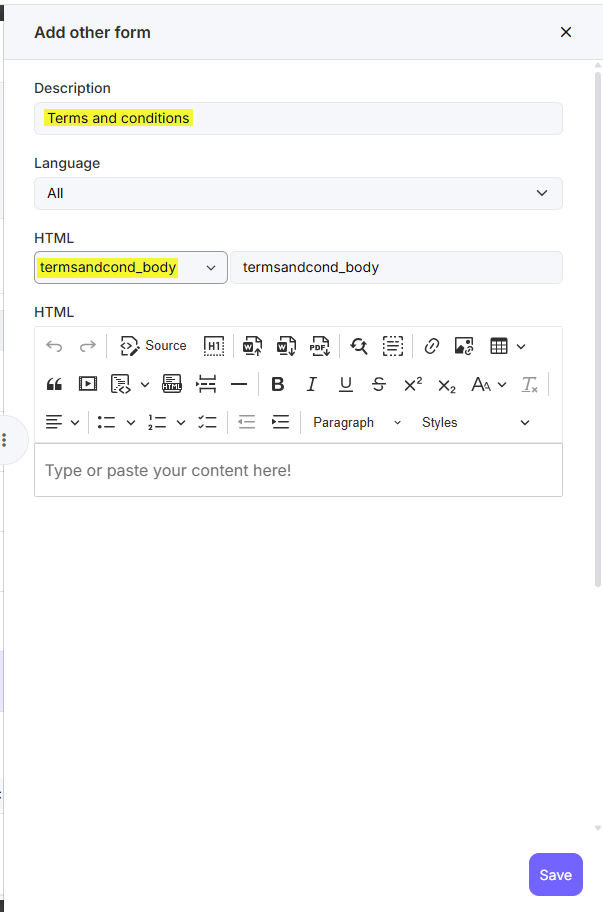
Datenschutzerklärung
Schritt 1 - Gehen Sie zu 'Settings - Members - Forms - Other'
Schritt 2 - Suchen Sie das Formular mit der ID 'Termsandcond_body'.
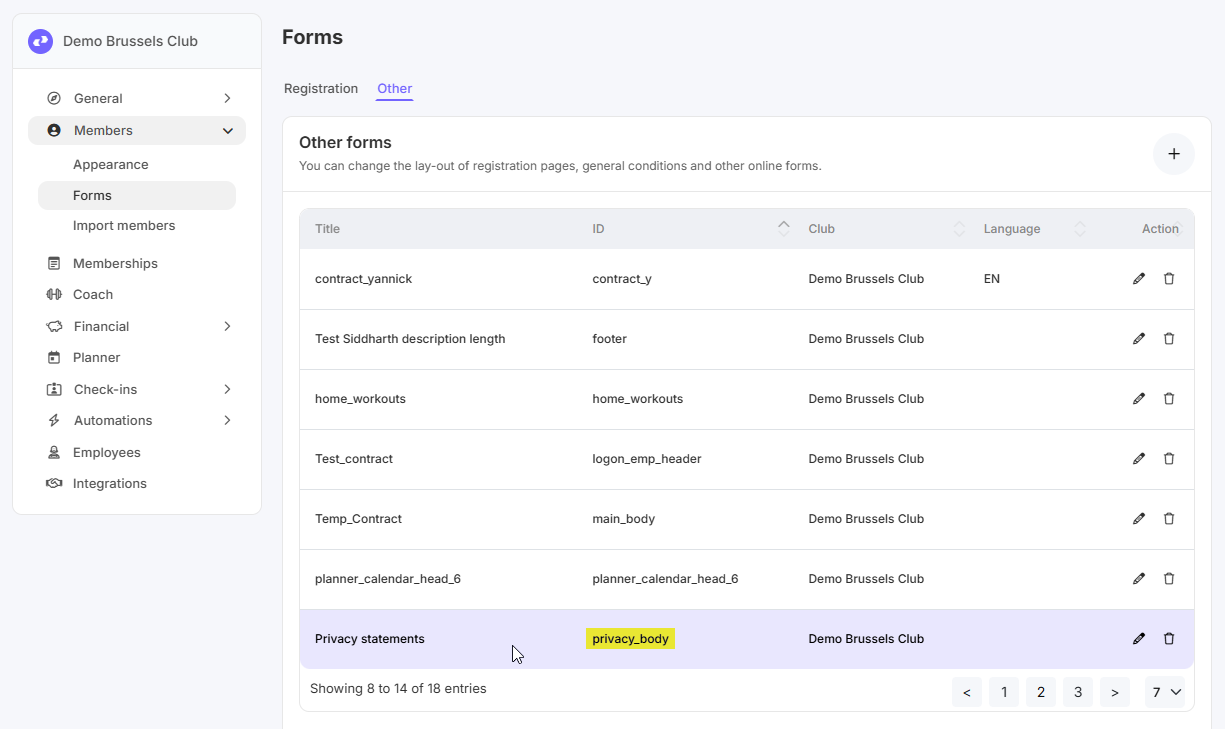
Falls dieses Formular nicht vorhanden ist, wird ein Standardtext für die Datenschutzerklärung angezeigt.
Sobald Sie dieses Formular hinzufügen und etwas eingeben, wird dieser Text angezeigt.
Link für die Datenschutzerklärung: https://[CLUBNAAM].clubplanner.app/privacypolicy
Falls Sie das Formular mit der ID 'privacy_body' noch nicht sehen, können Sie es hinzufügen, indem Sie oben rechts auf das '+' klicken. Geben Sie eine Beschreibung ein, wählen Sie bei HTML die richtige ID 'privacy_body' und füllen Sie die Datenschutzerklärung aus. Klicken Sie dann auf 'Save'.