In dieser Anleitung erfährst du, wie du einen Zahlungsnachweis für ein Mitglied erstellst, das eine Mitgliedschaft gekauft hat.
Wie erstelle ich einen Zahlungsnachweis für eine Mitgliedschaft
Führe die folgenden Schritte aus, um einen Zahlungsnachweis für eine gekaufte Mitgliedschaft zu erstellen und ihn an ein Mitglied zu übermitteln.
- Gehe zu Mitglieder.
- Öffne das Mitgliederprofil des betreffenden Mitglieds.
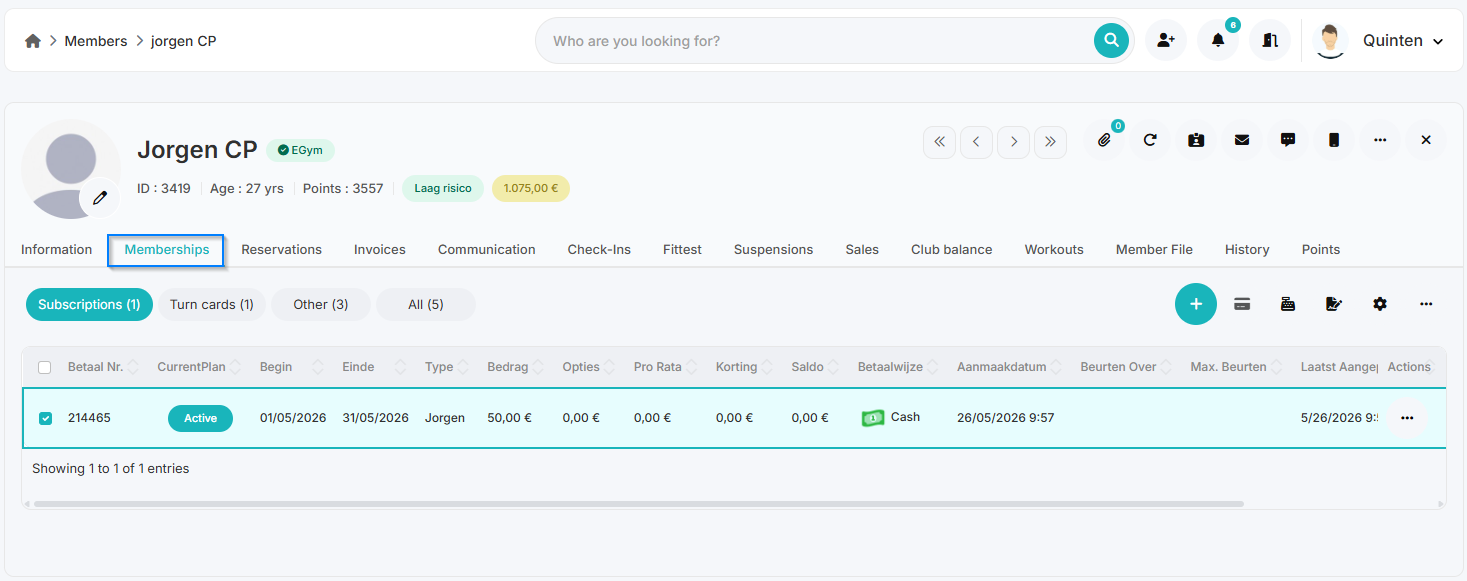
- Navigiere zum Reiter Mitgliedschaften.
- Wähle die Abonnementlinie aus, für die du einen Zahlungsnachweis erstellen möchtest.
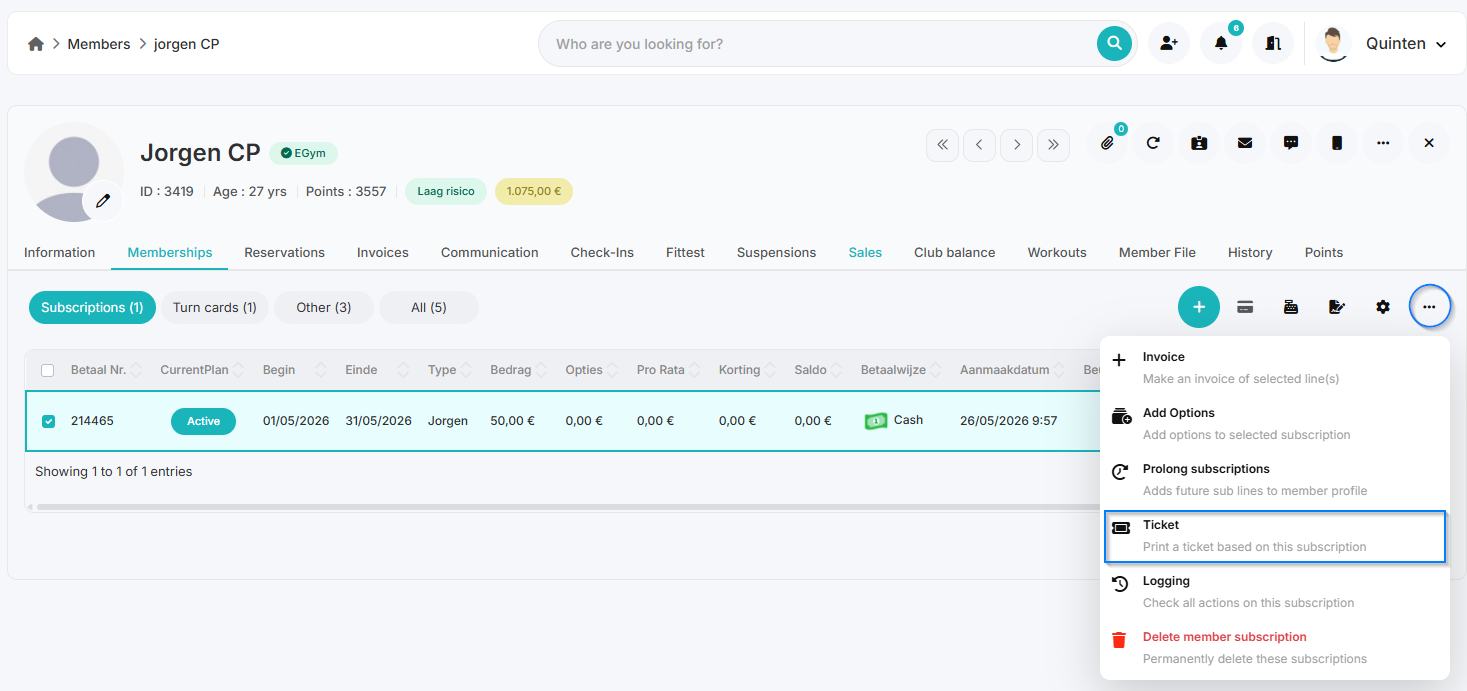
- Klicke dann auf die drei Punkte neben der Mitgliedschaft.
- Wähle hier Ticket.
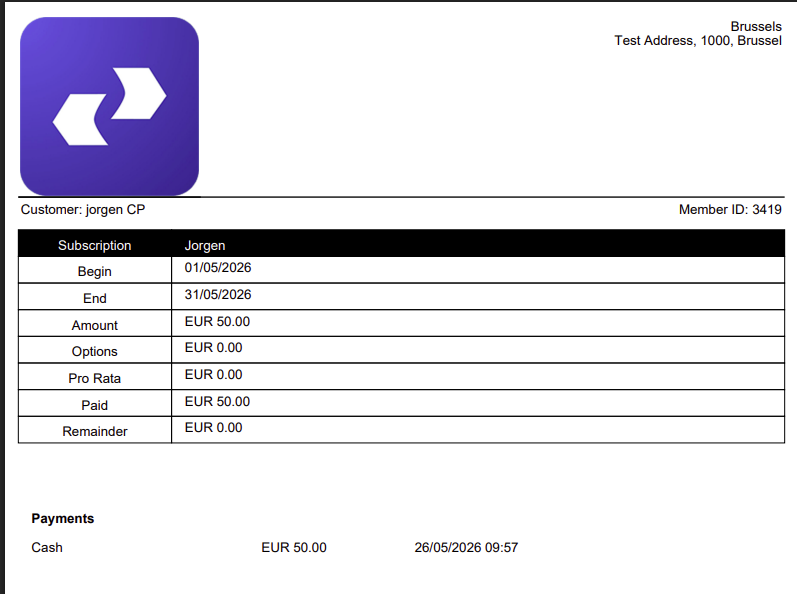
- Es öffnet sich nun eine PDF-Datei mit dem Zahlungsnachweis.
- Du kannst dieses Dokument anschließend:
- per E-Mail weiterleiten
- oder bei Bedarf ausdrucken.
Wie erstelle ich einen Zahlungsnachweis/eine Rechnung für mehrere Abonnementlinien gleichzeitig?
- Gehe zu Mitglieder.
- Öffne das Mitgliederprofil des betreffenden Mitglieds.
- Navigiere zum Reiter Mitgliedschaften.
- Wähle die Abonnementlinien aus, für die du einen Zahlungsnachweis oder eine Rechnung erstellen möchtest.
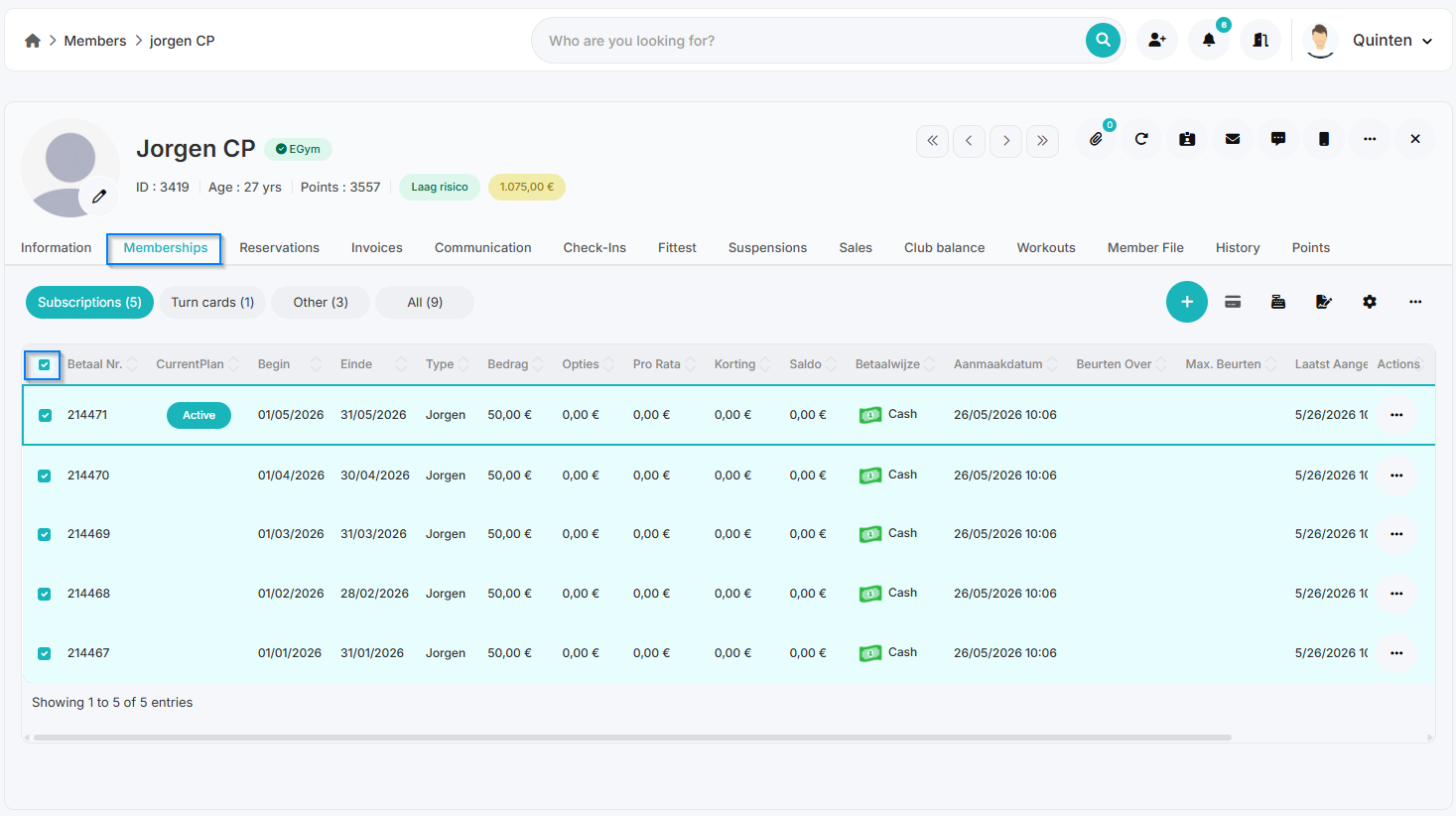
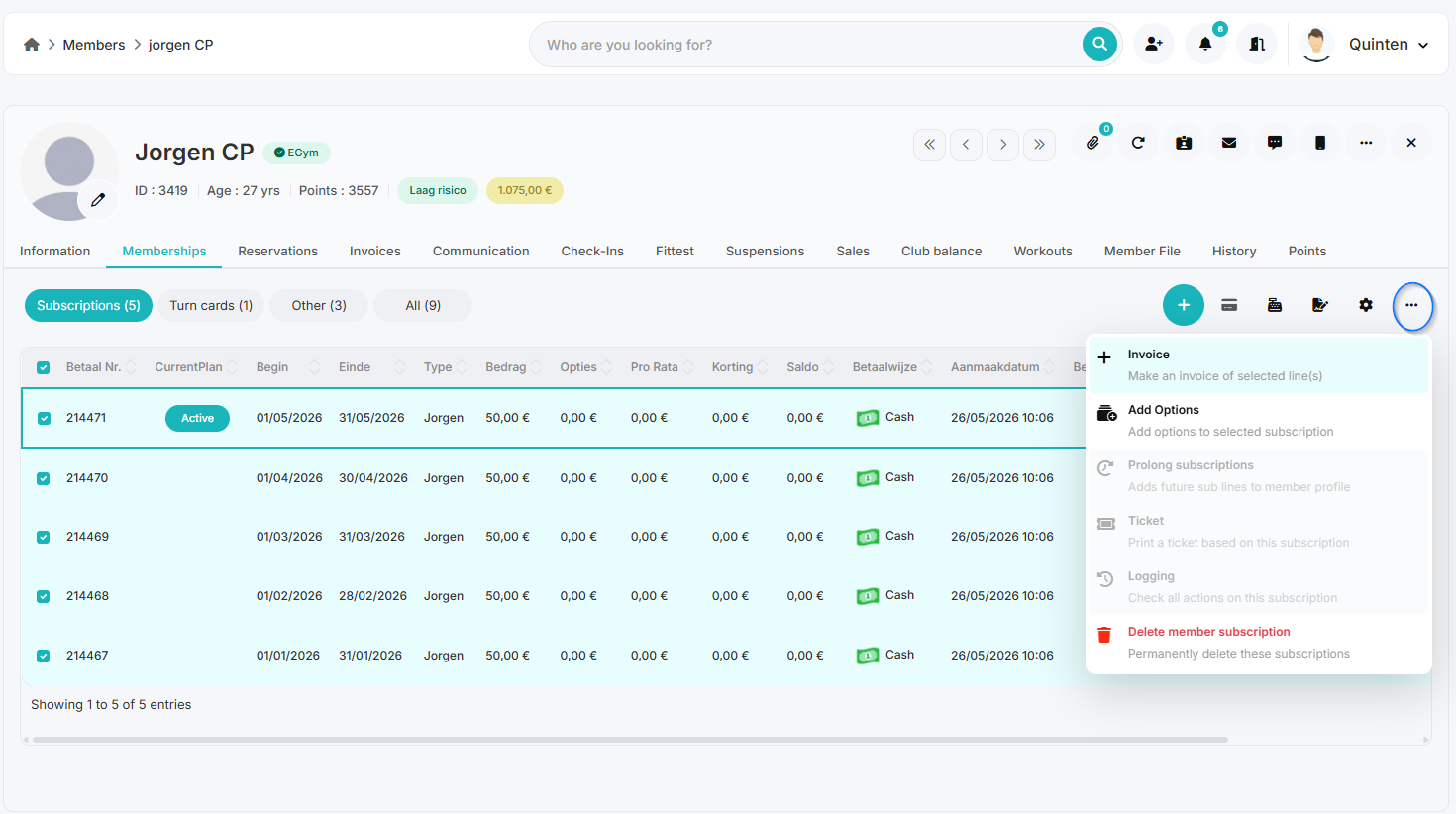
- Klicke dann auf die drei Punkte
- Wähle hier die Option Invoice
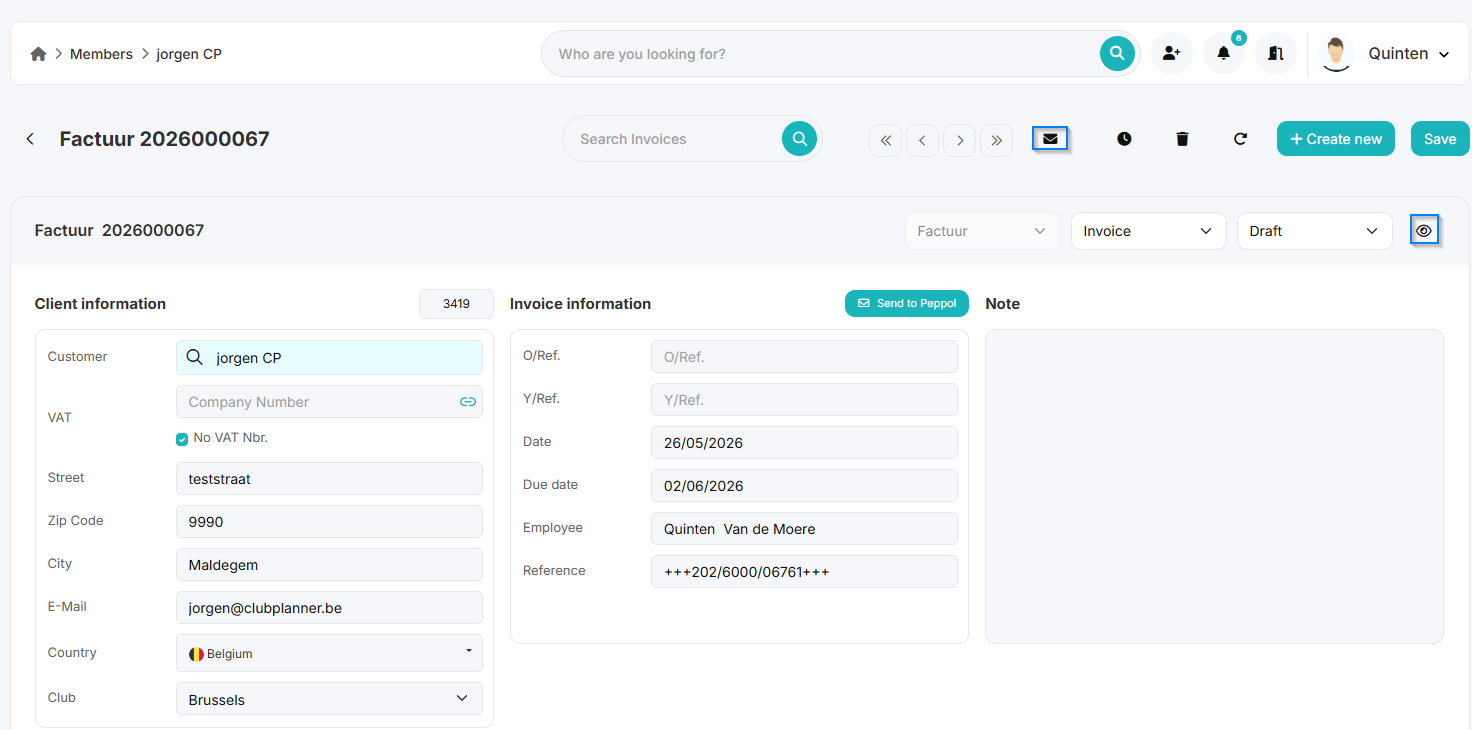
- Aktiviere dann das Kontrollkästchen Keine Umsatzsteuer-ID.
- Dies ist für Mitglieder gedacht, die einen Zahlungsnachweis oder eine Rechnung ohne Umsatzsteuer-ID möchten. - Klicke dann auf Speichern.
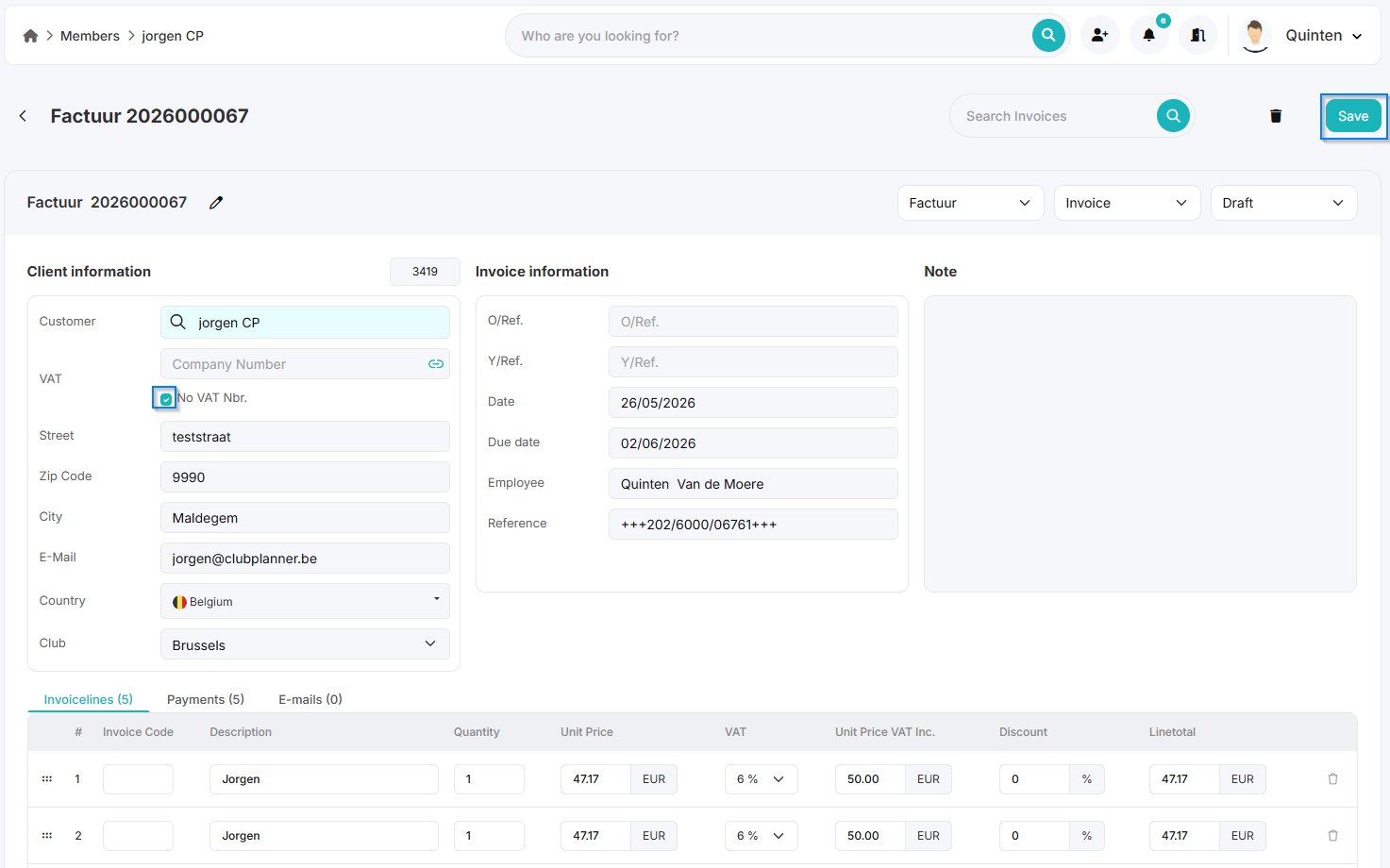
- Du kannst die Rechnung nun:
- per E-Mail an das Mitglied versenden
- oder über das Auge-Symbol öffnen, um die PDF anzuzeigen und bei Bedarf auszudrucken.