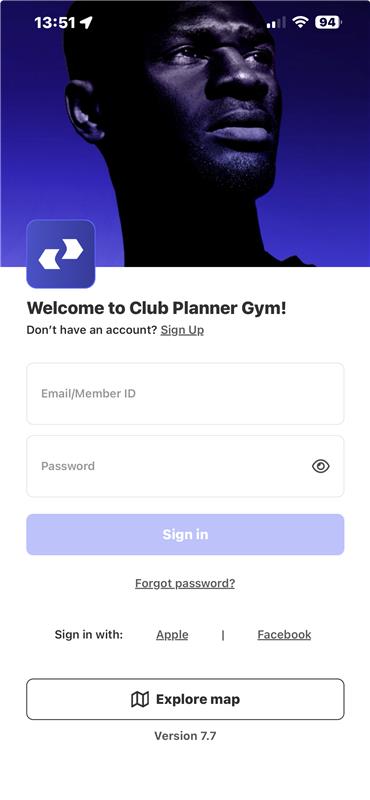
Hier erfahren Sie, welche Möglichkeiten Ihr Personal hat, sich in Club Planner anzumelden.
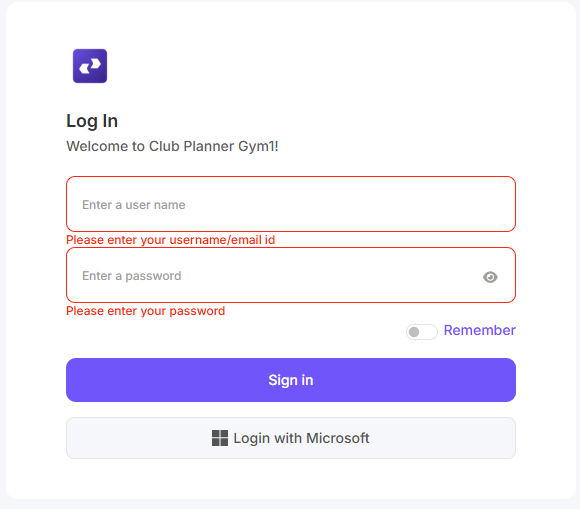
Online-Plattform
Option 1: Benutzer und Passwort
Rufen Sie auf: https://[CLUBNAME].clubplanner.app/Account/Login
Bei „Benutzer“ geben Sie die Personalnummer oder die E-Mail-Adresse ein, die mit dem Mitarbeiter verknüpft ist.
Bei „Passwort“ geben Sie das selbst gewählte Passwort ein.
Option 2: Anmeldung mit Microsoft
Melden Sie sich mit Ihren Microsoft-Zugangsdaten an.
MyClubPlanner-App (iOS oder Android)
Über diesen Link kann die MyClubPlanner-App im App Store (iOS) oder im Play Store (Android) installiert werden.
Bei „Benutzer“ geben Sie die Personalnummer oder die E-Mail-Adresse ein, die mit dem Mitarbeiter verknüpft ist.
Bei „Passwort“ geben Sie das selbst gewählte Passwort ein.