
Your club gets its own website that fills itself with what is already in the web platform: your activities, your memberships, your coaches, your opening hours and your contact details. You don't have to write any texts or keep anything up to date twice. You pick a template, check what goes on it and put the site online.
Opening the website
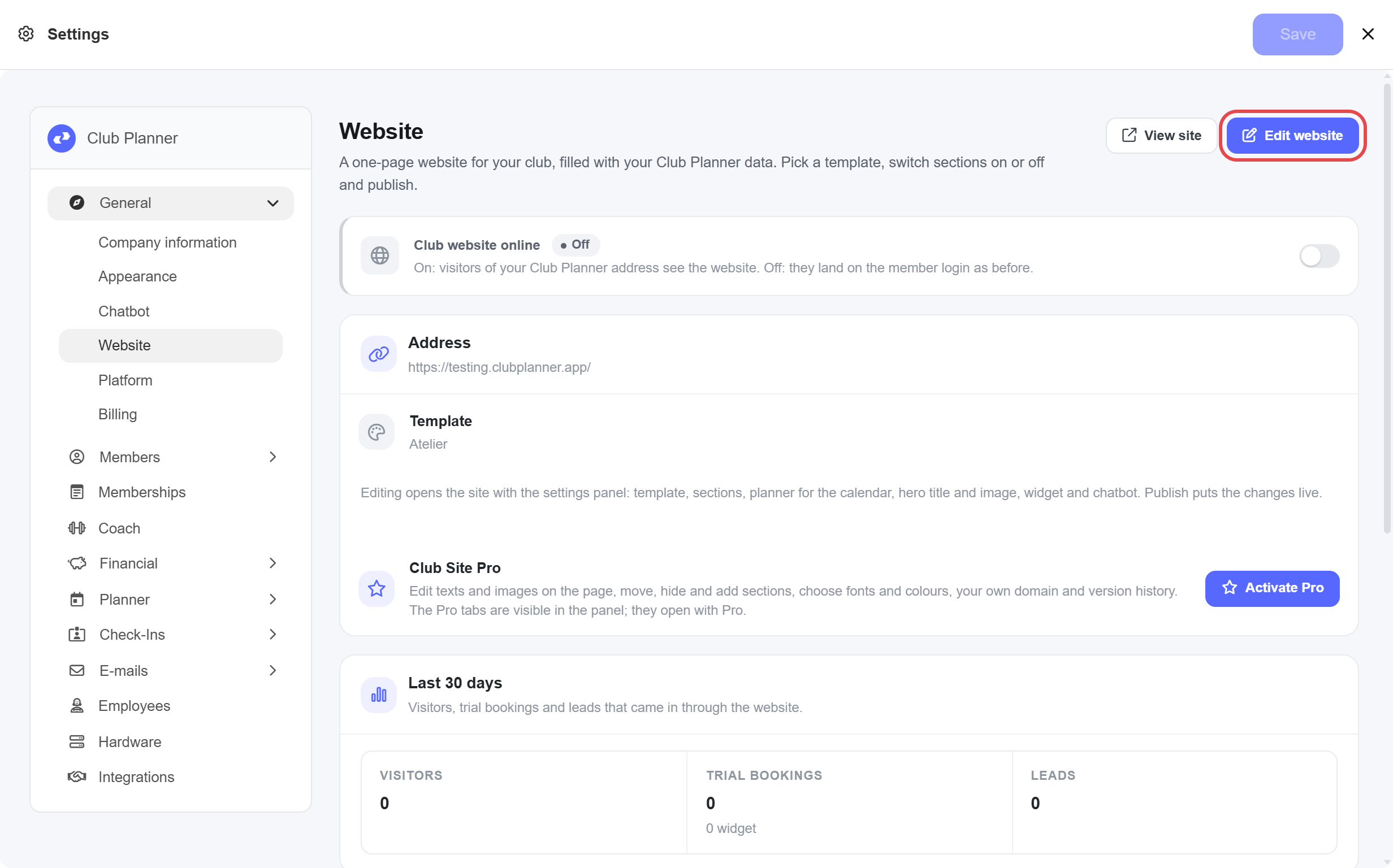
Go to Settings > General > Website and click Edit website. Your site opens in a new tab, with a panel on the left to set it up. What you change there, you see on the page straight away. Visitors only see it once you publish it.
Step 1: pick your template
The first time you open the website, you pick a template. You see each template as a preview with your own name, colour, logo and classes. Under the template you want, click Pick followed by its name, for example Pick Atelier. You can always switch later with Switch template without losing anything.
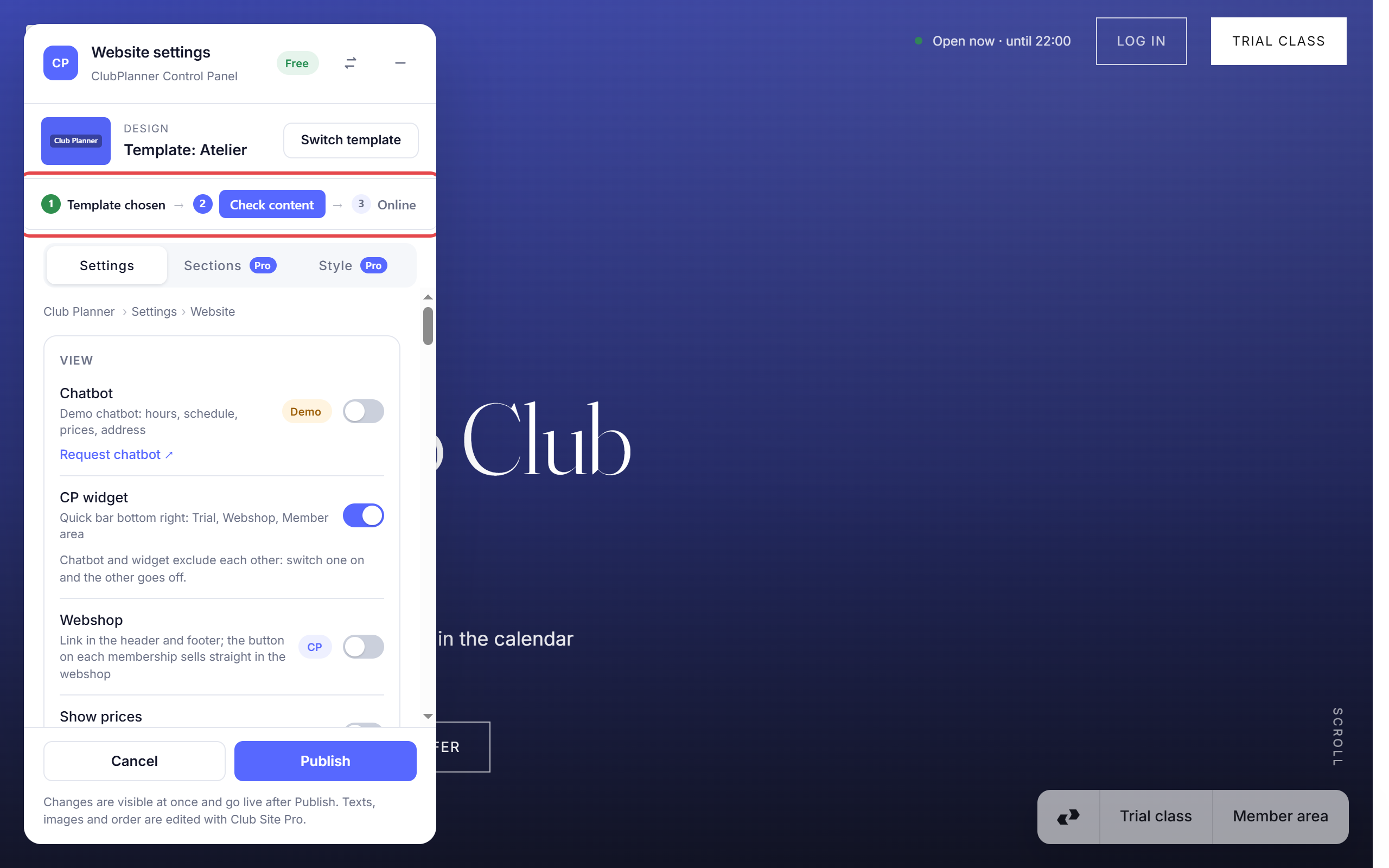
The panel then opens. As long as your site is not online, you see three steps at the top. The first one is already ticked off.
Step 2: check the content
Click Check content. The panel jumps to the Settings tab. Go through it from top to bottom:
- Under Activities on the site you switch on the activities visitors see. By default only activities with a photo are on.
- Under Memberships on the site you do the same for your memberships. Memberships without a price are off by default.
- Under Coaches you choose who appears on the site.
- Under Facilities you add what your club offers yourself, such as a sauna or parking, with a short description and a photo.
- Under View you only switch on Show prices once your prices are right.
At the bottom, tick I have checked which activities and memberships go on the site. You only need to do this once. It keeps a test class or an internal membership off your site.
Step 3: put your site online
Click Put online and confirm. Your site is now live at your club's address. You can find that address under Settings > General > Website.
Making changes later
Go to Settings > General > Website > Edit website, change what you want and click Publish. Without Publish your site stays as it was.
You never have to update your class schedule, your opening hours and closing days, your prices or your contact details on the site. They come straight from the web platform. If your address or phone number is wrong, change it under Settings > General > Company information.
The trial class calendar and the contact form only work if your club has the leads module. Requests then come in as leads.
Club Site Pro
In the free version you decide what goes on your site. With Club Site Pro you can also edit texts and images directly on the page, drag, hide or add sections in the Sections tab, choose fonts and extra templates in the Style tab, and use your own domain name. You switch Pro on under Settings > General > Website > Activate Pro.