In diesen Anleitungen erklären wir Schritt für Schritt, wo Sie persönliche Informationen eines Mitglieds speichern können.
Option 1 - In der Notiz bei der Mitgliedskarte
- Gehen Sie zur Mitgliederliste in Club Planner.
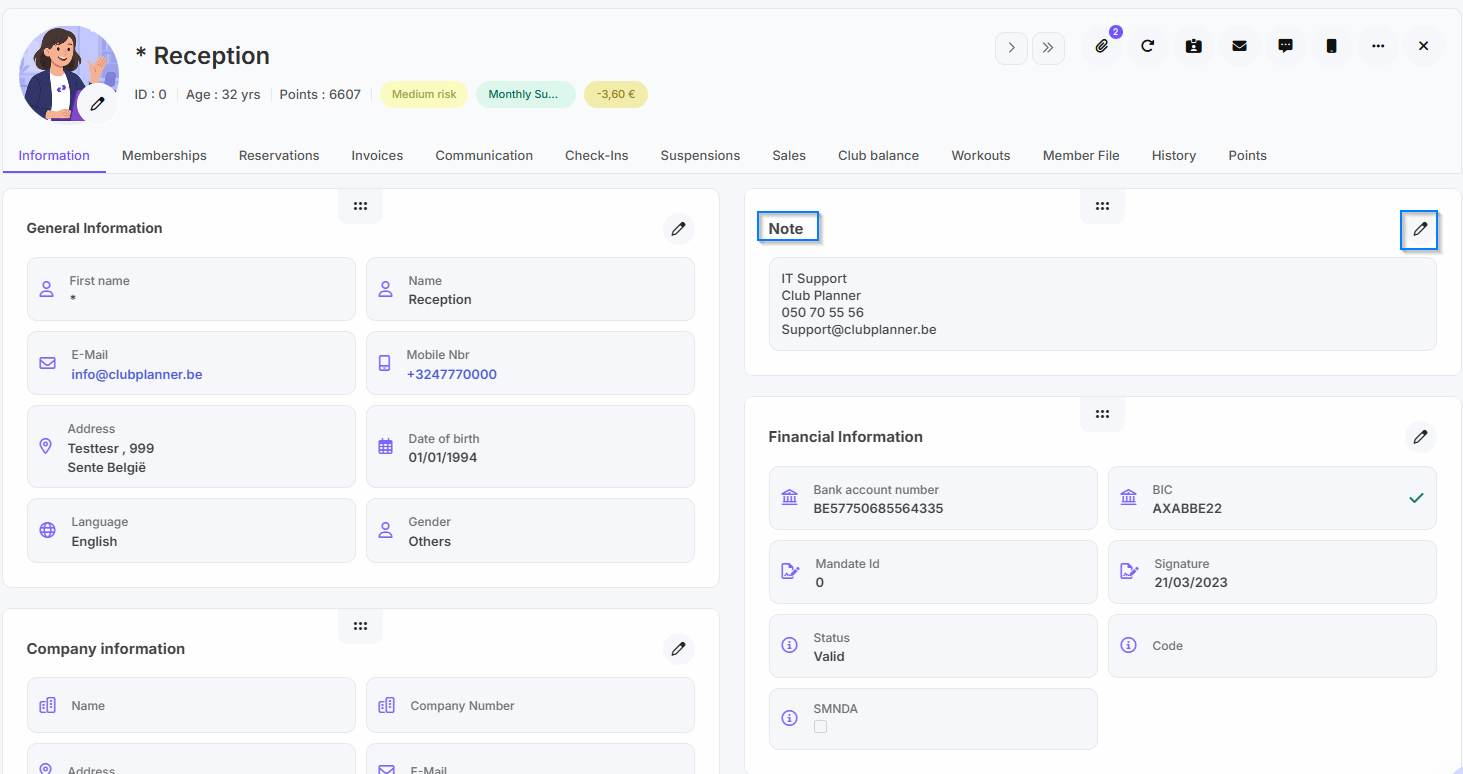
- Klicken Sie auf das Mitglied, für das Sie persönliche Informationen hinzufügen möchten.
- Gehen Sie zum Reiter 'Daten' bei dem Mitglied.
- Bei 'Notiz' klicken Sie auf 'Bearbeiten'.
- Anschließend können Sie hier persönliche Informationen über das Mitglied hinzufügen, wie zum Beispiel: eine Notfallnummer,...
- Abschließend klicken Sie auf 'Update'.
Option 2 - Persönliche Informationen in der Mitgliedersakte speichern
- Gehen Sie zur Mitgliederliste in Club Planner.
- Klicken Sie auf das Mitglied, für das Sie persönliche Informationen hinzufügen möchten.
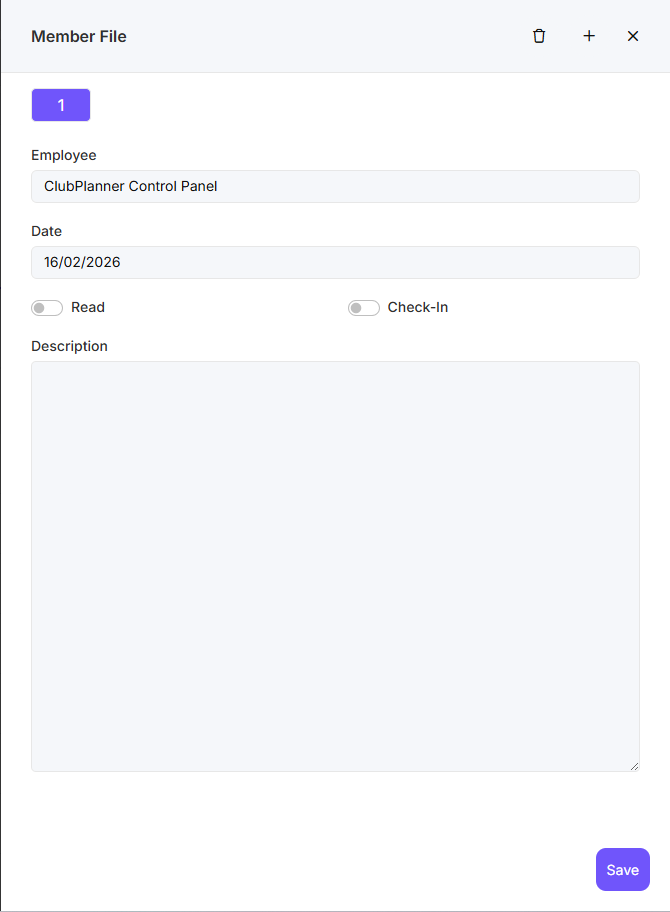
- Gehen Sie zum Reiter 'Mitgliedersakte' bei dem Mitglied.
- Anschließend können Sie hier persönliche Informationen über das Mitglied hinzufügen, wie zum Beispiel: eine Notfallnummer,...
- Wenn Sie 'Gelesen' nicht ankreuzen, wird dies jedes Mal als Pop-up für dieses Mitglied angezeigt.
- Wenn Sie 'Check-in' ankreuzen, wird dies beim Check-in des Mitglieds angezeigt, es sei denn, 'Gelesen' ist angekreuzt.
- Abschließend klicken Sie auf 'Save'