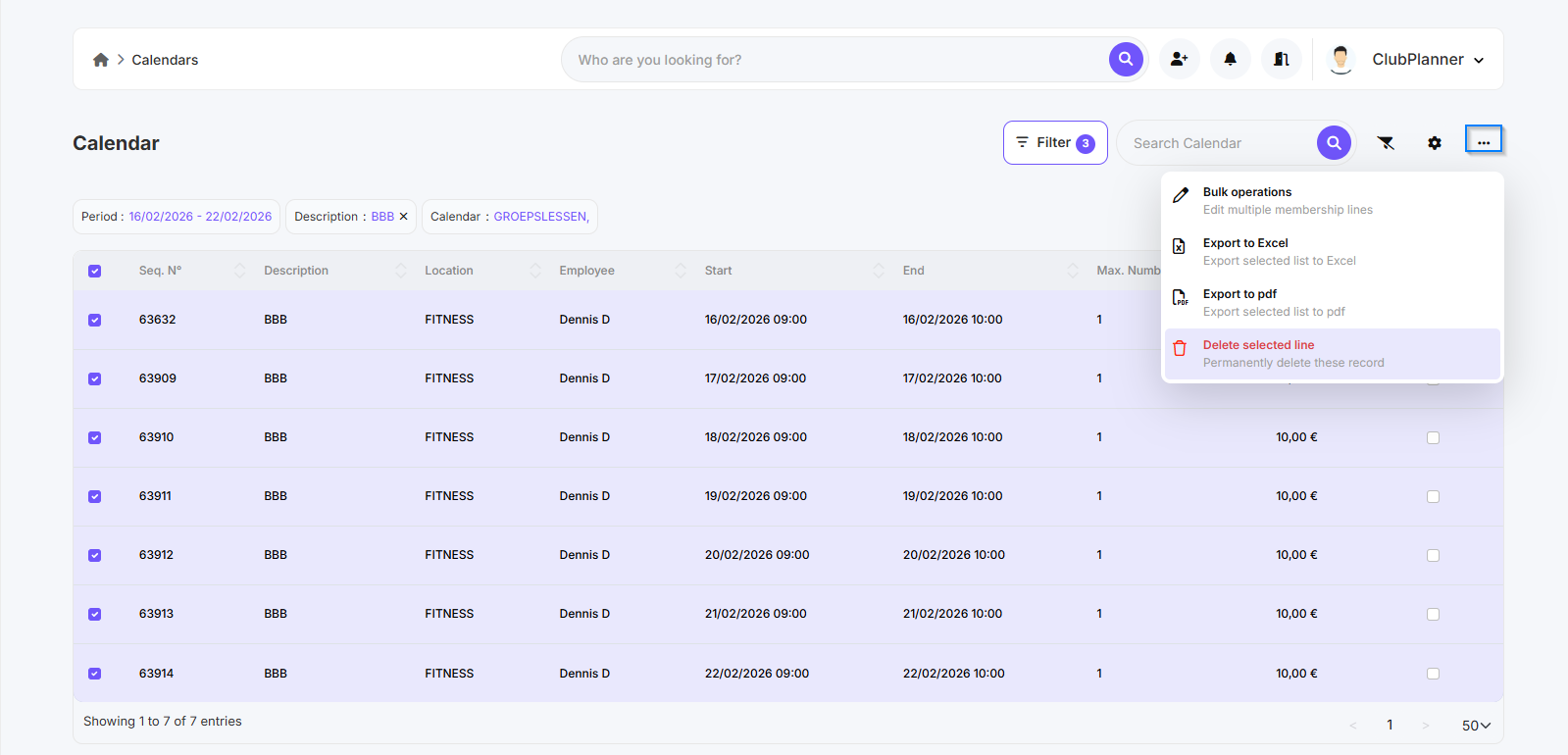
In this guide, you will learn how to delete activities from the calendar, either manually by selecting them one by one or in bulk using filters.
Option 1 - Manually select and delete activities
- Open the correct calendar in 'Planner'.
- Select the calendar from which you want to delete the activities.
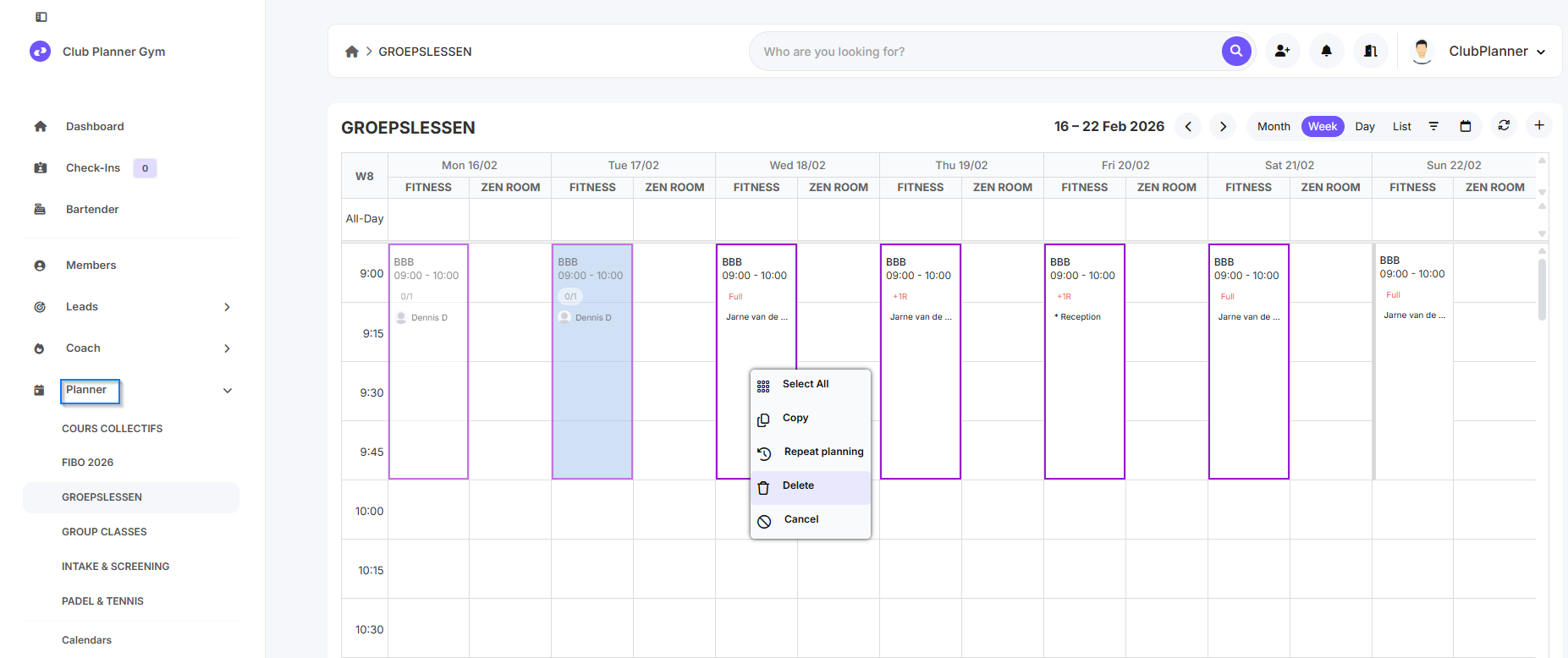
- Hold down the CTRL key and click on the activities you want to delete.
- Once all desired activities have been selected, right-click on one of the selected activities.
- Then click on ‘Delete’.
Option 2 - Delete activities in bulk using search filters
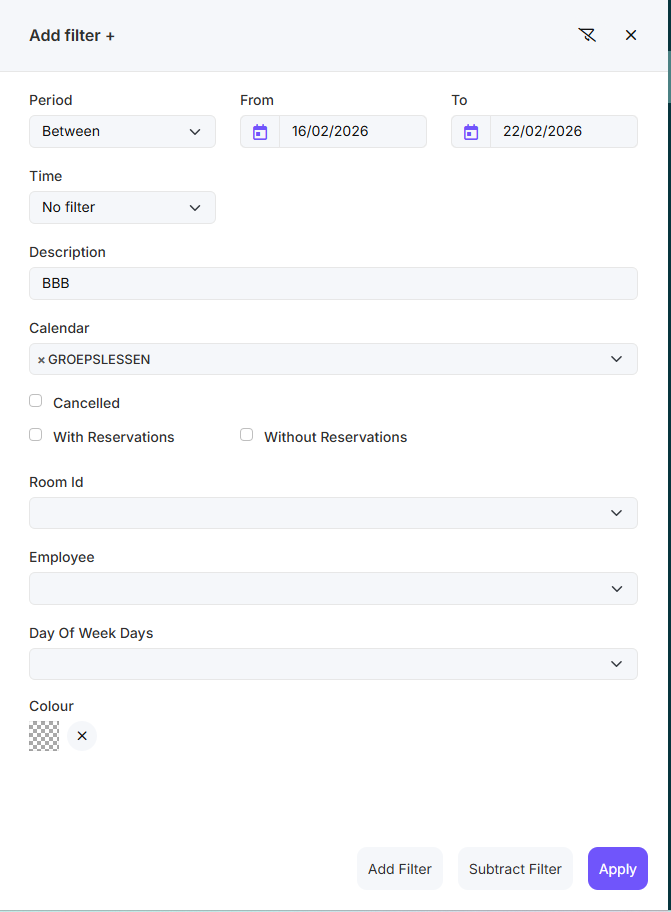
Example: in the 'Groepslessen' calendar, we want to remove the BBB activities in the period 16/02 - 22/02.
- Go to 'Planner' → 'Calendars'.
- Open 'Filters'.
- Set the appropriate filters to find the activities you want to delete.
- After applying the filters, the activities found will appear.
- Select all activities.
- Click on the three dots (...) in the top right corner.
-
Click on ‘Delete the selected lines’.