In dieser Anleitung erfährst du, wie du Mitgliedschaften Zugang zu einem Kalender und zur Reservierung von Aktivitäten gewährst, einschließlich der Festlegung von Reservierungslimits pro Periode.
Schritt 1 - Mitgliedschaften Zugang zum Kalender gewähren
- Gehe zu Einstellungen → Planner → Kalender.
- Doppelklicke auf den Kalender, für den du den Zugang einstellen möchtest.
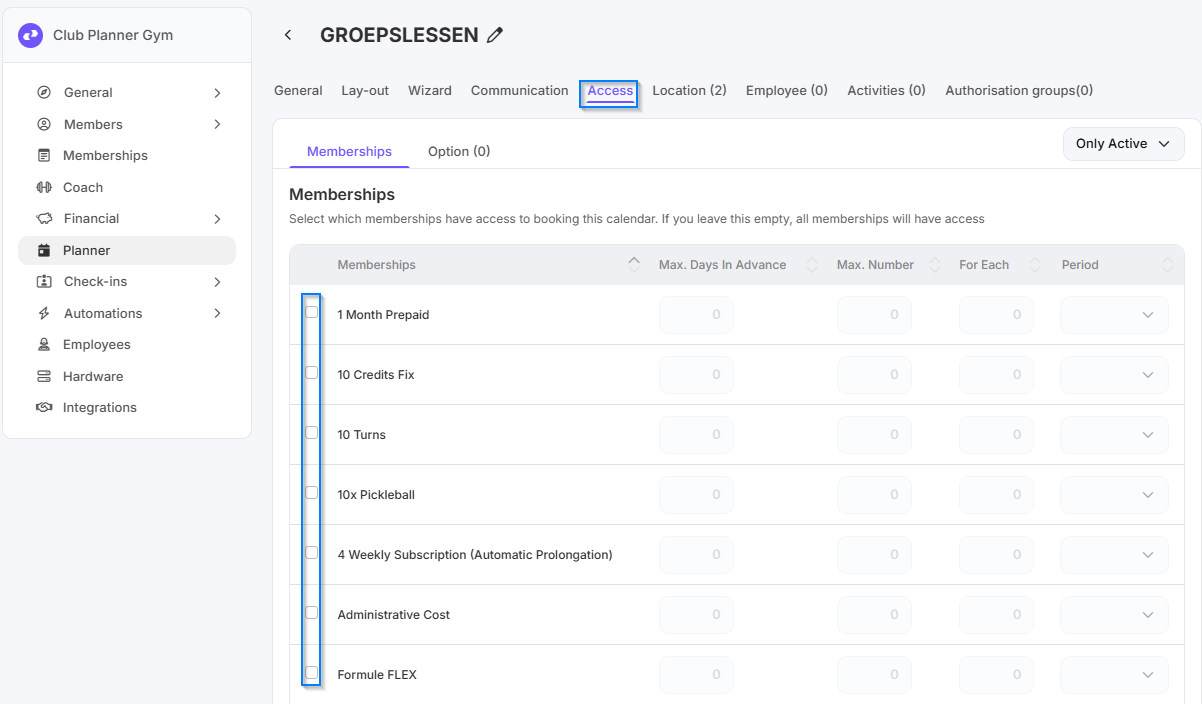
- Gehe oben zum Reiter Zugang.
- Aktiviere alle Mitgliedschaften, die Zugang zu diesem Kalender haben sollen.
- Wenn du nichts aktivierst, haben alle Mitgliedschaften Zugang. - Hier stellst du ein, wie viele Tage im Voraus und wie oft ein Mitglied pro Abonnement innerhalb einer bestimmten Periode reservieren darf.
Schritt 2 - Mitgliedschaften Zugang zu einer Aktivität gewähren
Gehe zu Einstellungen → Planner → Aktivitäten.
- Doppelklicke auf die Aktivität, für die du den Zugang einstellen möchtest.
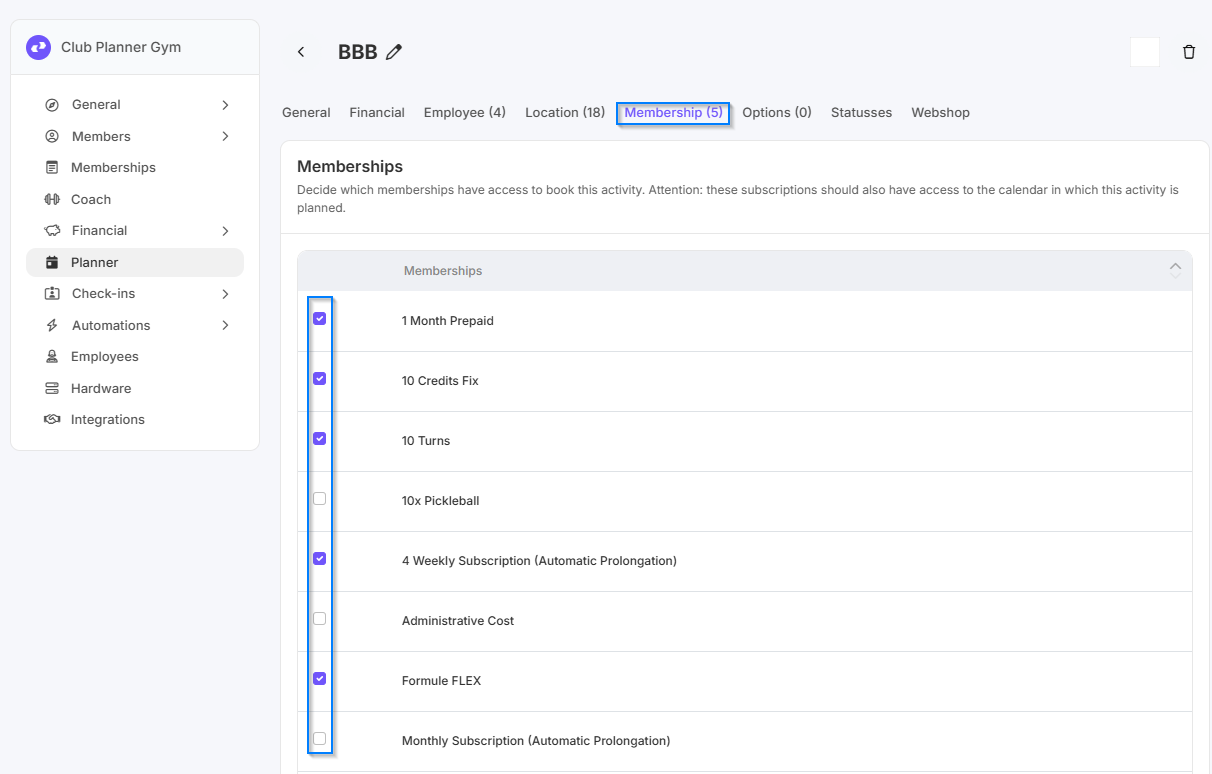
- Gehe oben zum Reiter Mitgliedschaften.
- Aktiviere die Mitgliedschaften, die diese Aktivität reservieren dürfen.
- Wenn du das leer lässt, haben alle Mitgliedschaften Zugang und können für die Aktivität reservieren. - Wiederhole diese Schritte für jede Aktivität, für die du den Zugang einstellen möchtest.