
What is eGym?
eGym supplies smart strength machines. The machine recognises your member from a card or wristband and then sets the seat, weight and range of motion by itself.
Below you can read how to connect your Club Planner members to eGym, so you do not have to enter the same people twice.
What the link does
- Your members are created in eGym automatically, with name, date of birth, contact details, member number, subscription and photo.
- A check-in in Club Planner shows up in eGym within a few minutes.
- Your own membership card can work on the machines, so your members do not need a second one (optional).
- Access to the machines follows the subscription (optional). When that subscription ends, access stops.
Members without a valid e-mail address are skipped.
Before you start
You need an active eGym contract and an API key. You get that key from your eGym contact, Club Planner cannot create one.
Step 1: switch the link on
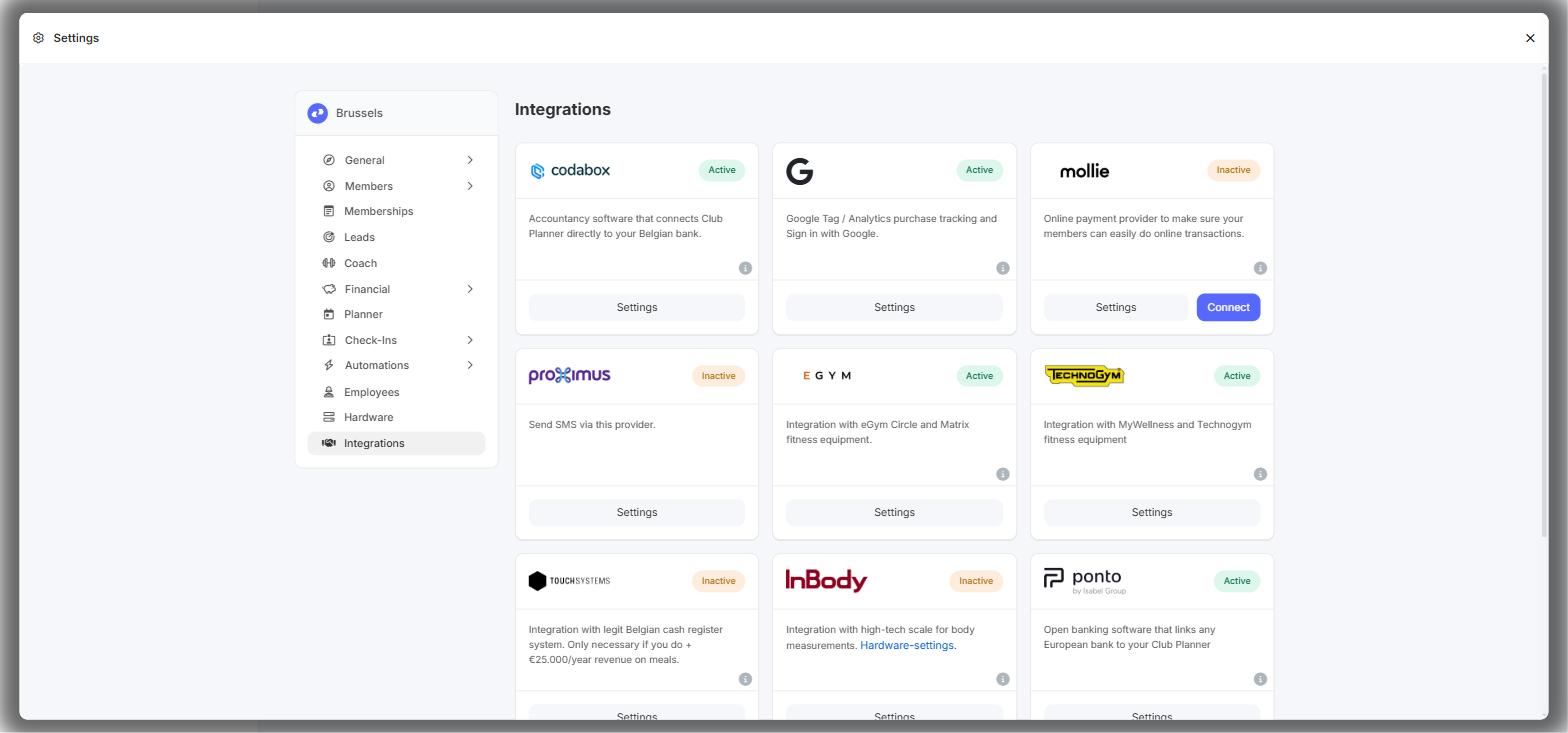
- Go to Settings > Integrations.
- Click Settings on the EGYM tile.
- Set the switch at the top right to Active.
- Paste the key from eGym into API-Key.
- Switch on Send RFID to EGYM if you want your own membership cards to work on the eGym machines.
- Switch on Machine admission if access should depend on the subscription.
- Click Save at the top right.
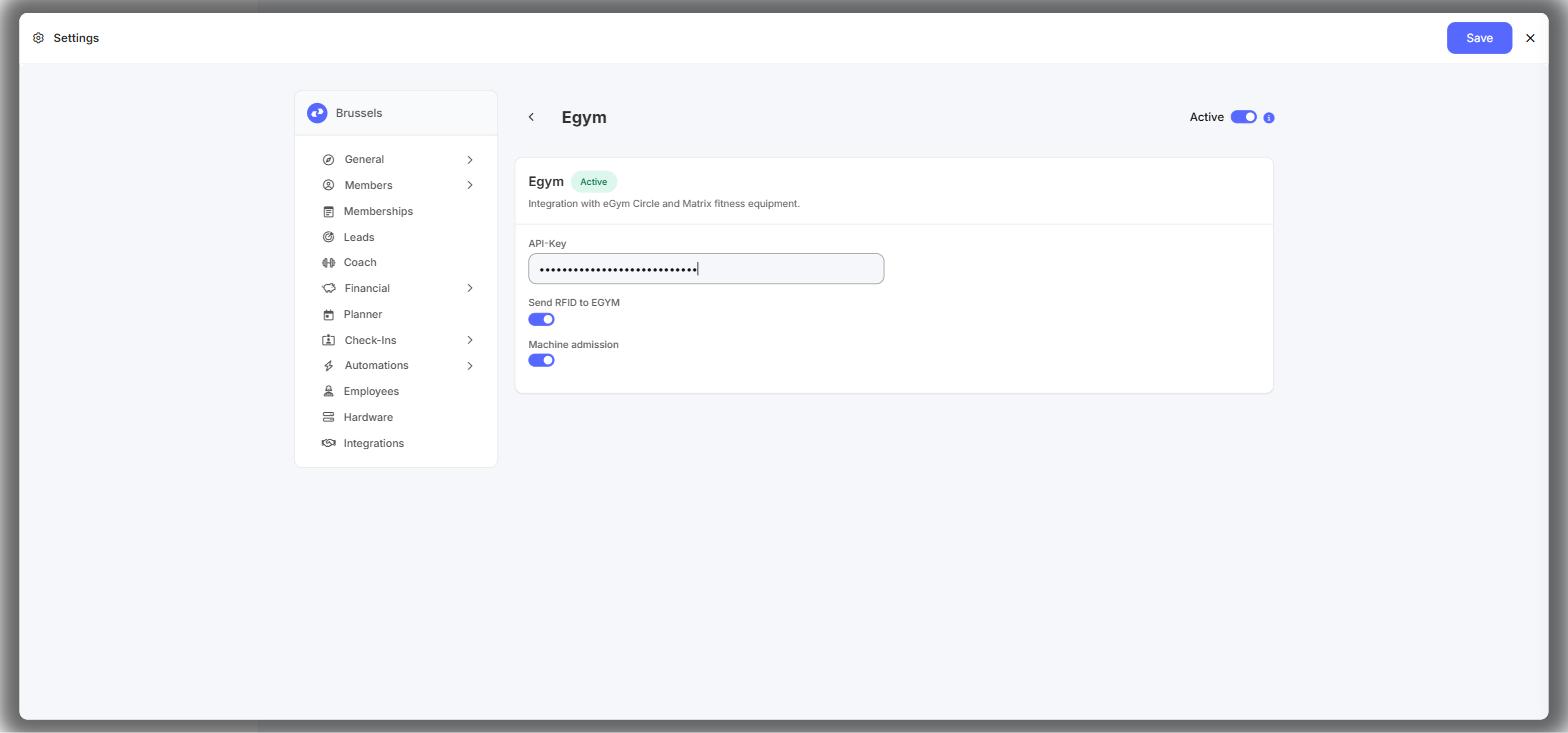
The link is live now. New members and their check-ins start flowing through on their own.
Step 2: choose which subscriptions give machine access
This is only needed if you switched on Machine admission.
- Go to Settings > Memberships and open a membership with the pencil icon.
- On the Information tab, scroll to Integrations and switch on Egym.
- Under Select Products, tick the eGym products this subscription may use, for example Machine Admission or EGYM+. You can pick more than one.
- Click Save and repeat for every subscription that should give access.
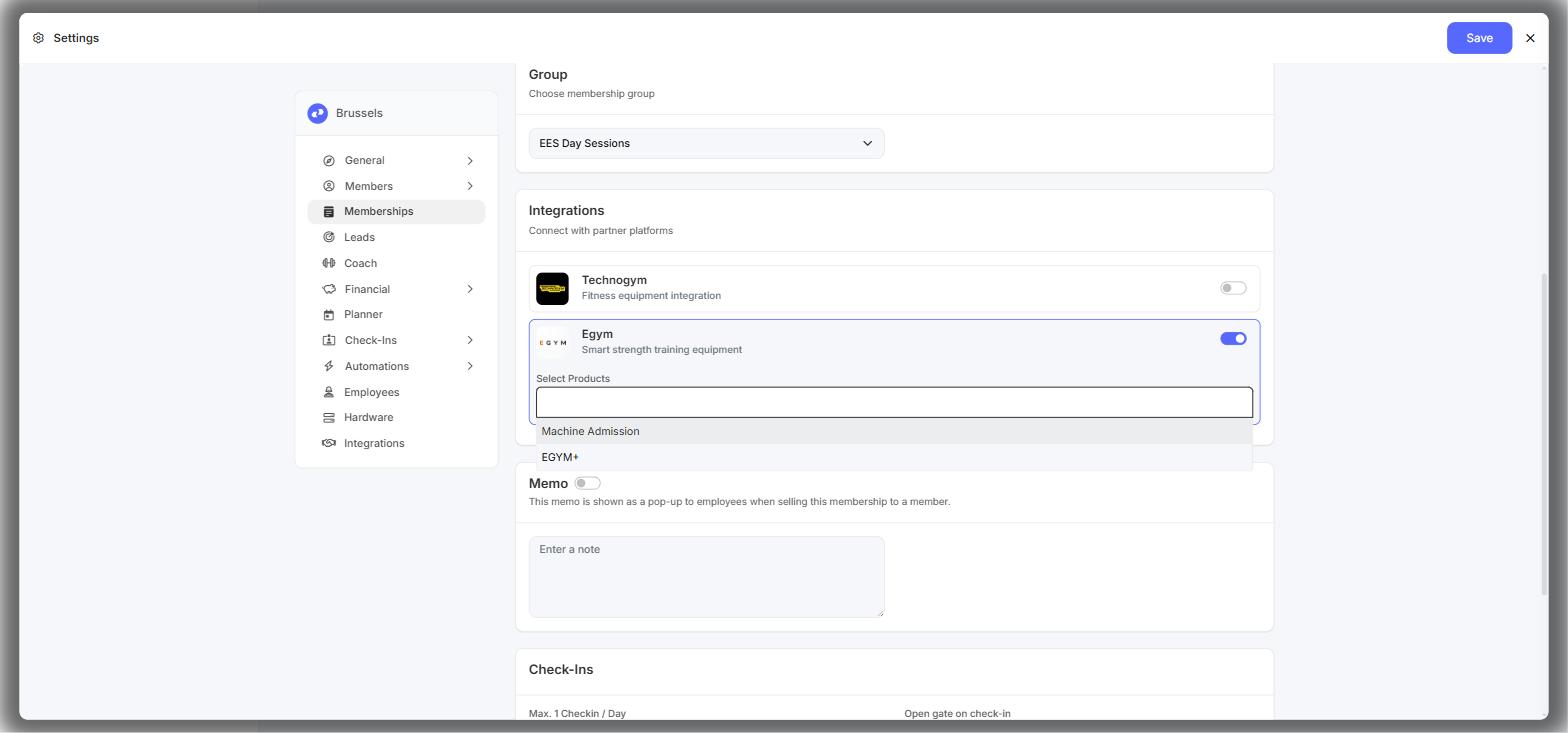
That product list comes straight from eGym at that moment and depends on your contract. If the list stays empty, your API key is missing or wrong. If a product is missing from it, ask eGym.
Sending a member to eGym
eGym can only give something to a member it already knows. For a new member that happens on its own at the first check-in: the member is created, together with the products of their subscription.
If you do not want to wait, or something has changed, you can send the member across yourself:
- One member: open the customer record, click ... (Actions) at the top right and choose Send to eGym.
- Several members at once: go to Members, tick them in the list, click ... (More Actions) above the list and choose Send to eGym.
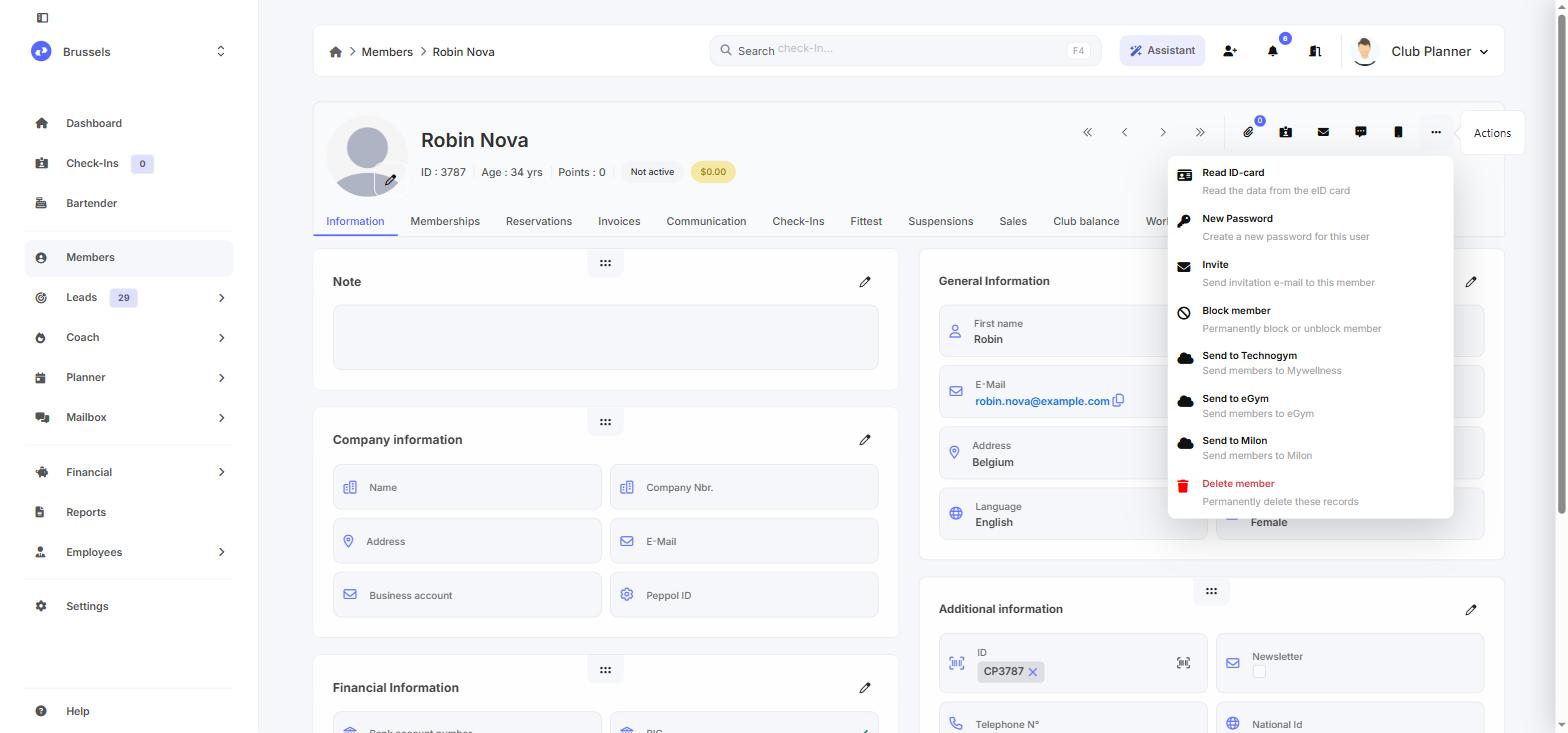
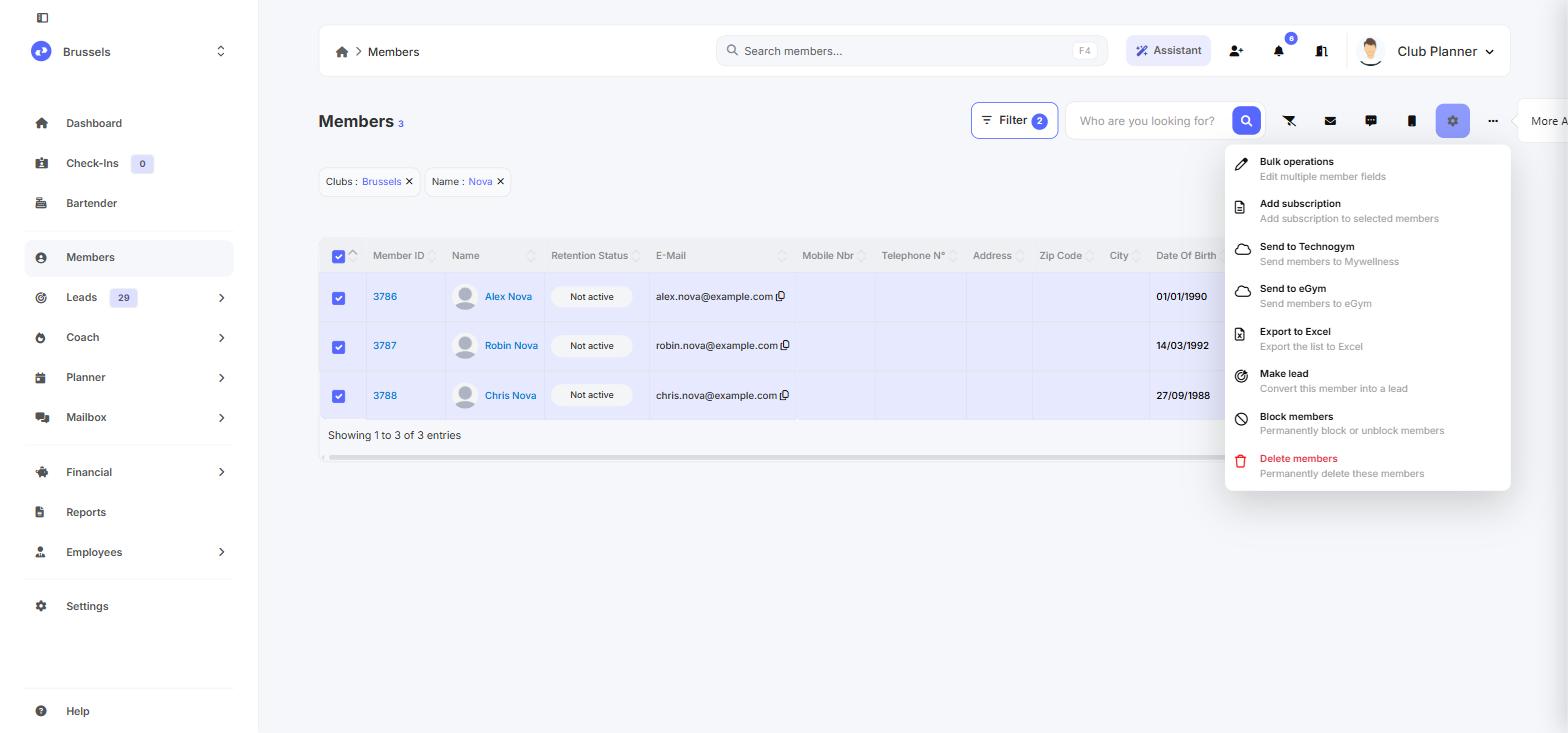
If it worked, a green EGym badge appears next to the member name and the menu item changes to Unlink E-Gym.
Watch out: for a linked member the check-ins keep flowing through automatically, but the member details do not. Whenever you change a name, e-mail address, subscription or membership card, use Send to eGym again. That is usually the reason why a change does not show up on the machines.
If you get a warning listing member names, those members have no valid e-mail address. Fill one in and try again. If the message starts with eGym [...], it comes from eGym itself. Forward it to support@clubplanner.be and we will look at it with you.
Membership cards on the machines (RFID)
When Send RFID to EGYM is on, the membership card goes along every time that member is sent to eGym, automatically at the first check-in or manually with Send to eGym.
The card number does have to be a valid Mifare number: 8 or 14 characters, using only the digits 0-9 and the letters A-F. Cards from another system, or numbers typed in by hand, are not accepted by eGym and are simply skipped.
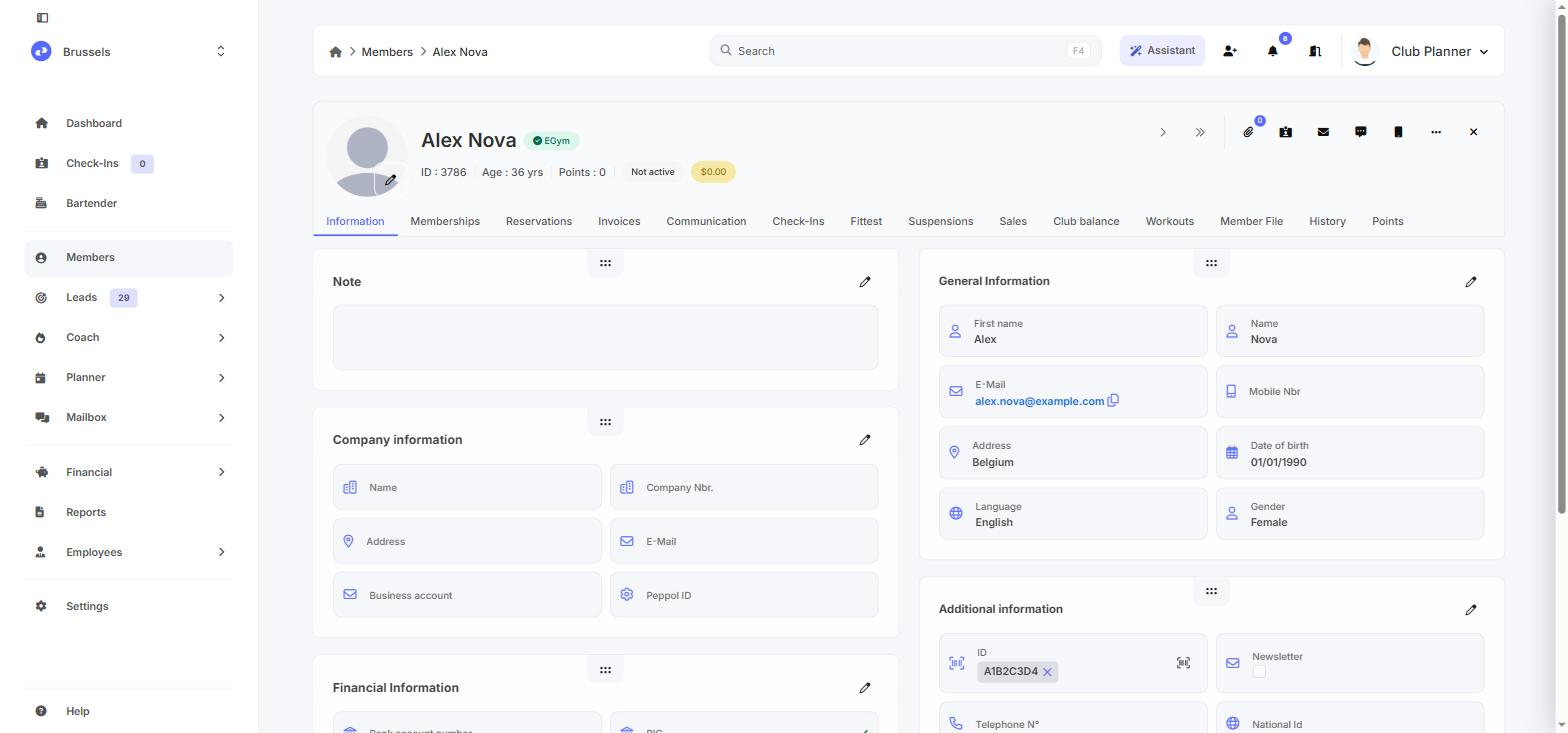
If you give a member a new card, send them across again afterwards. Otherwise the machines keep looking for the old card.
Giving or removing machine access
You arrange access on the subscription, not per member. At every check-in, and every time you use Send to eGym, Club Planner compares what the member should have with what eGym has. What is missing gets added, what no longer applies is ended.
To remove access for everyone on a subscription, open the membership, deselect the product under Select Products (or switch Egym off entirely) and save. For a single member it is enough to end or change their subscription. As soon as they no longer have an active subscription with eGym on it, all of their eGym products are ended.
Access only stops at the end of the day, though. Instead of removing the product straight away, eGym sets its end date to today, so the member can still train that same day. You cannot change that from Club Planner.
Unlinking a member
Open the customer record, click ... (Actions) and choose Unlink E-Gym. You need this when a member ended up on the wrong eGym account, or when you want to delete the member in Club Planner. Deleting stays blocked as long as the link exists.
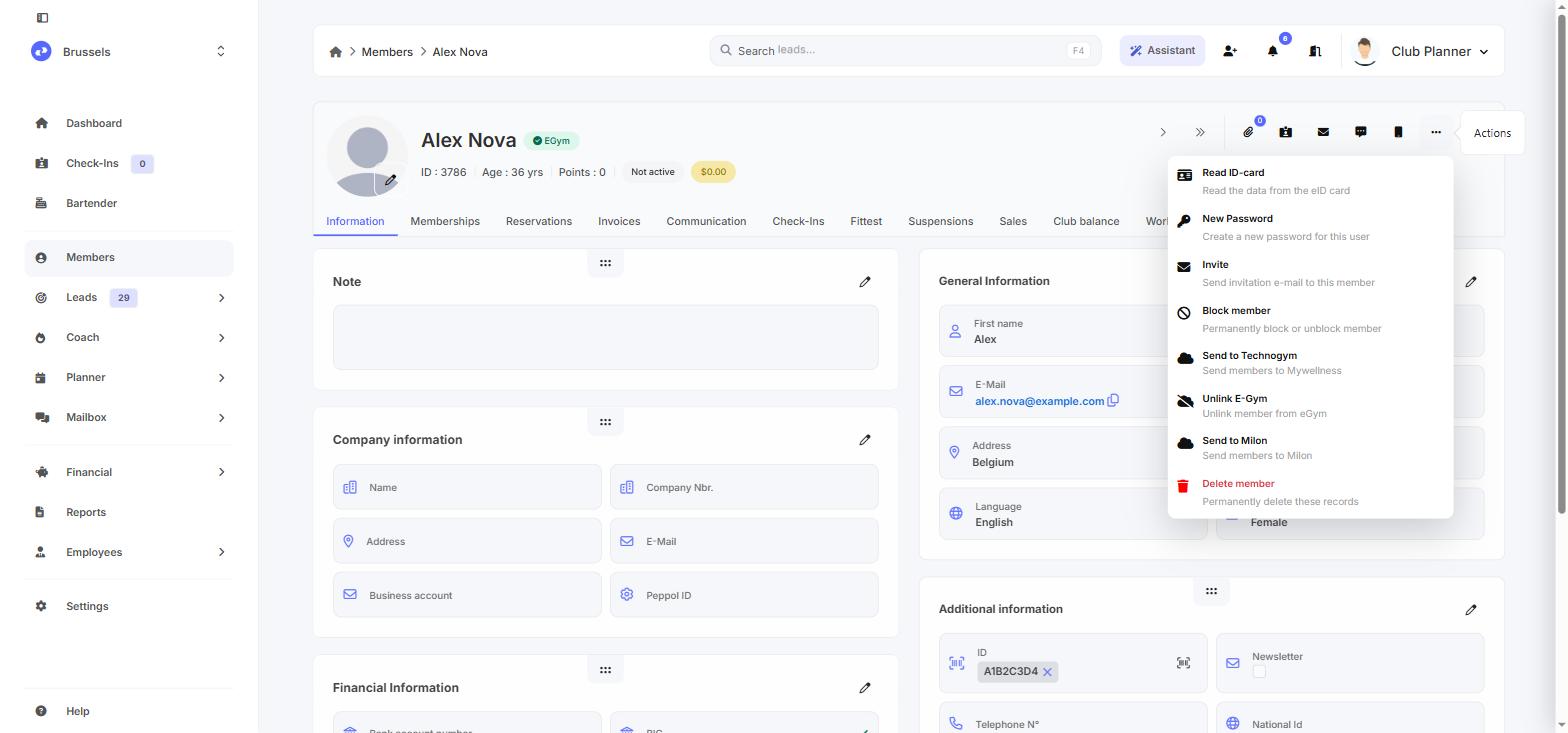
Unlinking only changes something inside Club Planner, the account and its data stay with eGym. If the member checks in again, or you send them across again, Club Planner recognises that existing account and links back to it. So it is not a way to take access away, use the subscription for that.
If a member's data really has to be deleted at eGym, contact eGym directly.
Good to know
Your classes can also be shown in the eGym app, with bookings, cancellations and the waiting list, based on your reservations in Club Planner. There is nothing to set up on your side, you arrange that with eGym.
Still stuck?
For your API key, the available products, or data that has to be deleted at eGym, contact eGym. For the link or the settings in Club Planner you can reach us at support@clubplanner.be.