Learn here how to edit your club's terms and conditions and privacy policy.
Terms and conditions
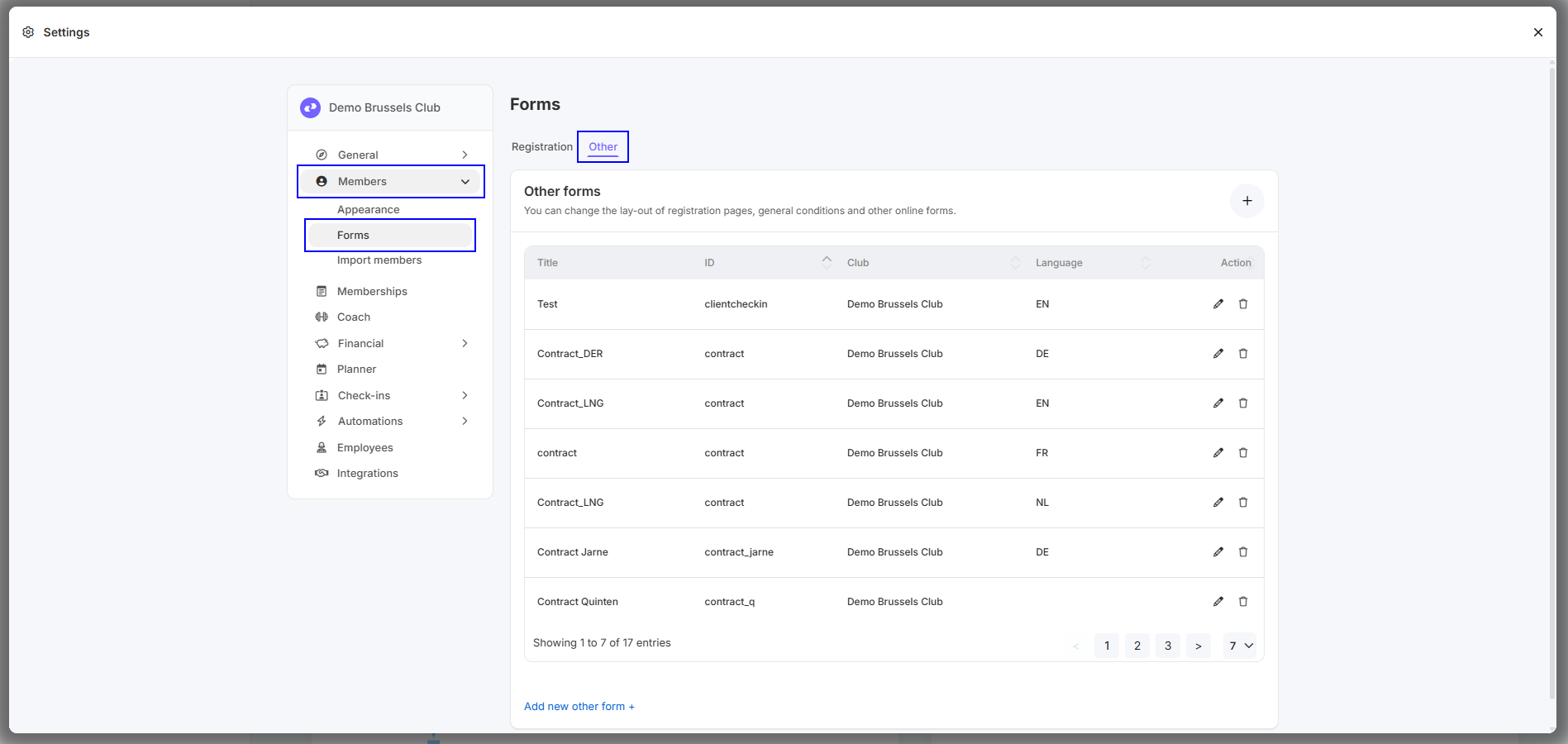
Step 1 - Go to 'Settings - Members - Forms - Other'
Step 2 - Find the form with the ID 'termsandcond_body'.
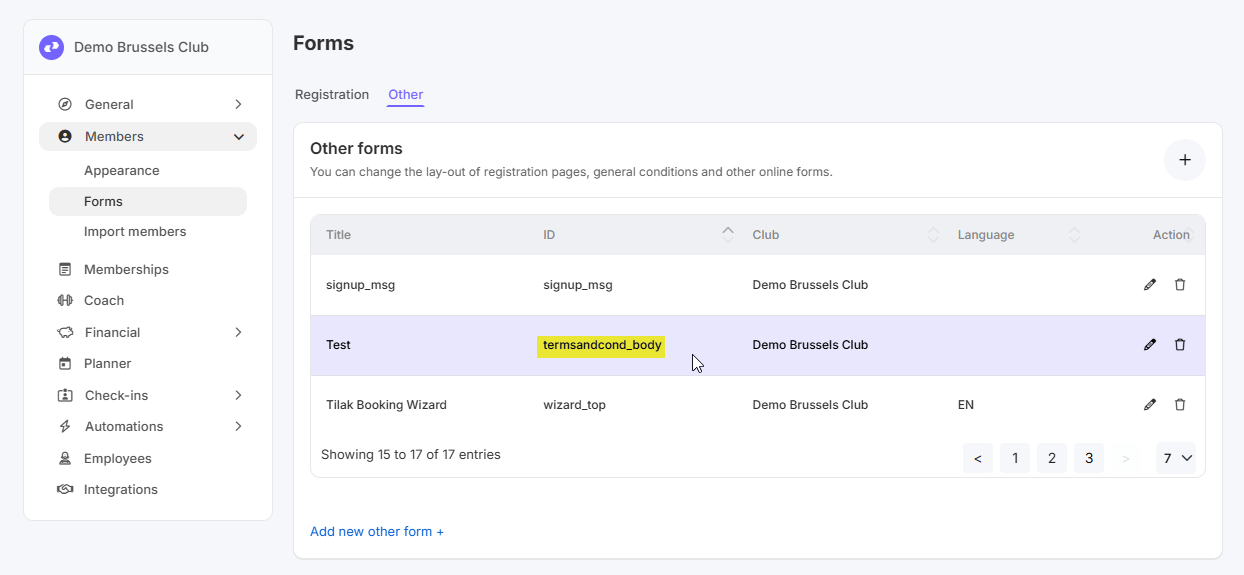
If this form doesn't exist, a default text will be displayed for the terms and conditions.
This text will be displayed as soon as you add this form and enter something.
Link for terms and conditions: https://[CLUBNAME].clubplanner.app/termsandconditions
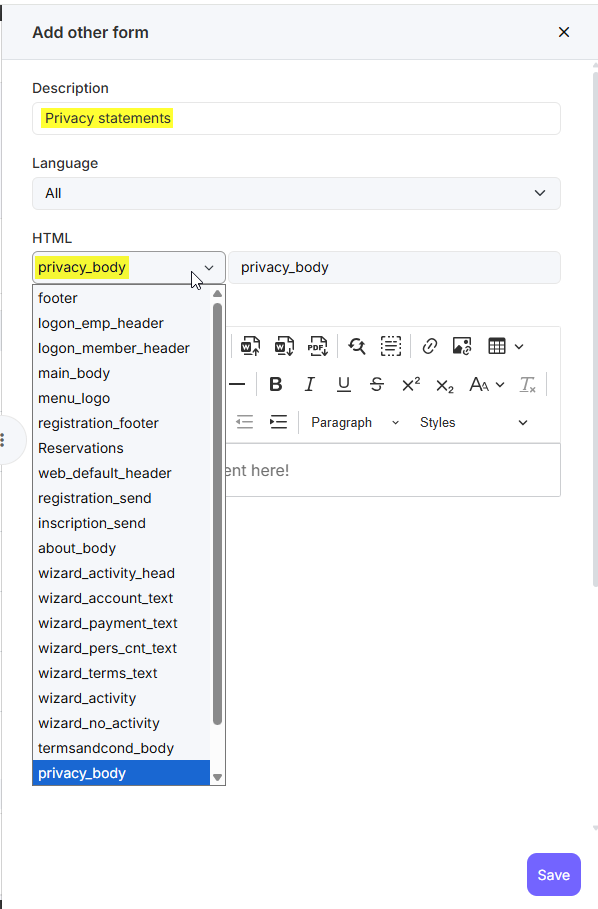
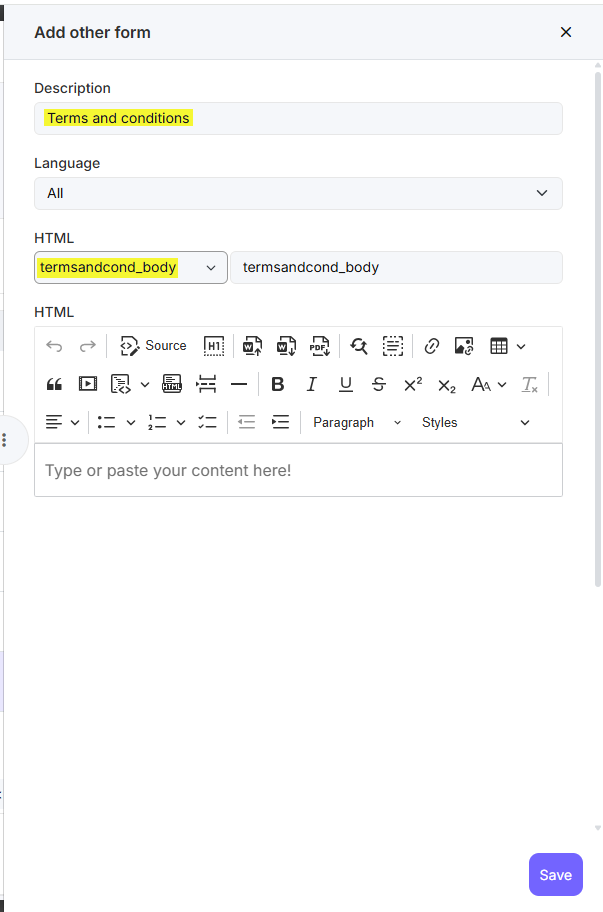
If you don't see the form with the ID 'Termsandcond_body' yet, you can add it by clicking the '+' in the top right corner. Enter a description, select the correct ID 'termsandcond_body' under HTML, and fill in the terms and conditions. Then click 'Save'.
Privacy Statement
Step 1 - Go to 'Settings' - Members - Forms - Other'
Step 2 - Find the form with the ID 'Termsandcond_body'.
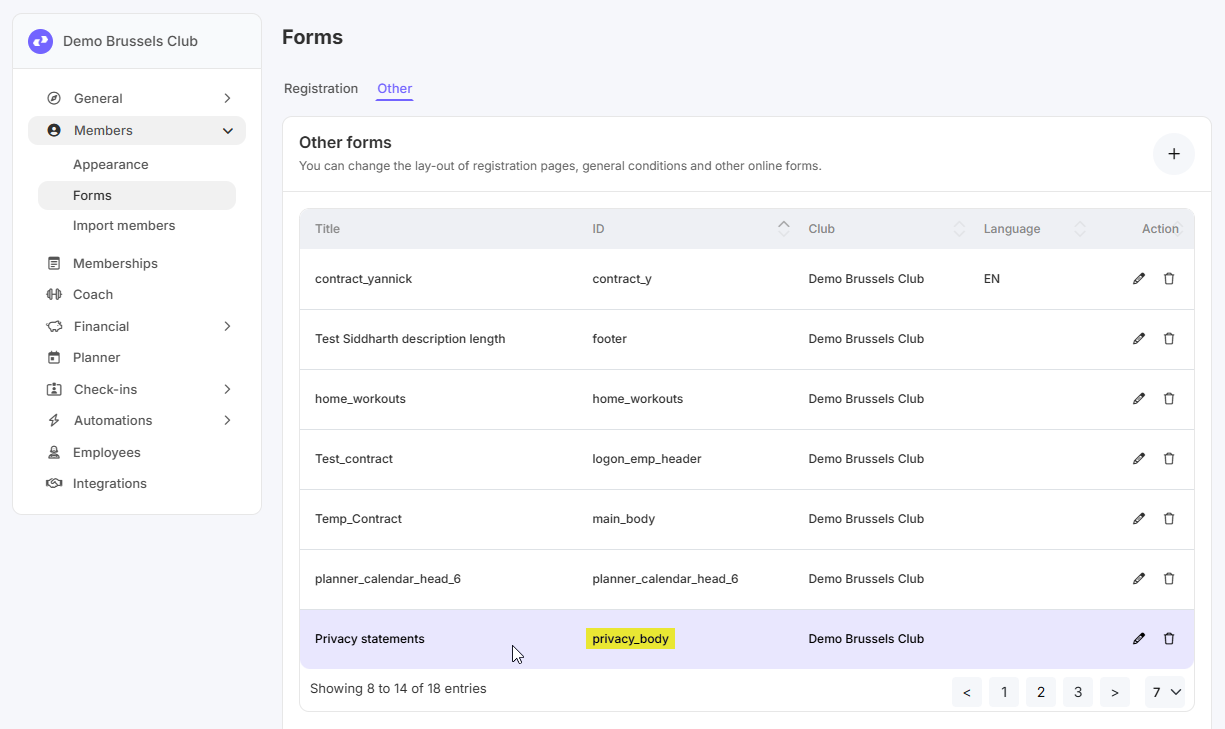
If this form doesn't exist, a default text will be displayed for the privacy statement.
This text will be displayed as soon as you add this form and enter something.
Link for the privacy statement: https://[CLUBNAME].clubplanner.app/privacypolicy
If you don't see the form with the ID 'privacy_body' yet, you can add it by clicking the '+' in the top right corner. Enter a description, select the correct ID 'privacy_body' under HTML, and fill in the privacy statement. Then click 'Save'.