This manual provides an overview of the calendar settings in ClubPlanner, including reservations, cancellations, restrictions, and waiting list options.
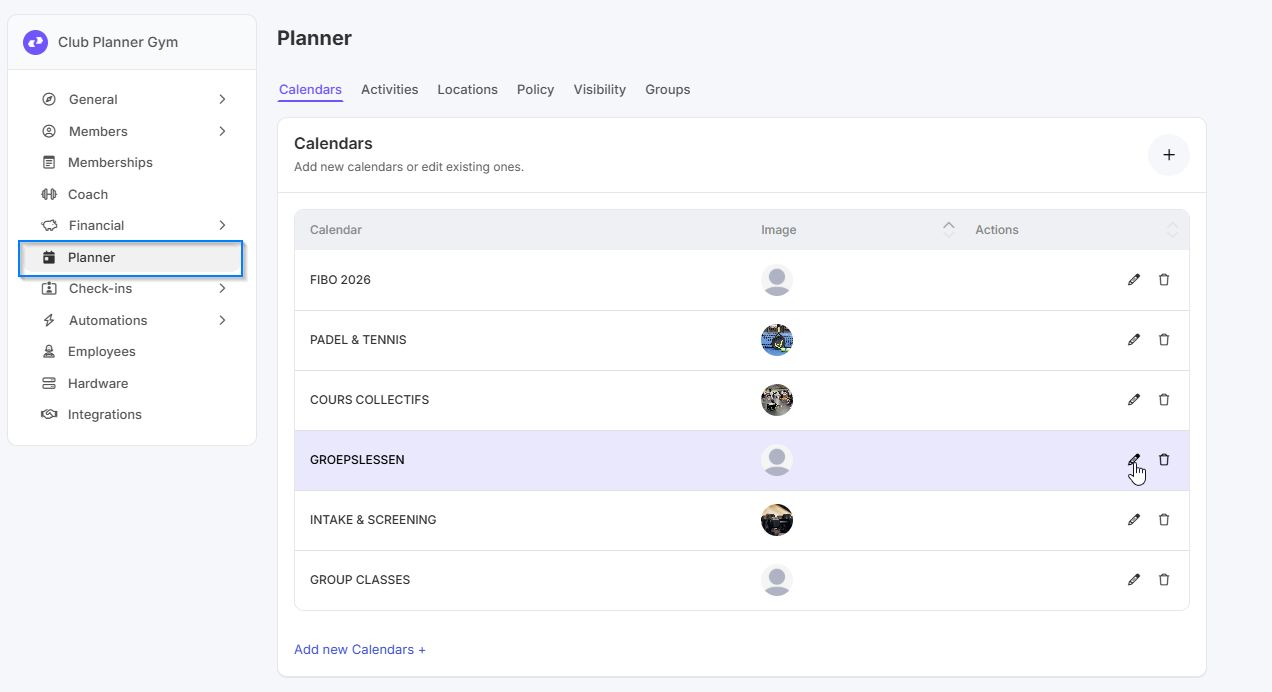
Open the calendar settings.
Go to 'Settings' → ‘Planner’ → 'Calendar'.
Click on ‘Edit’ next to the relevant calendar.
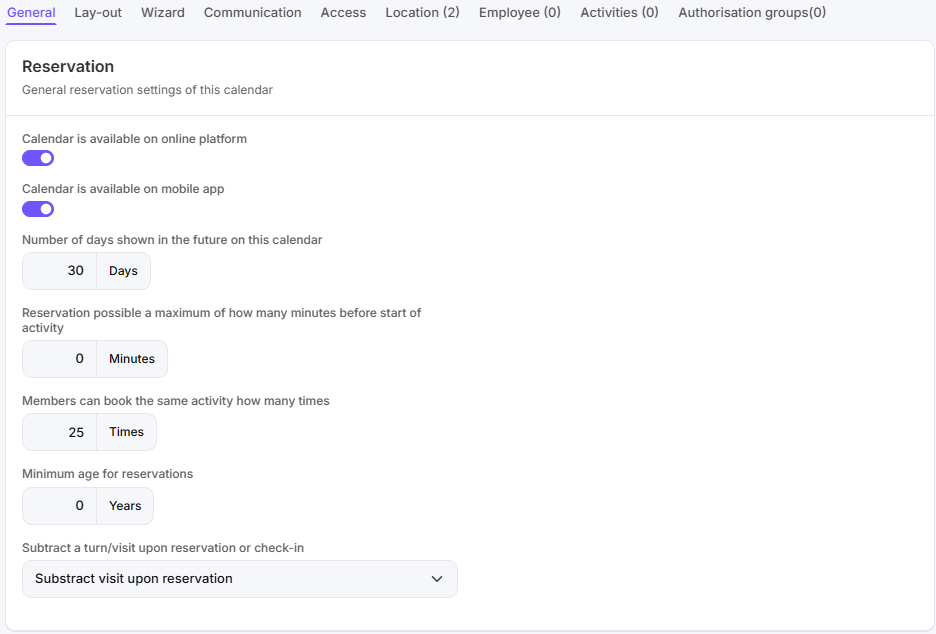
Reservation - General reservations settings of this calendar.
Omschrijving
Informatie
Calendar is available on online platform.
The calendar is available and visible on the online platform.
Calendar is available on mobile app
The calendar is available and visible in the MyClubPlanner app.
Number of days shown in the future on this calendar.
The number of days that the calendar is visible in the future.
Reservations possible a maximum of how many minutes before start of activity.
How many minutes before the start of an activity a reservation can be made on this calendar.
Members can book the same activity how many times
How many times a member can reserve the same activity on the same account. This is to allow them to bring a friend. If you want the contact details of all reserved persons, you must leave this set to 1.
Minimum age for reservations.
The minimum age required to reserve an activity on this calendar.
Subtract a turn/visit upon reservation or check-in.
When a turn or visit is deducted: when making a reservation or when checking in.
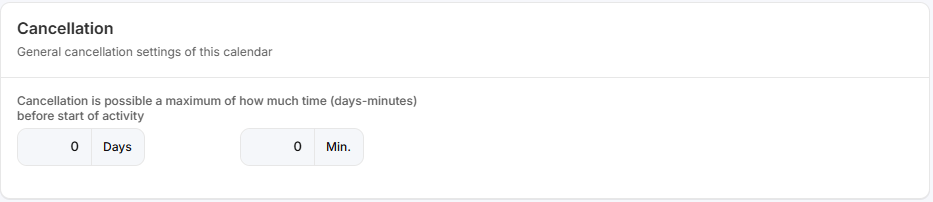
Cancellation- General cancellation settings of this calendar
Omschrijving
Informatie
Cancellation is possible a maximum of how much time (days/minutes) before start of activity?
The maximum time frame (in days and/or minutes) before an activity begins during which a reservation can be canceled.
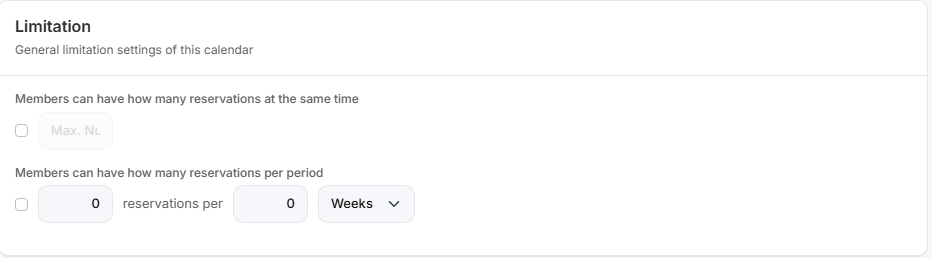
Limitation - General limitation settings of this calendar
Omschrijving
Informatie
Members can have how many reservations at the same time
The maximum number of reservations a member may have at any one time.
Members can have how many reservations per period
The maximum number of reservations a member may make within the set period in days, weeks, months, or years. This applies to the entire calendar.
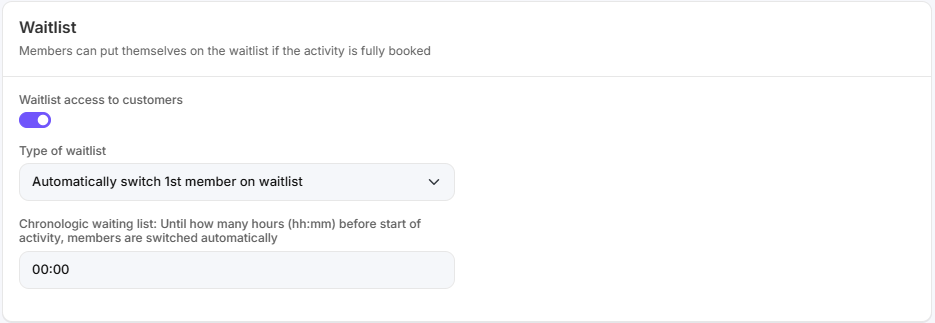
Waitlist - Members can put themselves on the waitlist if the activity is fully booked.
Omschrijving
Informatie
Waitlist access to customers
Indicates whether members can place themselves on the waiting list.
Type of waitlist
Determines how the waiting list is handled: automatically transfer the first member of the waiting list to the reservation list or send a notification to all members on the waiting list (first come, first served).
Chronological waiting list: Until how many hours (hh:mm) before start of activity, members are switched automatically
The maximum number of hours before the start of the activity at which members are automatically transferred from the waiting list to the reservation list.