In this guide, you will learn how to give memberships access to a calendar and activity reservations, including setting reservation limits per period.
Step 1 - Memberships grant access to the calendar
- Go to 'Settings' → 'Planner' → 'Calendars'.
- Double-click on the calendar for which you want to set access.
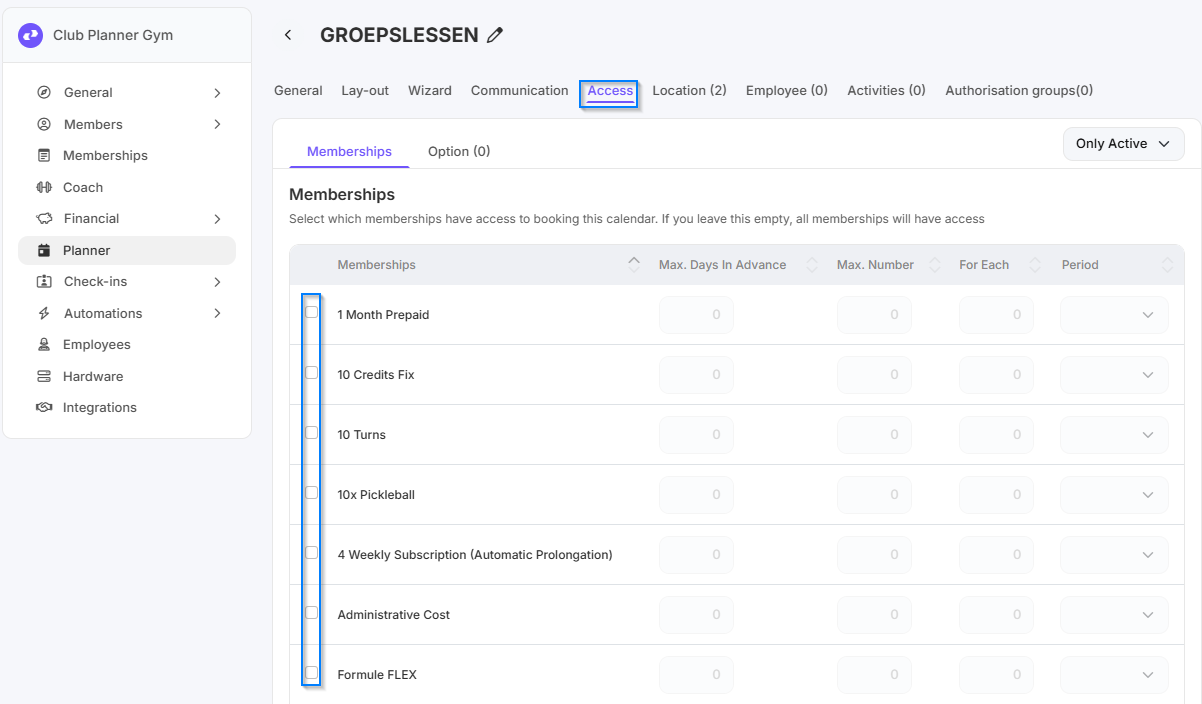
- Go to the 'Access' tab at the top.
- Check all memberships that should have access to this calendar.
- If you don't check anything, all memberships will have access. - Here you can set how many days in advance and how often a member can make reservations per subscription within a certain period.
Step 2 - Memberships grant access to an activity
Go to 'Settings' → 'Planner' → 'Activities'.
- Double-click on the activity for which you want to set access.
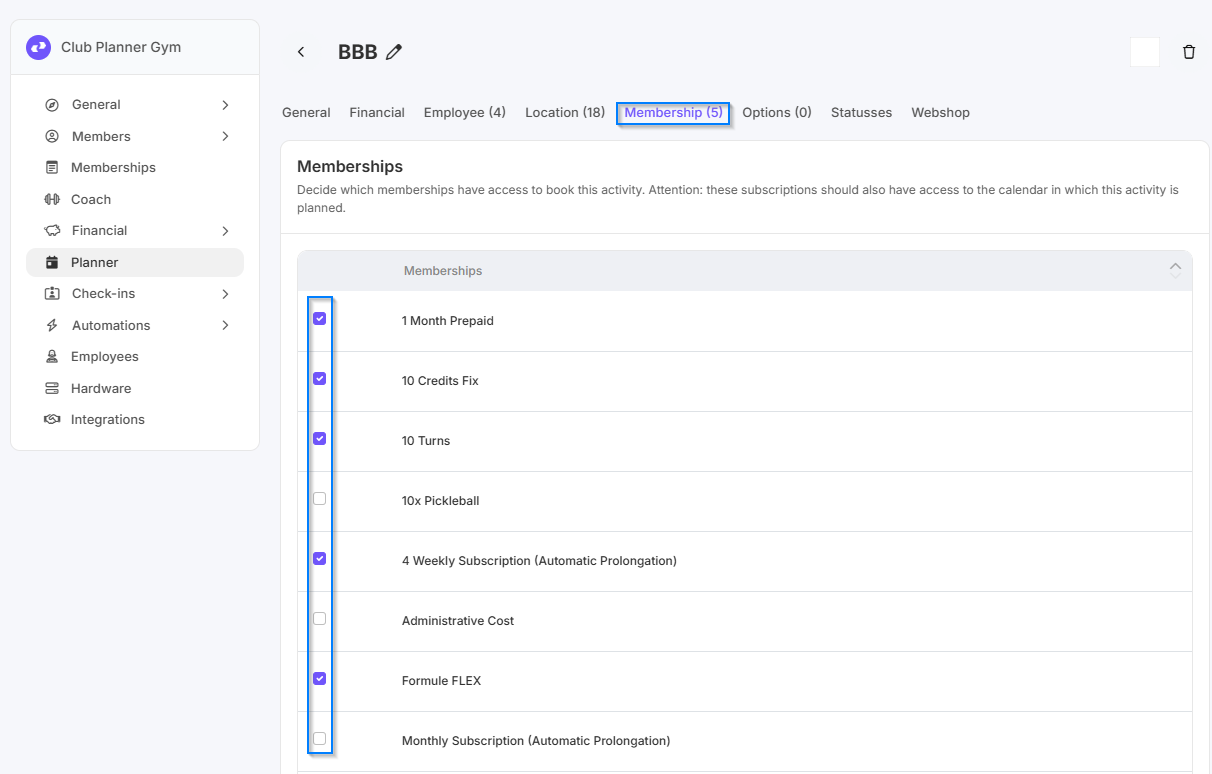
- Go to the Memberships tab at the top.
- Check the memberships that are allowed to reserve this activity.
- If you leave this blank, all memberships will have access and can make reservations for the activity. - Repeat these steps for each activity you want to set access for.