In this guide, you'll learn how to ensure that members receive push notifications again.
Step 1 - Enable push notifications in your phone's general settings
For IOS users:
- Go to Settings → Notifications.
- Select the app and make sure that Allow Notifications is turned on.
- Make sure that Styles (Banners/Badges) and Sound are enabled.
For Android users:
- Go to Settings → Apps → [App Name] → Notifications.
- Make sure notifications are allowed and that important notifications aren't blocked.
Step 2 - Enable push notifications in the MyClubPlanner app
- Open the MyClubPlanner app
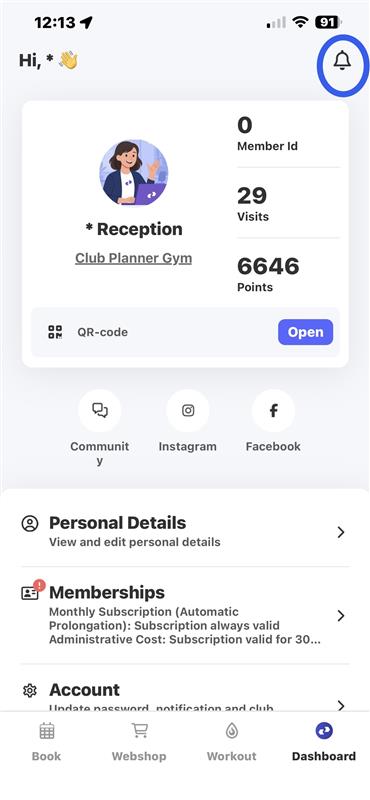
- Next, click on the 🔔 in the top-right corner
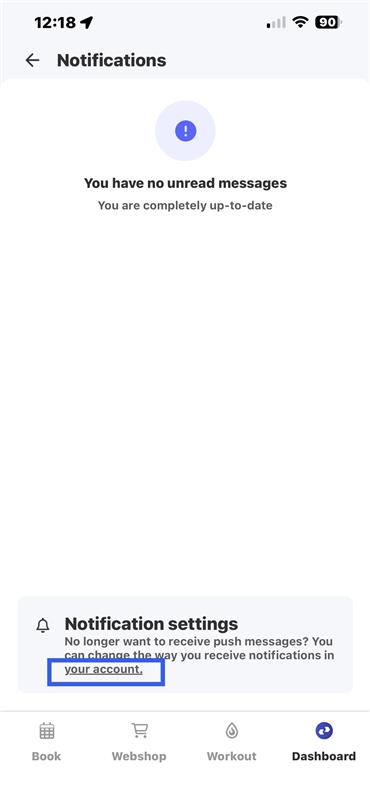
- You'll now see a message at the bottom that says “Notification settings.”
- In the message, click on the underlined text “your account.”
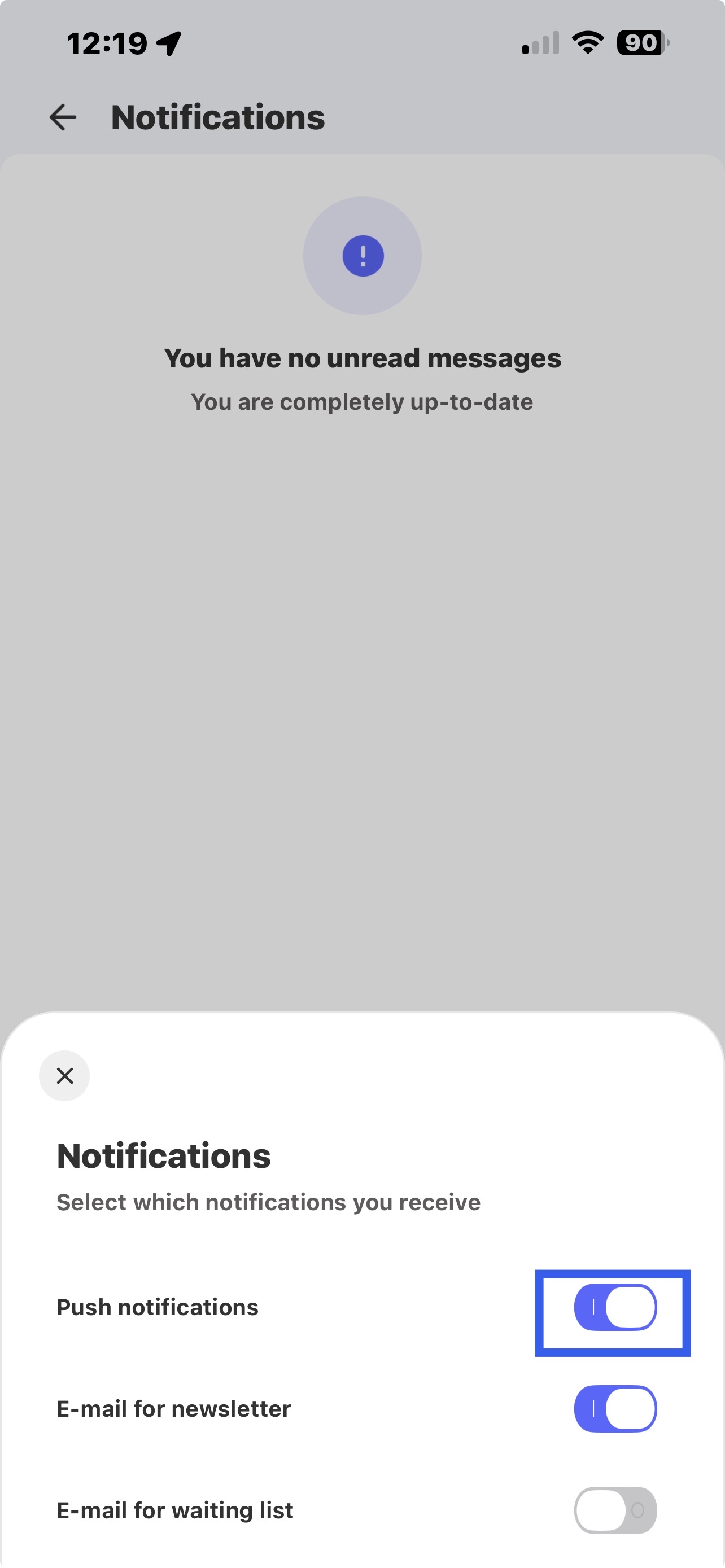
- Here, you can enable “Push notifications.”