In this guide, you'll learn how to create a payment receipt for a member who has purchased a membership.
How do I set up a payment method for a membership?
Follow the steps below to generate a payment receipt for a purchased membership and send it to a member.
- Go to Members.
- Open the member profile for the relevant member.
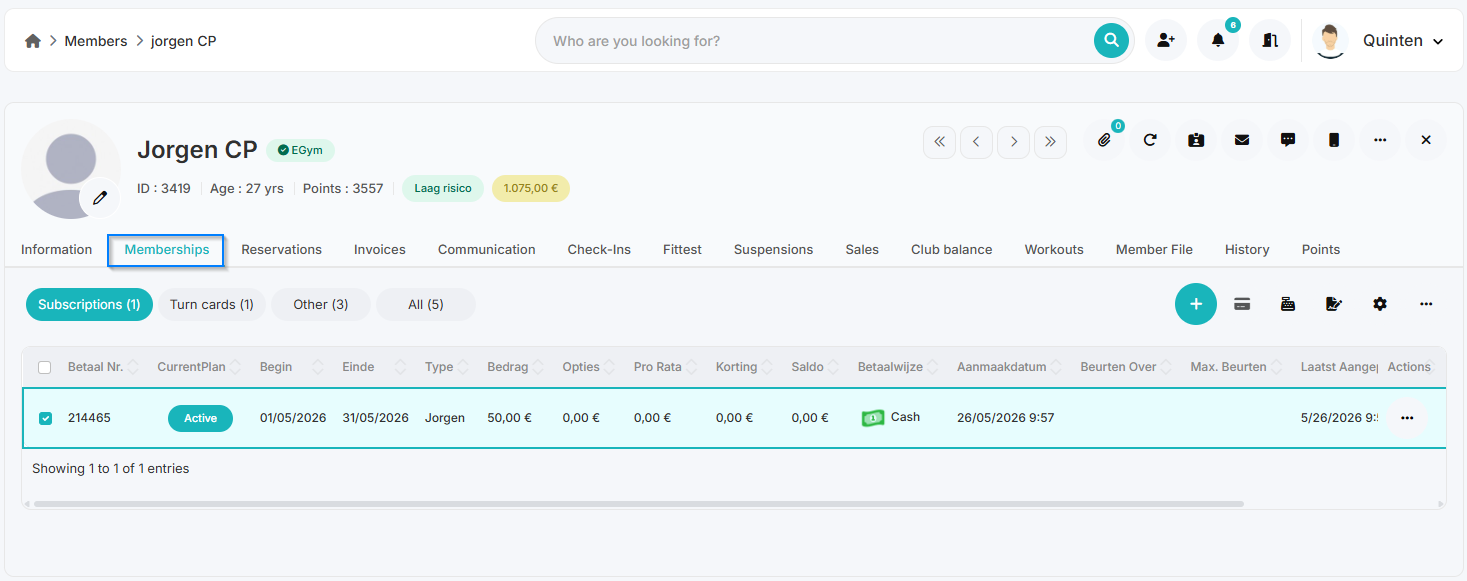
- Navigate to the Memberships tab.
- Select the subscription line for which you want to generate a payment receipt.
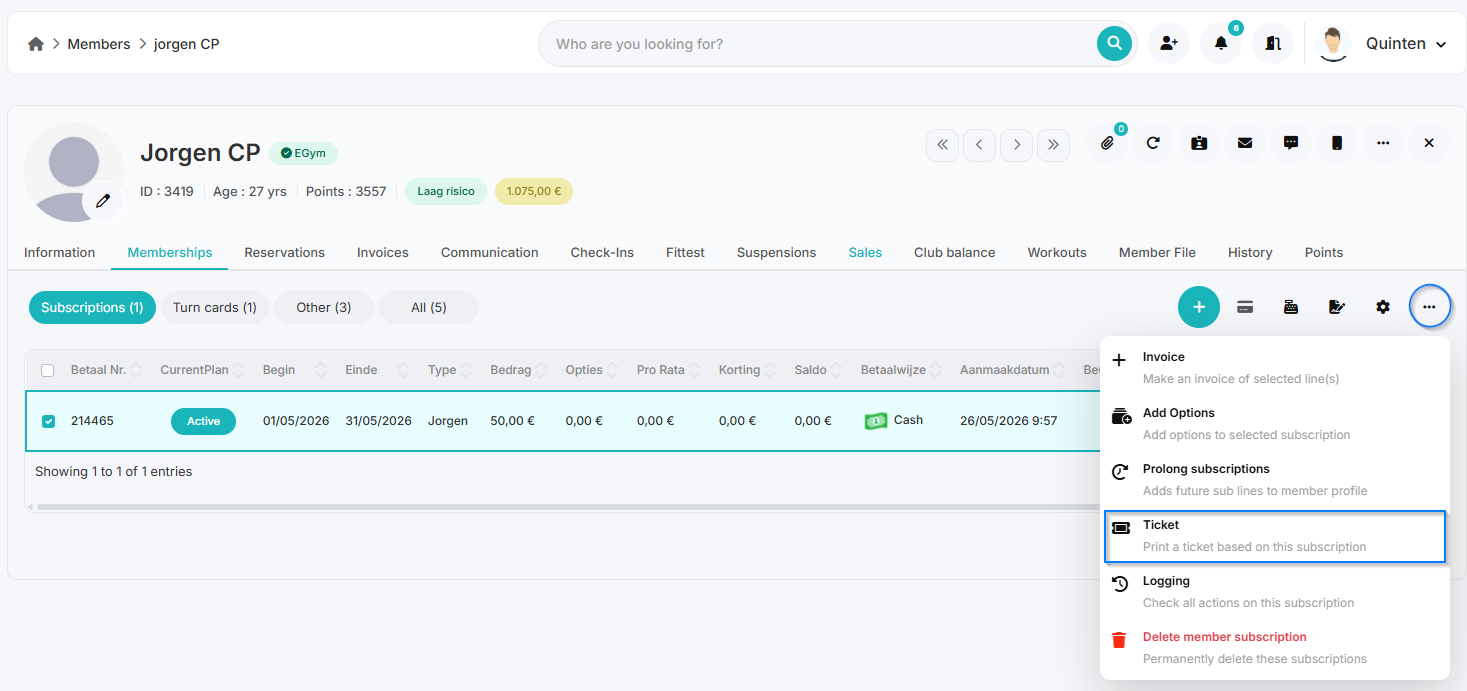
- Next, click the three dots next to the membership.
- Select Ticket here.
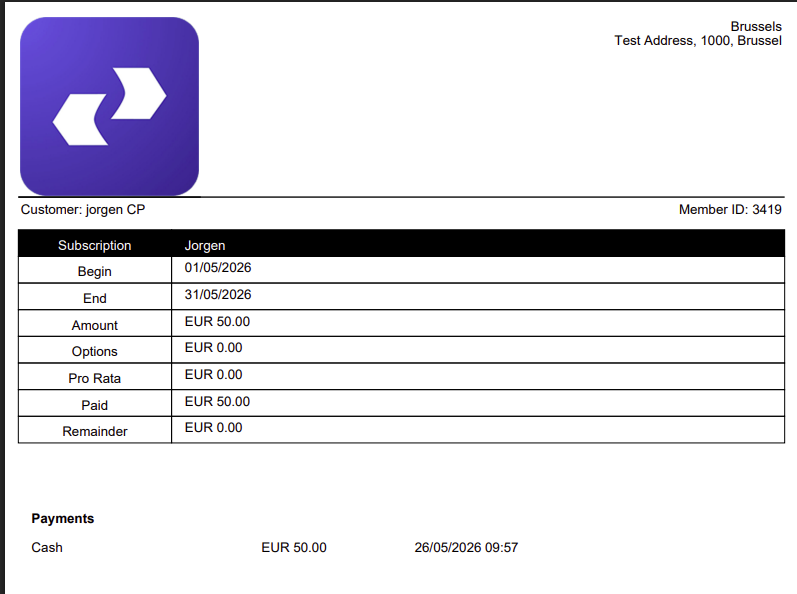
- A PDF file containing the payment receipt will now open.
- You can then:
- forward this document via email
- or print it if you wish.
How do I create a payment receipt/invoice for multiple subscription lines at once?
- Go to Members.
- Open the member profile for the relevant member.
- Navigate to the Memberships tab.
- Select the subscription lines for which you want to generate a payment receipt or invoice.
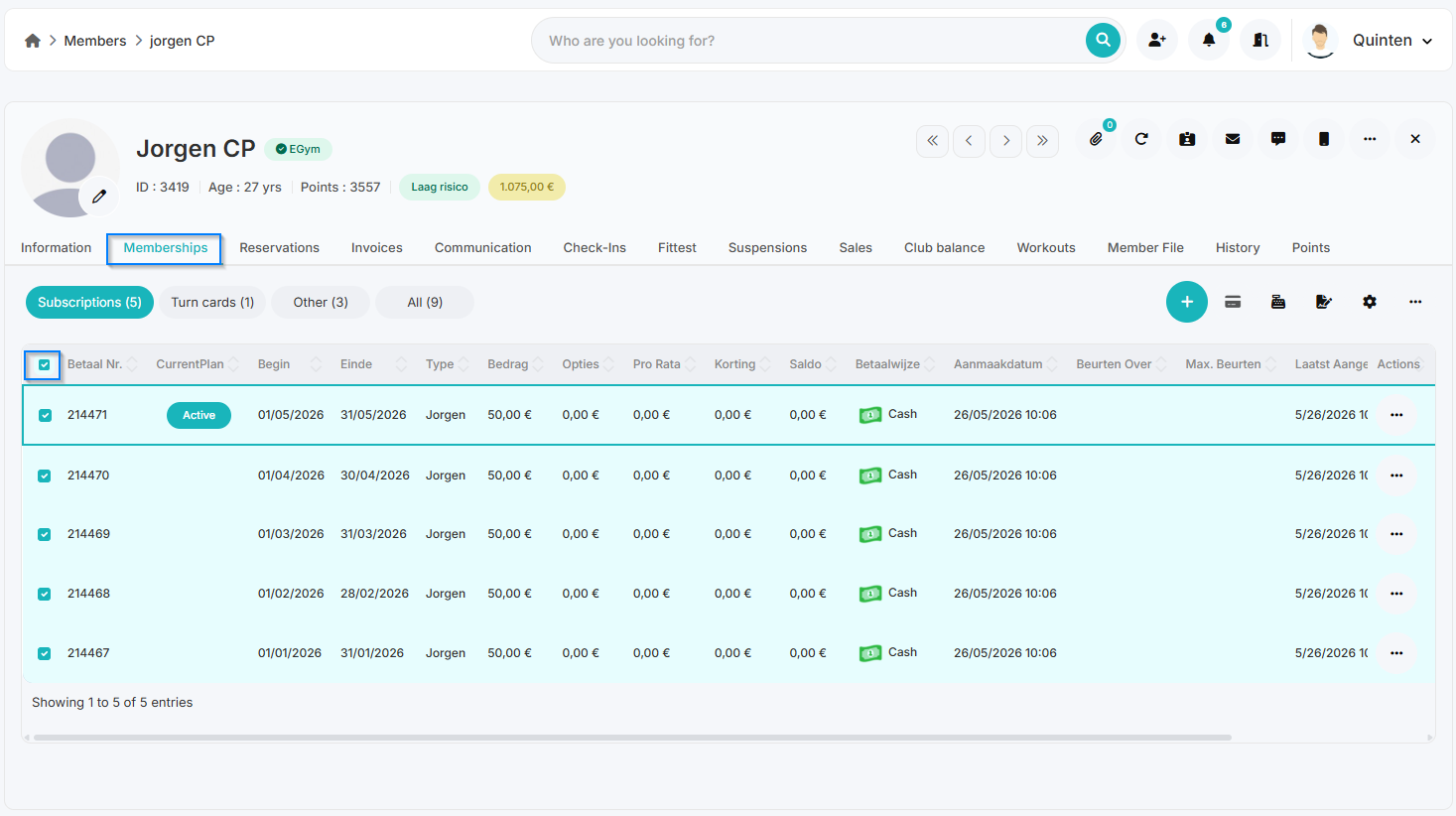
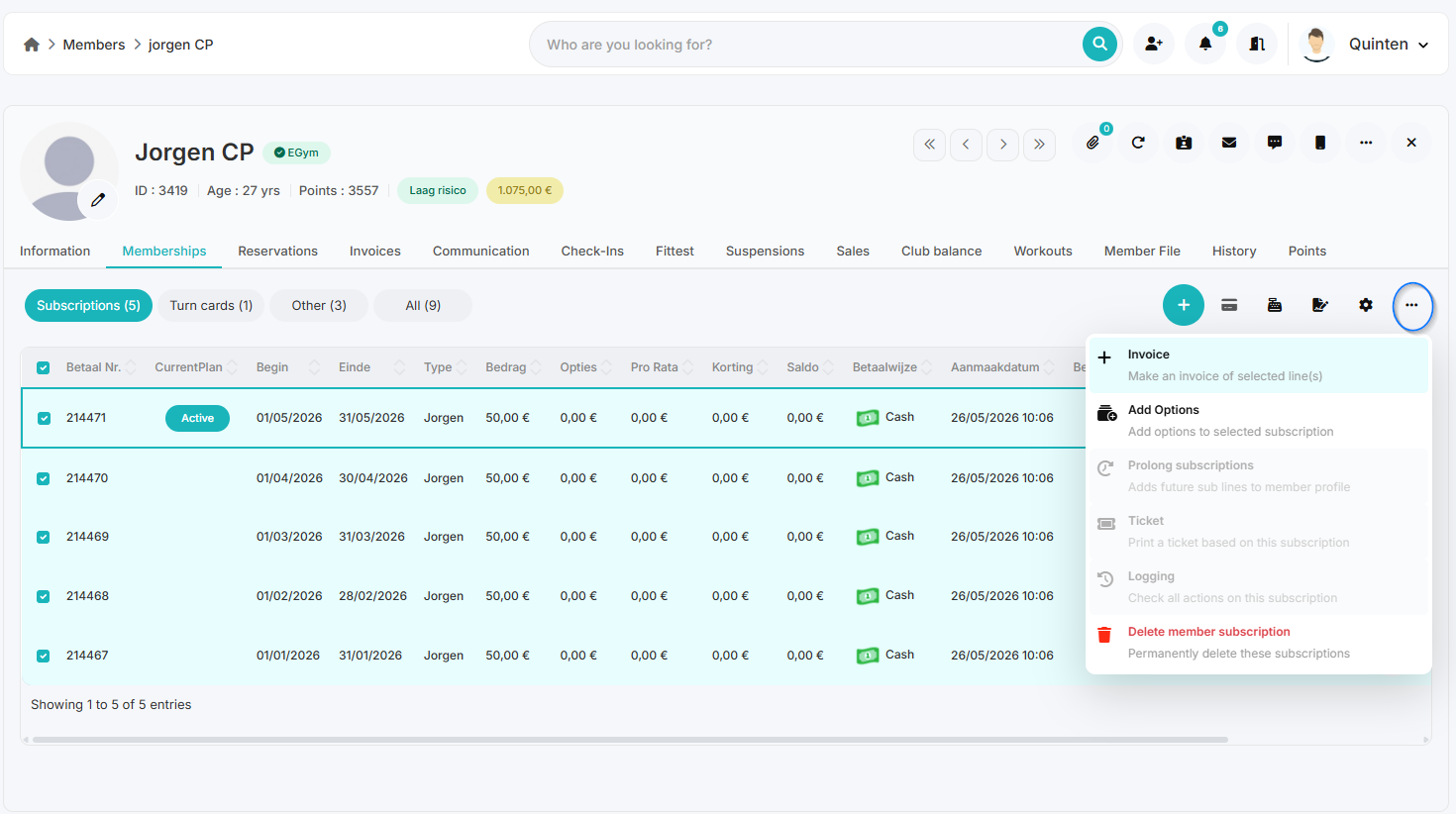
- Next, click the three dots
- Select the Invoice option
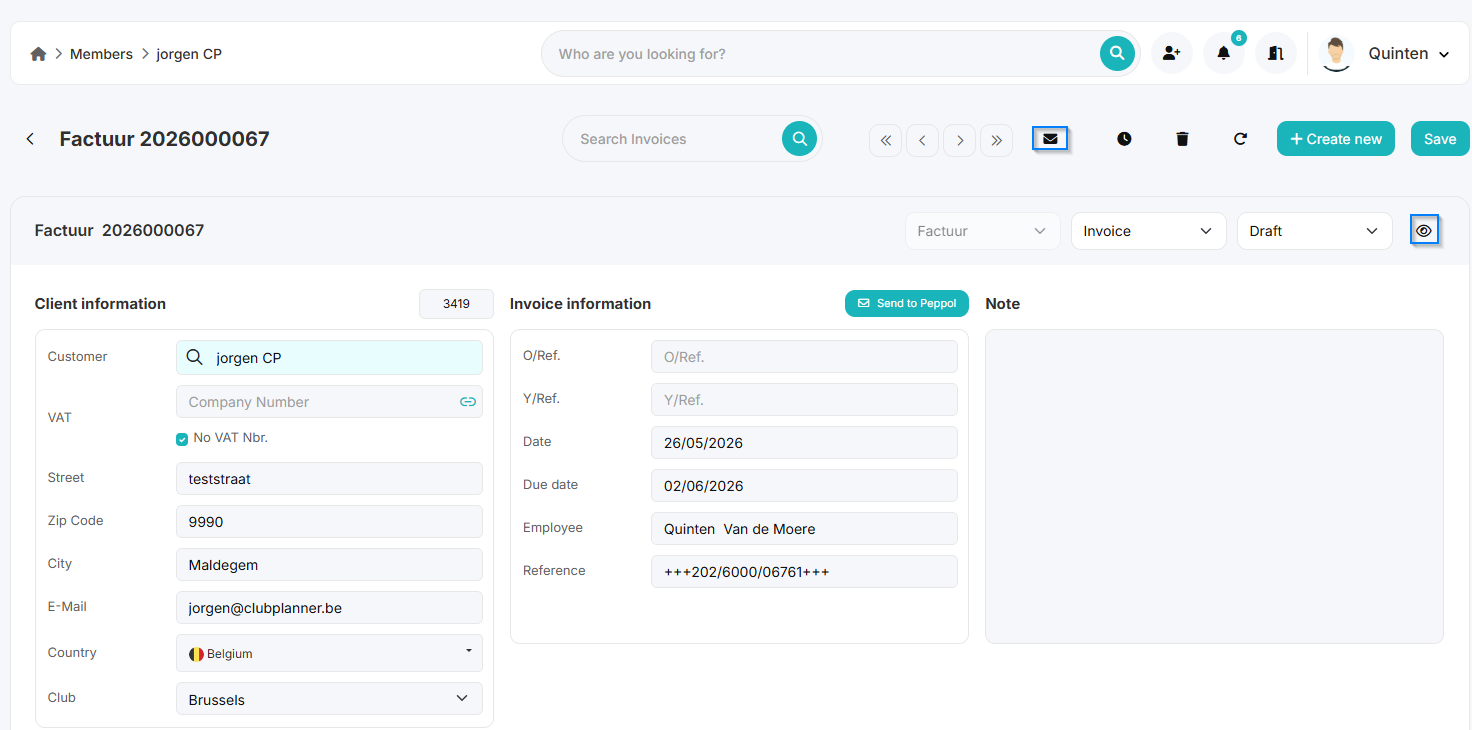
- Next, check the No VAT number box.
- This is intended for members who want a payment receipt or invoice without a VAT number. - Then click Save.
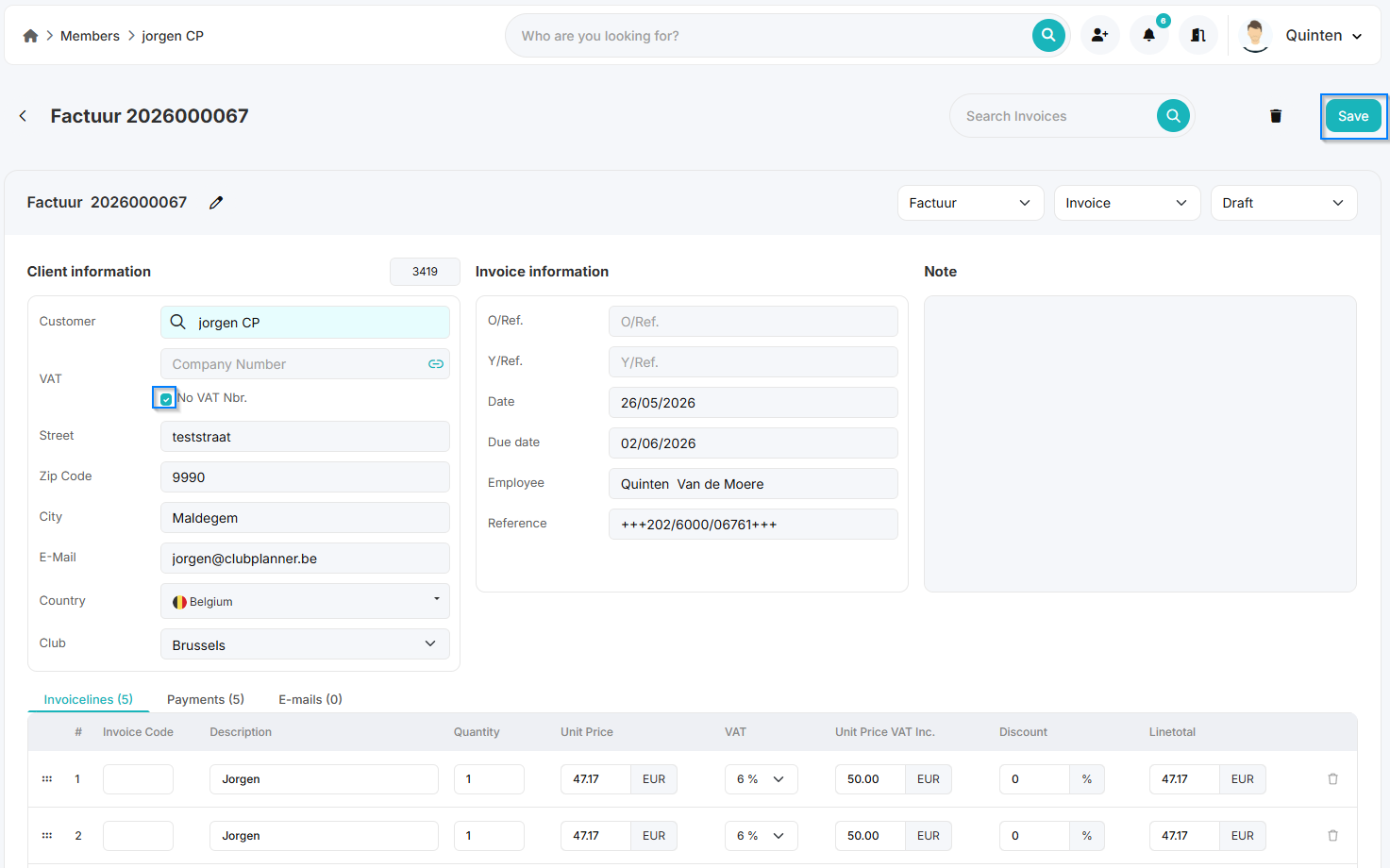
- You can now:
- email the invoice to the member
- or click the icon to view the PDF and print it if desired.