
In this manual, you will learn how to restrict members within the reservation system: by completely blocking a member, temporarily preventing reservations, or using the penalty point system.
Option 1 - Completely block a member
- Go to 'Members'.
- Find the member you want to block.
- Open the member's file.
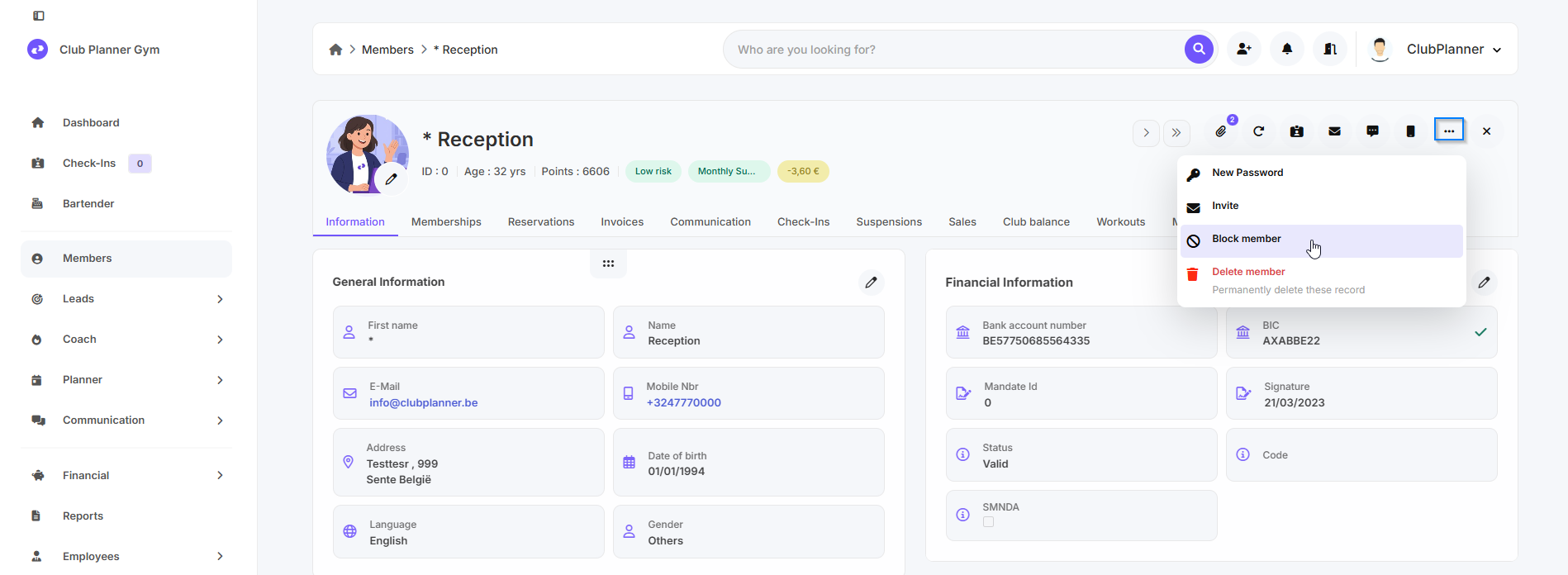
- Click on the three dots at the top.
- Select 'Block member'
Now the member will no longer be able to do anything with their account.
Option 2 - Block reservations for a member
- Go to 'Members'.
- Find the member for whom you want to block reservations.
- Open the member's file.
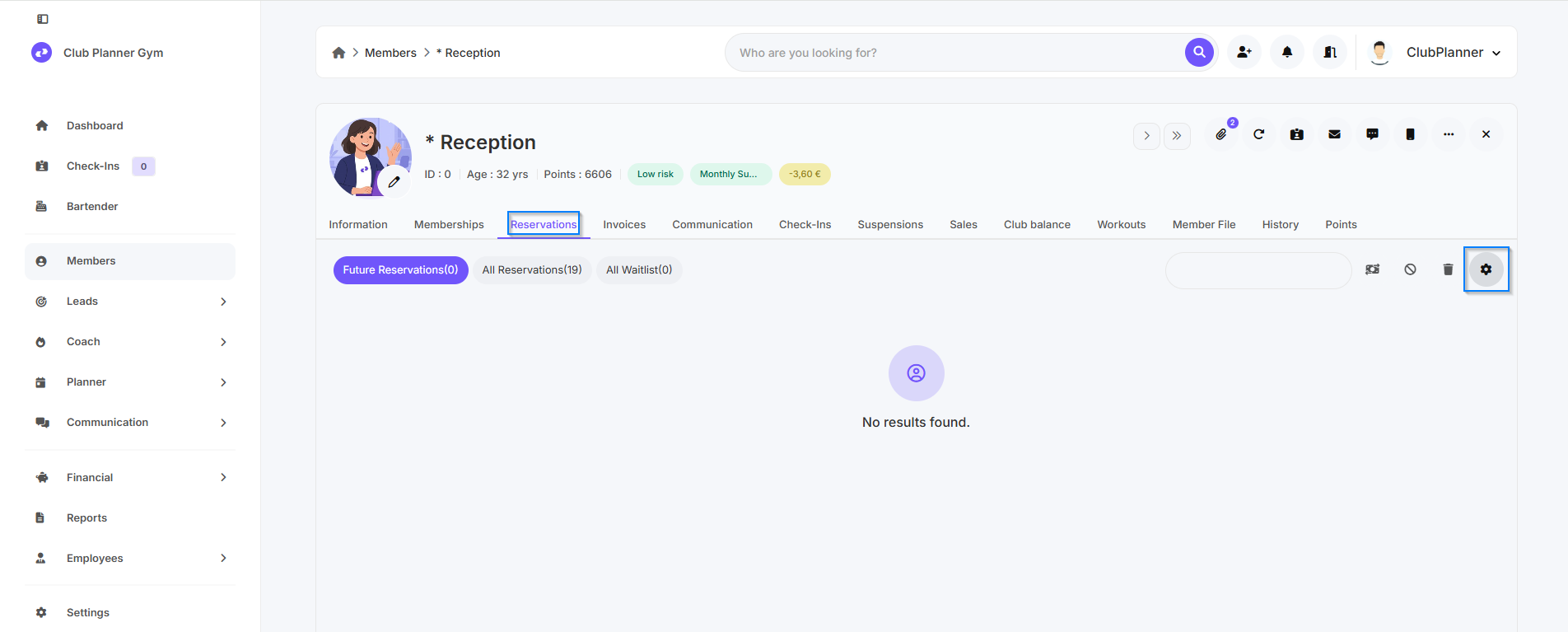
- Go to the 'Reservations' tab.
- Right-click on the ‘Gear icon’.
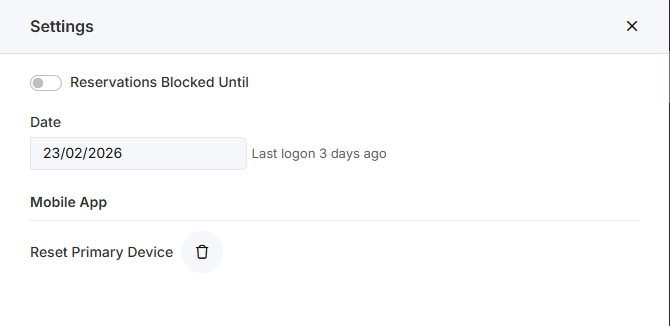
- Set the date until which the member is not allowed to make reservations.
- Click ‘Save’.
The member can no longer make reservations until the set date.
Option 3 - Penalty point system
To encourage members to cancel their reservations in a timely manner and prevent no-shows, a penalty point system may be implemented.
How the system works
- Upon activation of the system, each member receives a certain number of starting points.
- Points will be deducted for non-compliance with the rules (such as late cancellation or no-shows).
- The number of points a member loses depends on the severity of the violation.
Possible sanctions
Depending on the number of penalty points, various sanctions may be imposed:
- A fine.
- Blocking reservations for a certain number of weeks.
- Permanent blocking of reservations in the event of serious or repeated violations.
Reset points
- Penalty points can be reset annually, allowing members to start with a clean slate.
Activation
If you wish to activate the penalty point system, please contact the support service for further assistance and configuration.