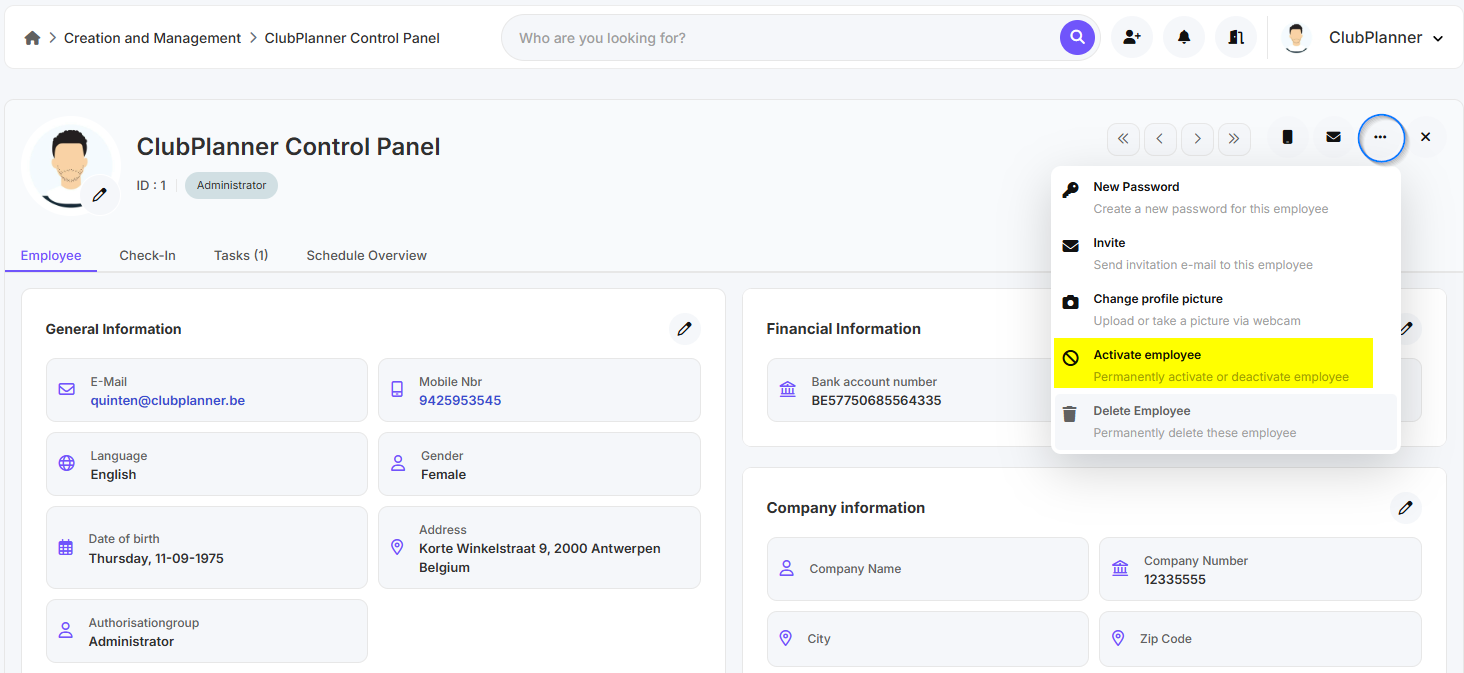
In this guide, you will learn how to deactivate or reactivate an employee in Employee Management.
Deactivate an employee
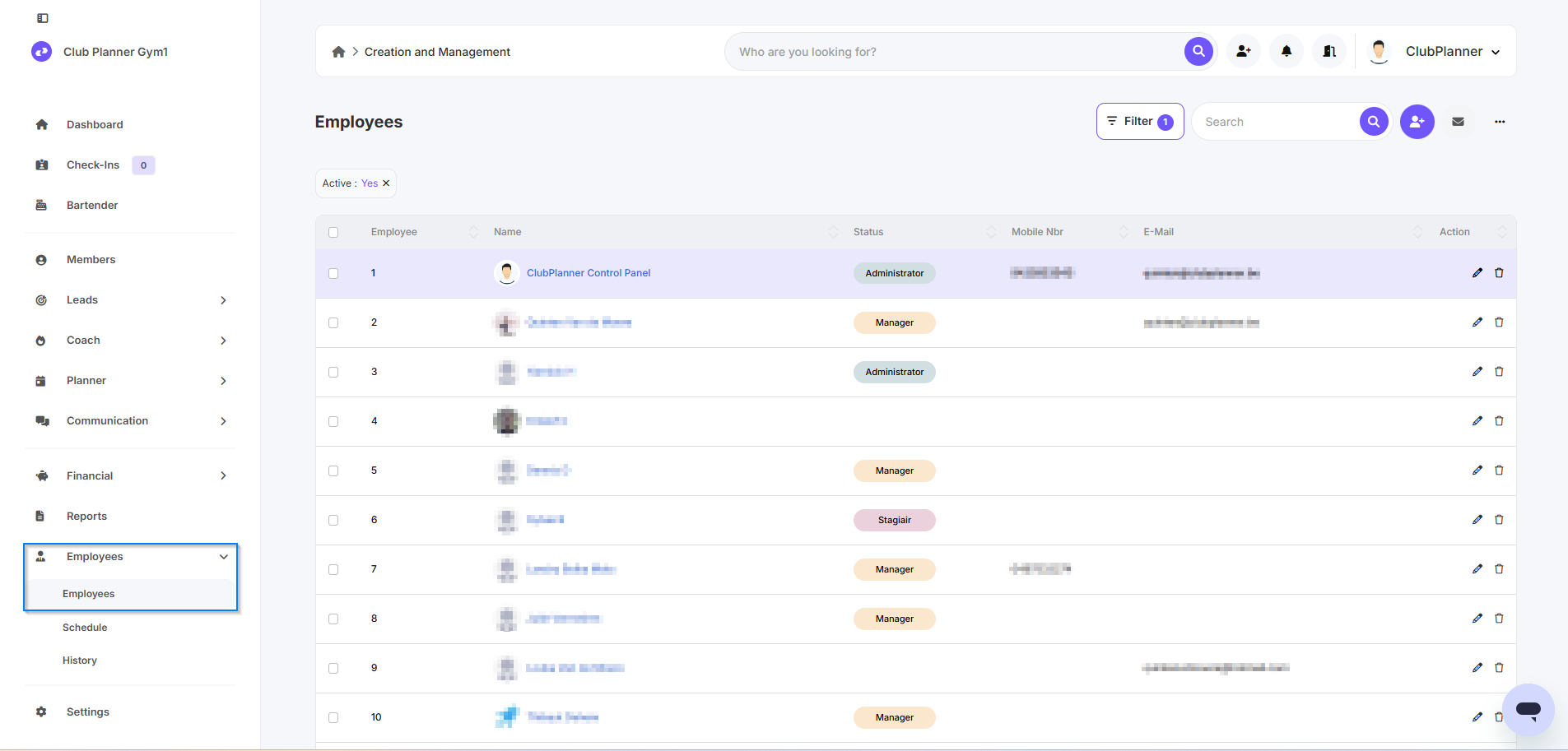
- Go to Employees
- Go to Employees
- Double-click on the employee you want to mark as inactive
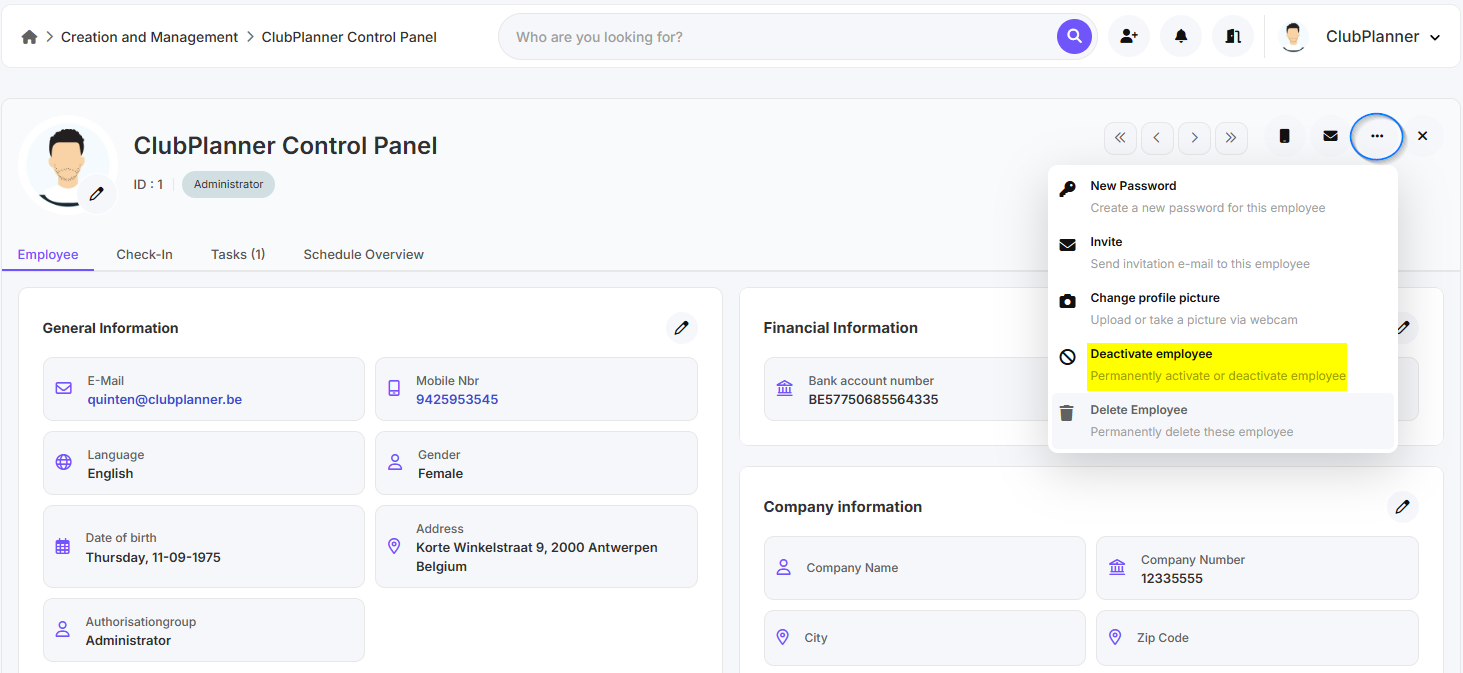
- The employee profile opens
- Click the three dots in the top-right corner
- Click Deactivate employee
Reactivate an employee
- Go to Employees
- Go to Employees
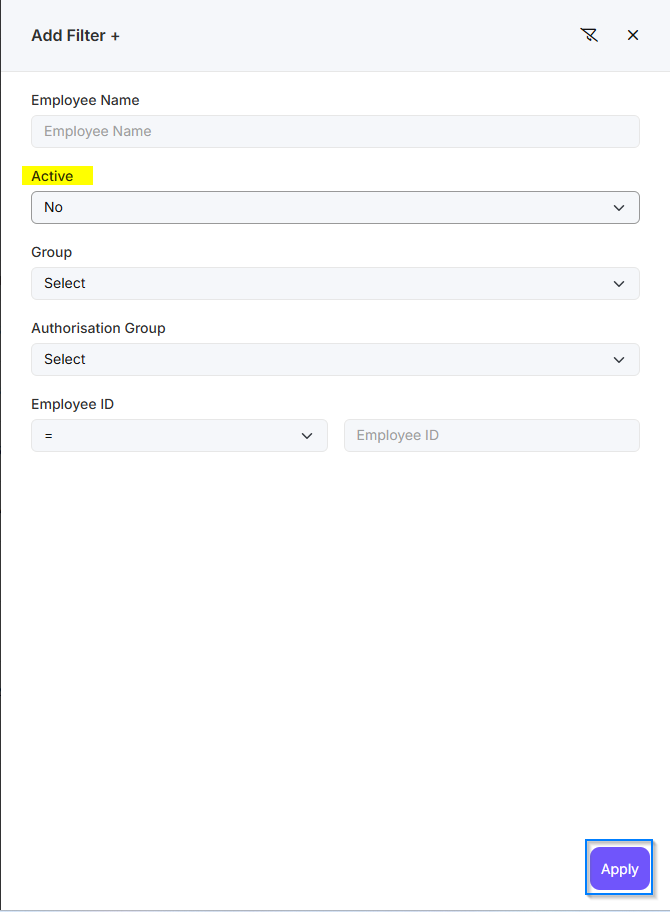
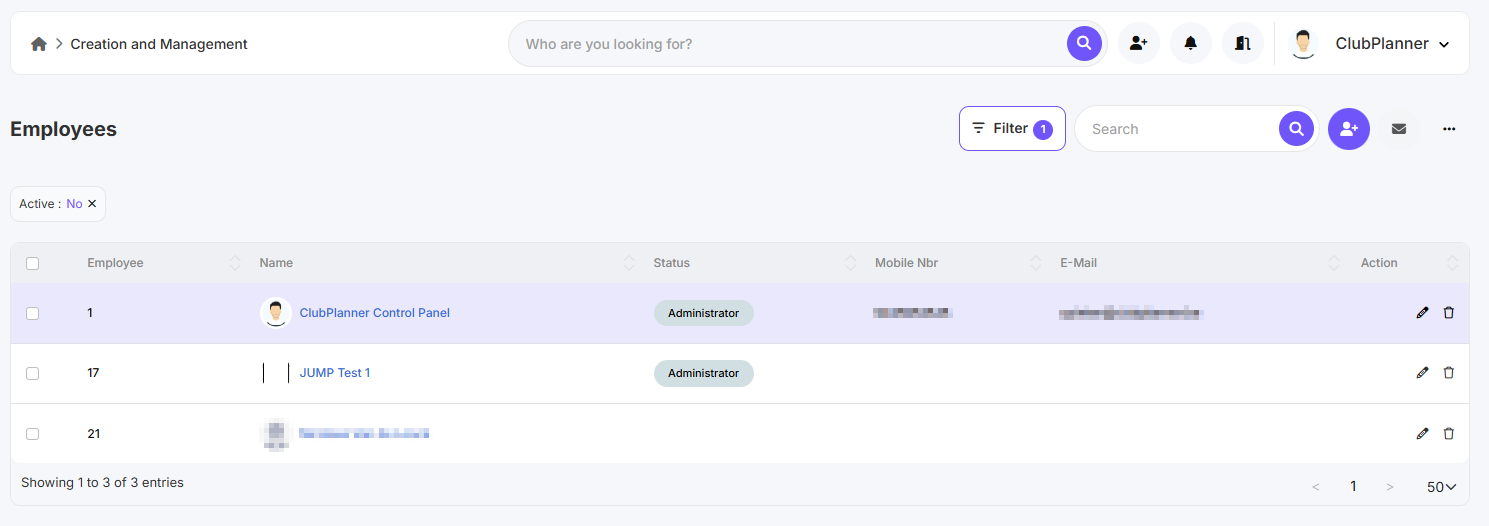
- Click on Filter
- Set Active: No
- Click on Apply
- Double-click on the staff member
- The employee profile opens
- Click the three dots in the top-right corner
- Click Activate employee