In dieser Anleitung erfahren Sie, wie Sie einen Mitarbeiter in der Personalverwaltung inaktiv oder wieder aktiv setzen.
Mitarbeiter inaktiv setzen
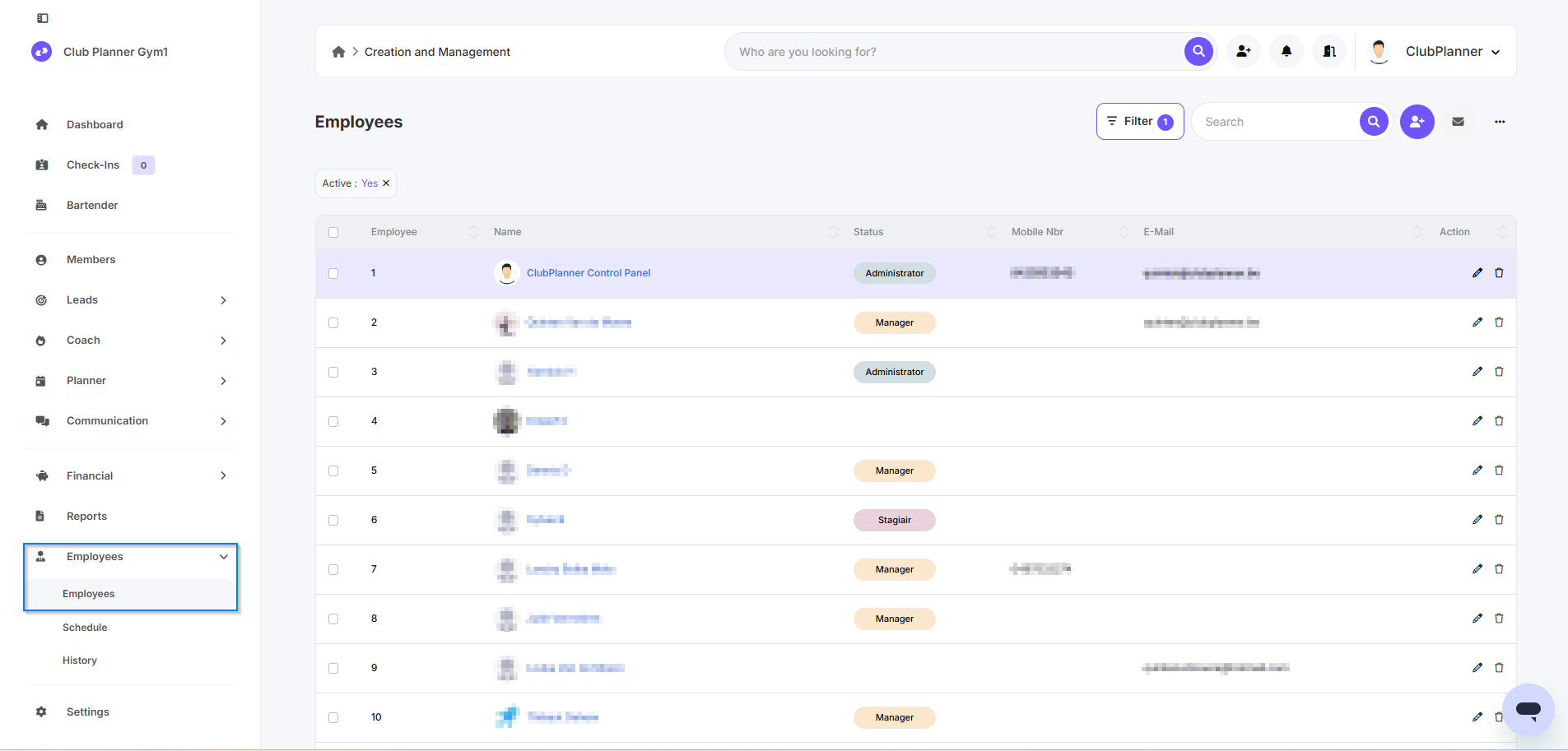
- Gehen Sie zu Personalverwaltung
- Gehen Sie zu Personal
- Doppelklicken Sie auf den Mitarbeiter, den Sie inaktiv setzen möchten
- Die Personalakte wird geöffnet
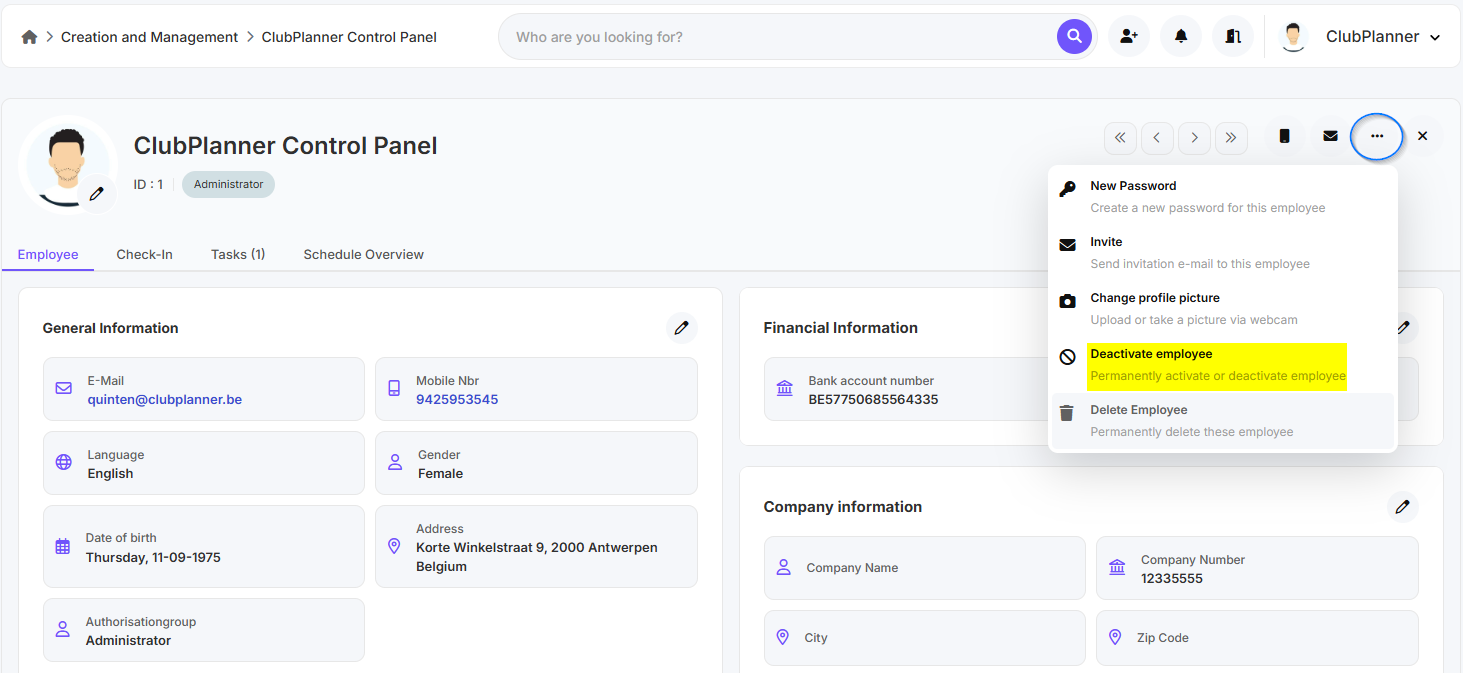
- Klicken Sie rechts oben auf die drei Punkte
- Klicken Sie auf Deactivate employee
Mitarbeiter wieder aktiv setzen
- Gehen Sie zu Personalverwaltung
- Gehen Sie zu Personal
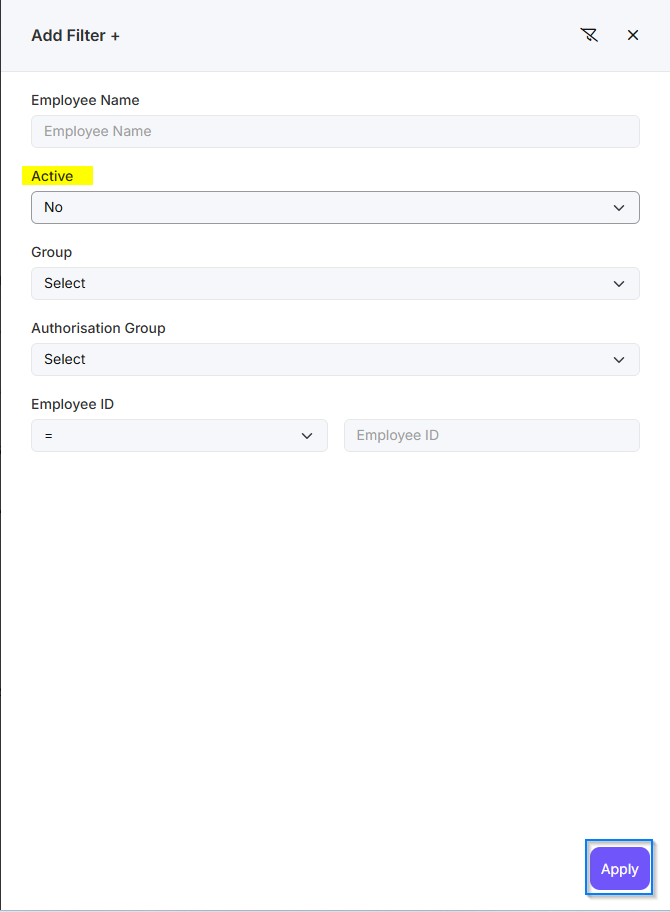
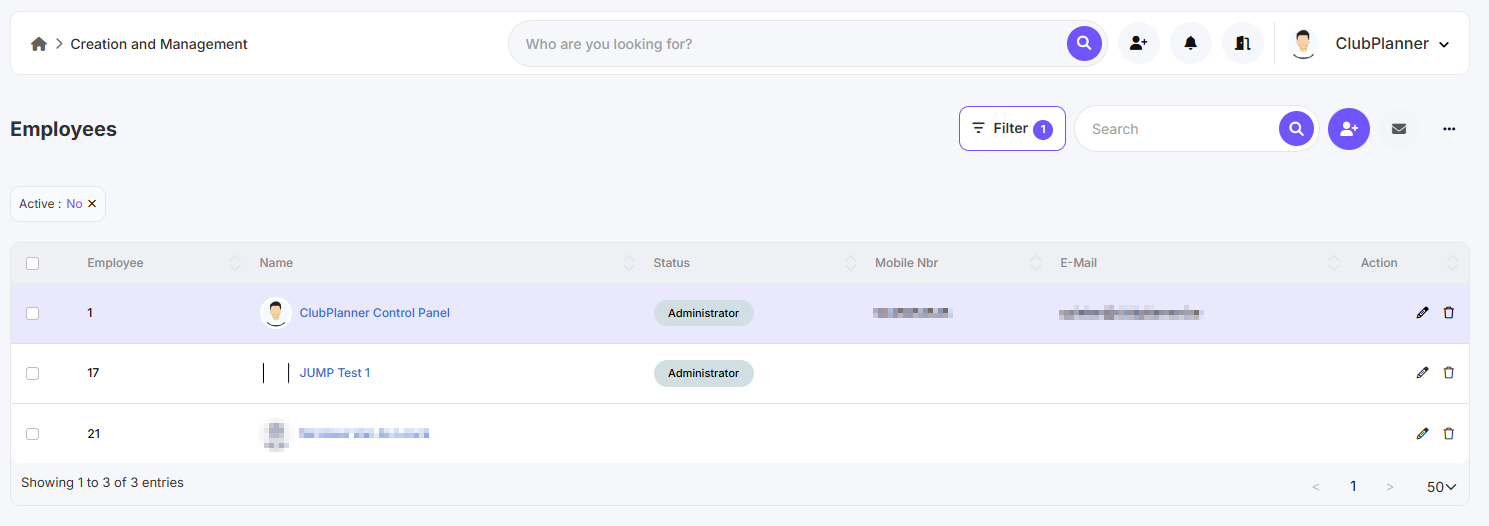
- Klicken Sie auf Filter
- Setzen Sie Aktiv: Nein
- Klicken Sie auf Anwenden
- Doppelklicken Sie auf den Mitarbeiter
- Die Personalakte wird geöffnet
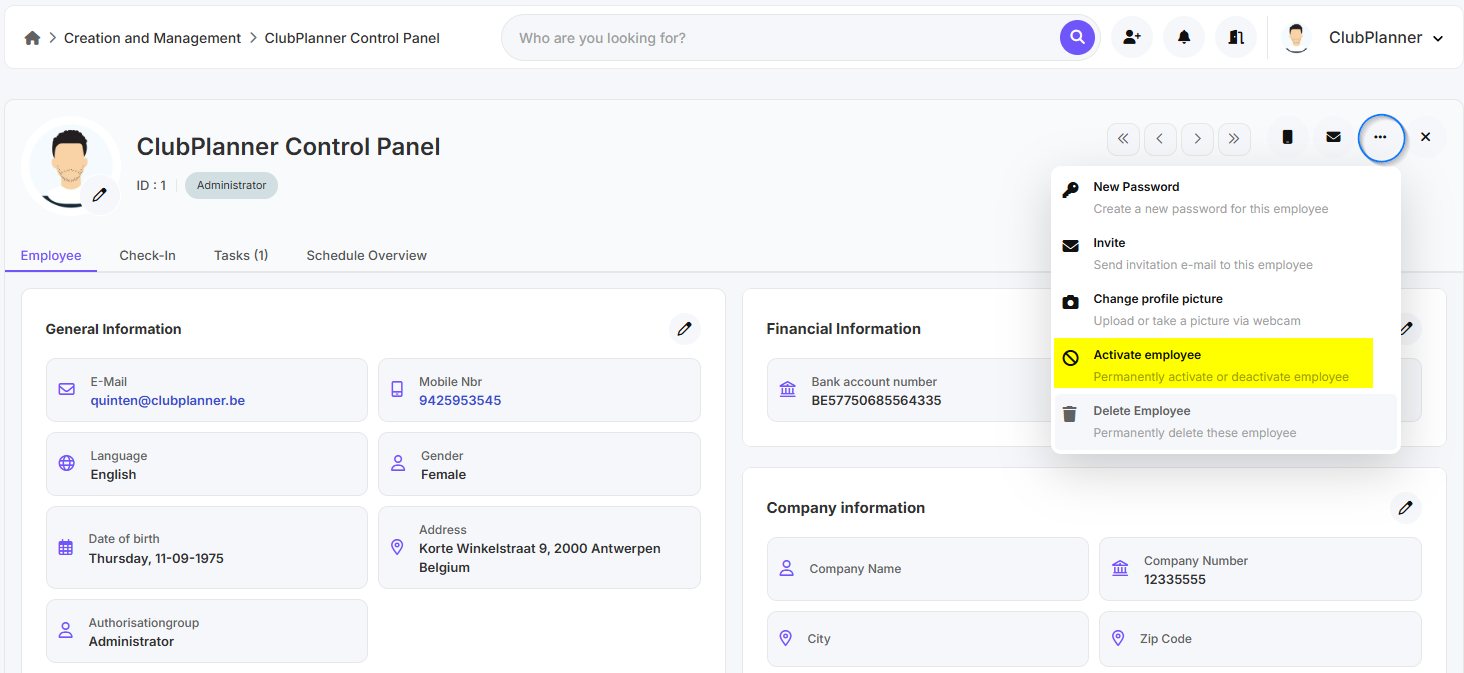
- Klicken Sie rechts oben auf die drei Punkte
- Klicken Sie auf Activate employee