
In dieser Anleitung lernst du, wie du in Club Planner:
- eine Mitgliederliste nach bestimmten Kriterien filterst,
- und wie du dann Aktionen auf der gefilterten Liste ausführst.
📝 Schritt-für-Schritt-Anleitung
Schritt 1 – Öffne die Mitgliederliste
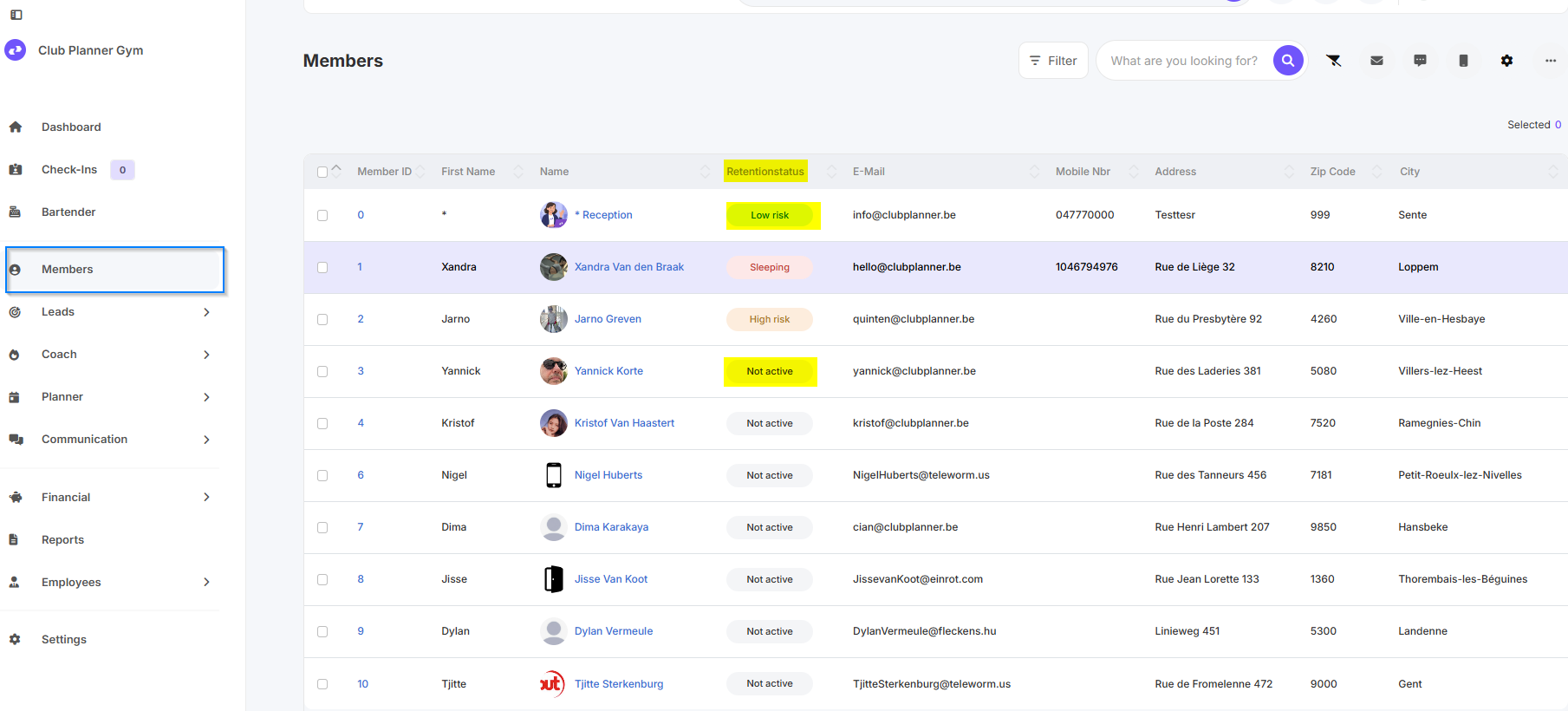
- Gehe zum Bereich "Members" in Club Planner.
- Hier siehst du alle aktiven und inaktiven Mitglieder.
Schritt 2 – Öffne das Filtermenü
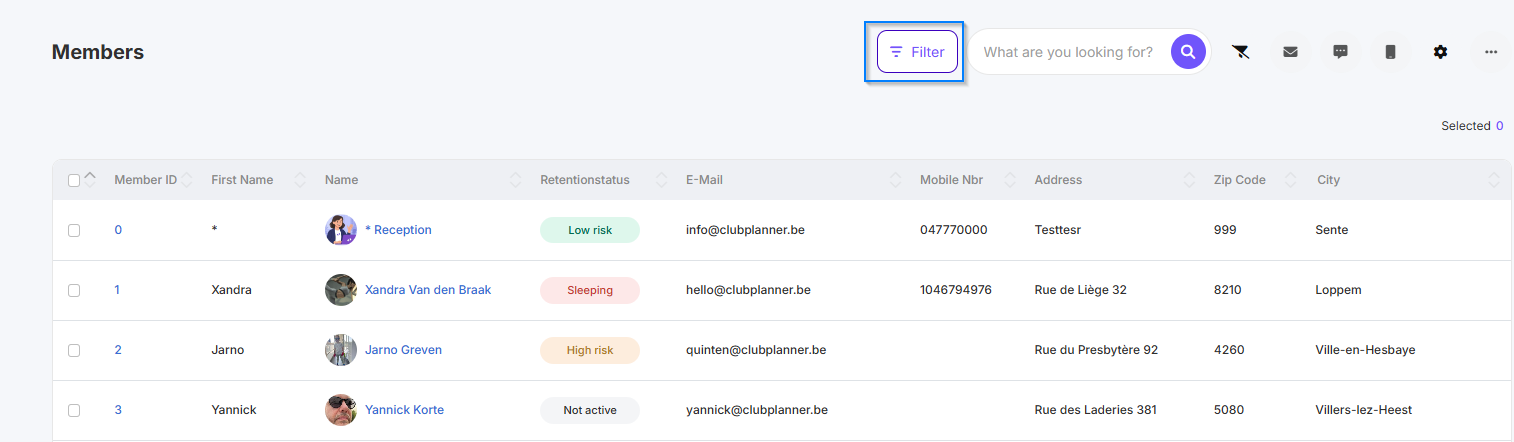
- Klicke auf die Schaltfläche "Filter", um die Filteroptionen zu öffnen.
Schritt 3 – Richte Filter ein
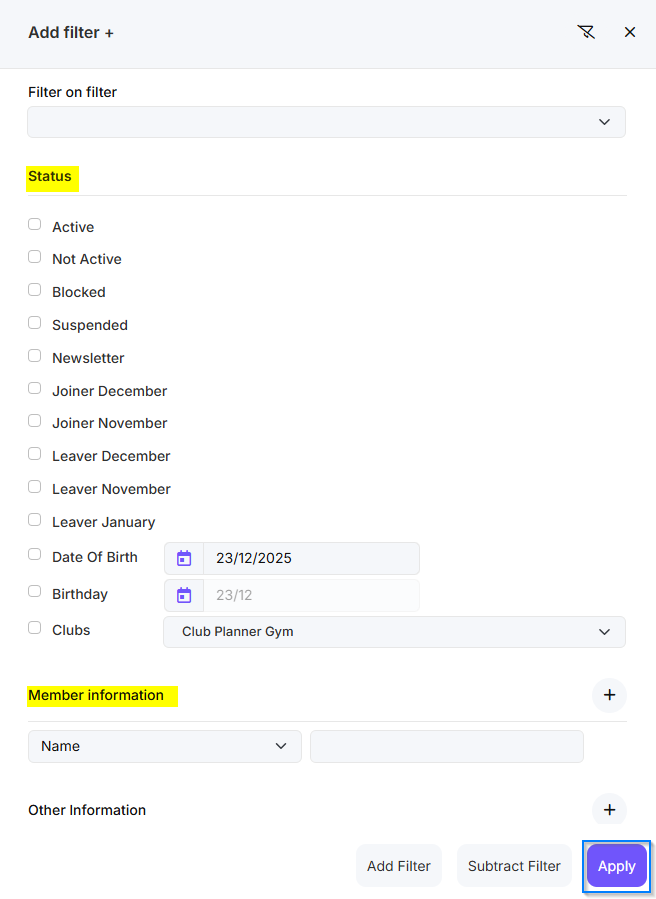
- Wähle die gewünschten Filterkriterien aus, z. B.:
- Aktiv / Inaktiv
- Mitgliedschaftstyp
- Start- oder Enddatum
- Bestätige die Auswahl, um die gefilterte Mitgliederliste zu sehen.
Schritt 4 – Führe Aktionen auf der Liste aus
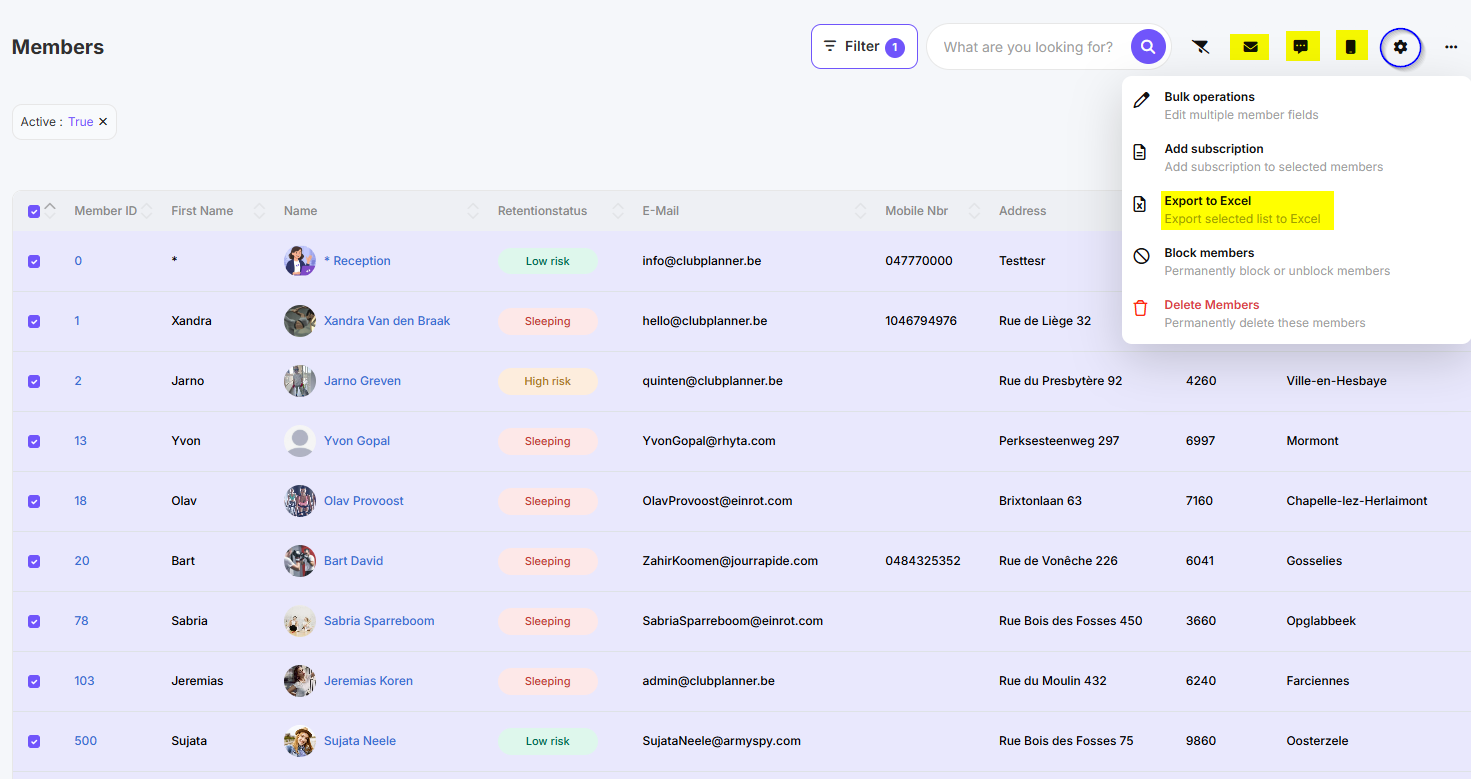
- Sobald die Liste gefiltert ist, kannst du Aktionen wie die folgenden ausführen:
- Exportieren (z. B. nach Excel)
- Massenänderungen
- E-Mails versenden
- Mitgliederstatus anpassen
Schritt 5 – Ergebnis anzeigen
- Nach der Durchführung einer Aktion (z. B. E-Mail) wird diese bestätigt.
- Du siehst die Änderungen direkt in der Mitgliederliste oder in der Kommunikationshistorie.