
A scheduled collection lets Club Planner collect your direct debits for you at fixed times. You choose whether your club receives a bank file by email or whether the collection runs through Mollie.
Which option suits your club?
With Direct debit (SEPA), Club Planner creates the bank file and emails it to your club. You upload that file in your bank's online environment. In Club Planner the payments are marked as paid straight away.
With Mollie (SEPA mandate) there is no file and nothing to do in your bank's online environment. Club Planner collects the outstanding amounts via the mandate the member gave in Mollie. If the collection fails or is charged back, the amount automatically becomes outstanding again. Connect Mollie first via Settings > Payments and invoices > Webshop > Connect Mollie.
Creating a scheduled collection
You need the Settings permission for this.
- Go to Settings > Payments and invoices > Scheduled collections.
- Click Add collection.
- Choose Direct debit (SEPA) or Mollie (SEPA mandate).
- Give the collection a name and click Create collection.
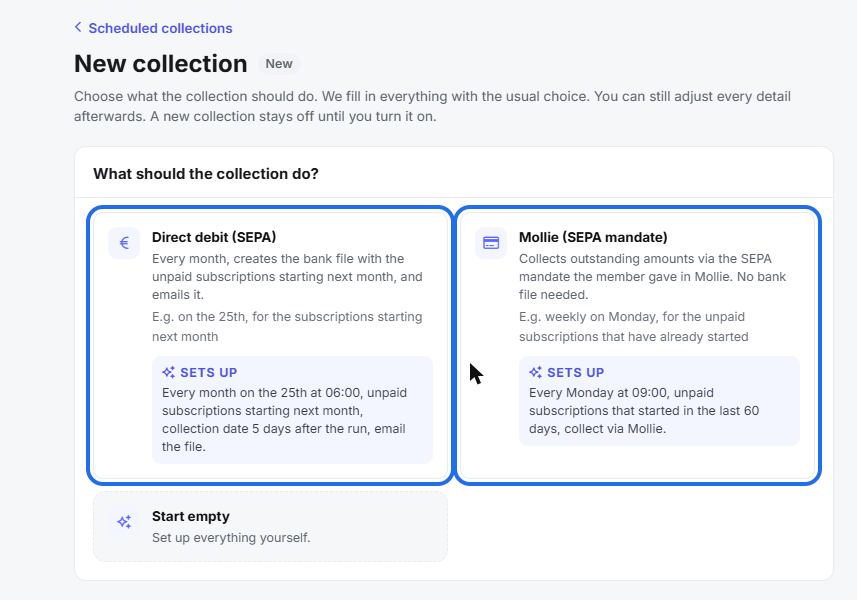
The collection is already filled in with a usual choice and is still switched off. You can adjust everything afterwards.
Adjusting the settings
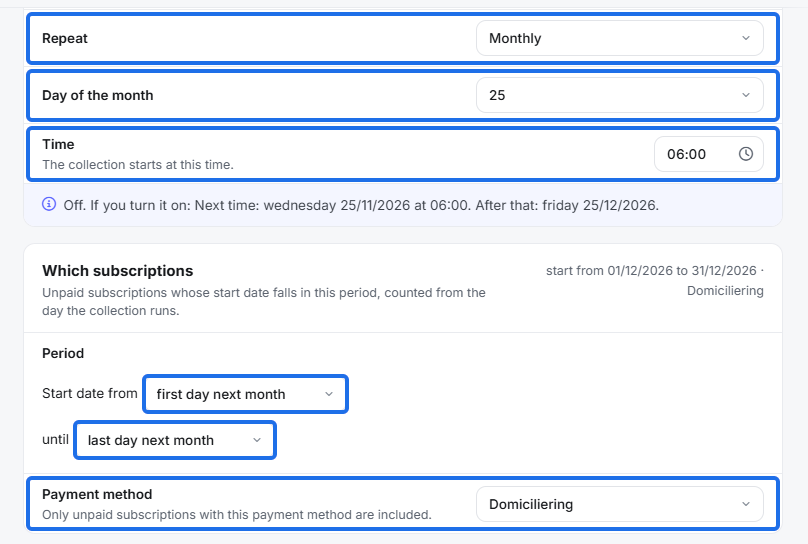
Under When, choose under Repeat how often the collection runs, under Day of the month the day and under Time the hour.
Under Which subscriptions, Start date from and until decide which start dates are included, for example the whole next month. Under Payment method, choose the payment method of your direct debits. Only unpaid subscriptions with that payment method are included.
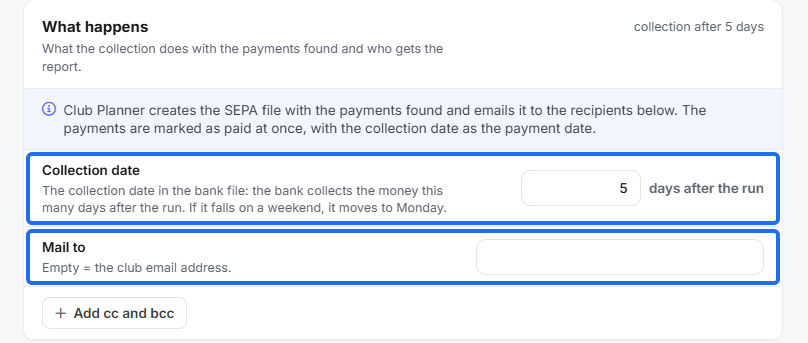
Under What happens, Collection date sets how many days after the run the bank collects. This applies to the bank file only. If that day falls on a weekend, the collection moves to Monday. Under Mail to, enter the address that receives the file or the report. Leave it empty to use the club's email address.
Test, then switch on
- Under Test, click Test now. Nothing is sent or changed. You immediately see which subscriptions the collection would take.
- If the list is correct, switch on the switch at the top (Not active).
What do you do with the file?
With Direct debit (SEPA) you receive the file at the email address you chose. Upload it in your bank's online environment before the collection date.