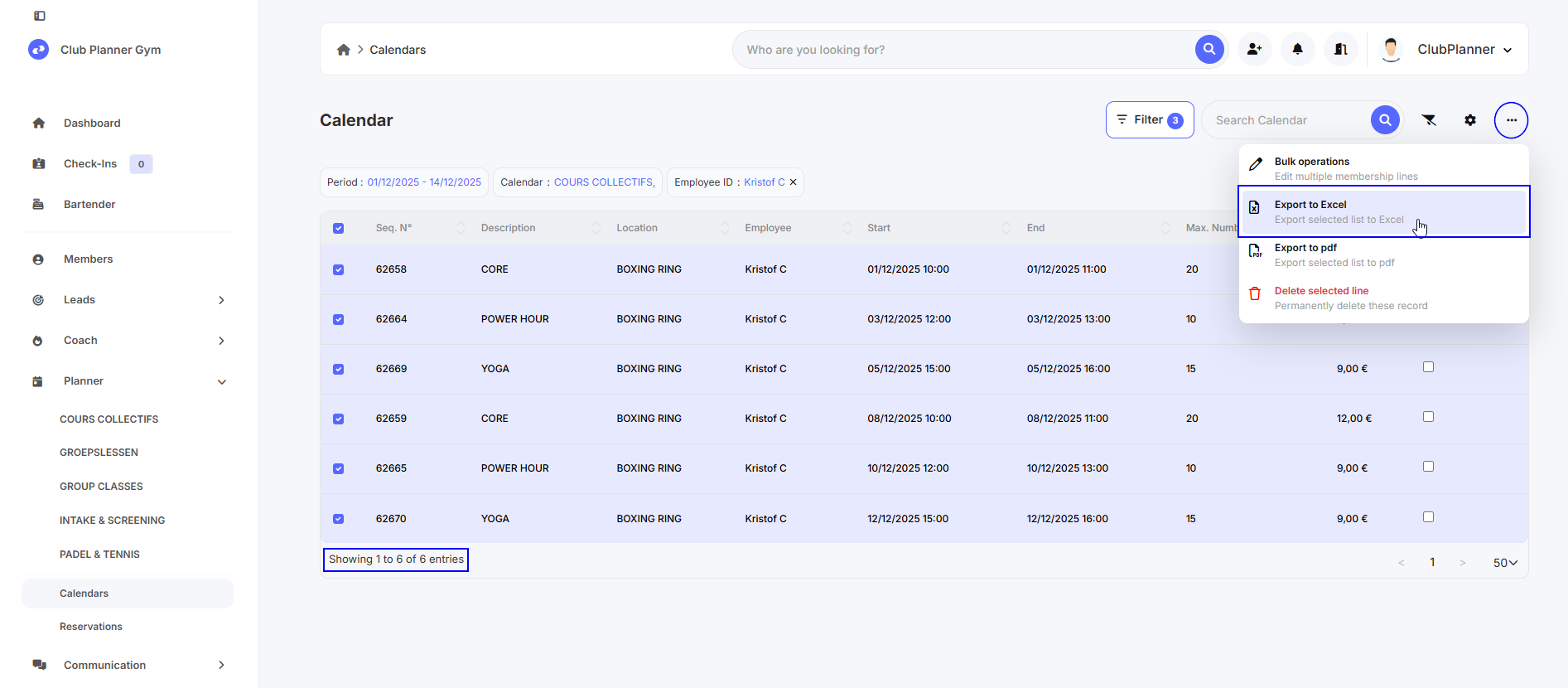
Learn how to set specific filters when searching for scheduled activity blocks.
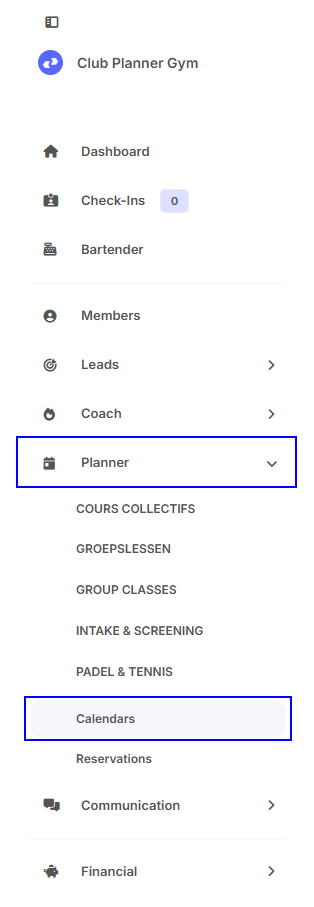
Step 1 - Go to ‘Planner - Calendars’.
Step 2 - Filters
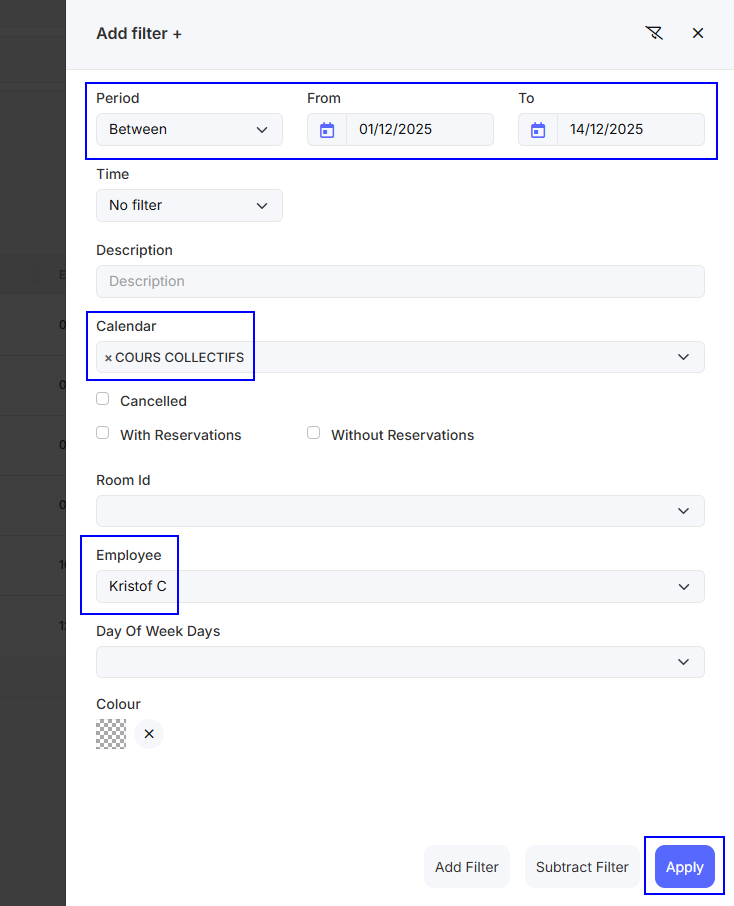
Click on ‘Filter’ in the top right corner and set the desired filters.
In my example, I am searching for activities between 01/12/2025 and 14/12/2025.
Only for the ‘COURS COLLECTIFS’ calendar and where ‘Kristof C’ is set as the instructor.
Then click on ‘Apply’.
Step 3 - Result
You can see how many results were found at the bottom.
You can also export the list to Excel by clicking on the three dots in the top right corner.