
In this guide, you will learn how to change a member’s IBAN number while ensuring that the direct debit mandate is processed correctly. You will also gain an understanding of the different mandate statuses and what they mean.
How do I change a member's IBAN number?
If this member uses direct debit, it is important to update the IBAN number and the authorization correctly.
Steps:
- Go to Members.
- Find the member for whom you want to change the IBAN number.
- Open the member's profile.
- Click the pencil icon next to “Financial Information.”
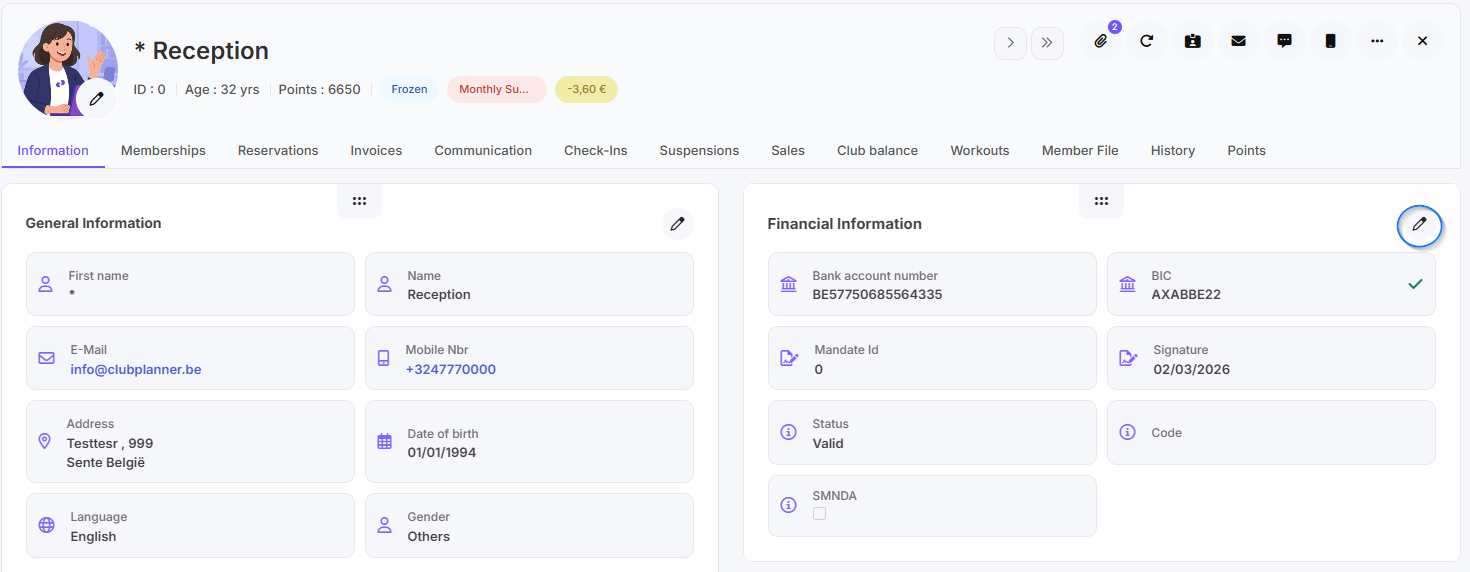
- Update the IBAN number.
- Click the link icon; this will automatically fill in the BIC.
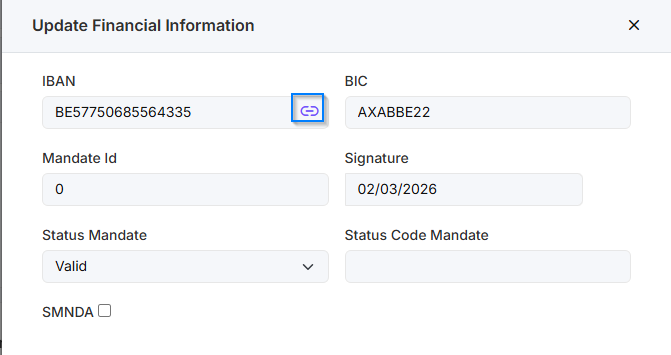
- Check the box next to SMNDA to retain the same mandate.
- Would you like to create a new mandate? If so, enter a letter in the Mandate ID field; a new mandate will then be created.
- Finally, click Update to save the changes.
| Status | Explanation |
|---|---|
| NoMandate | No mandate has yet been created or registered for the relevant customer or account. |
| NewMandate | A new mandate has been created, but it has not yet been verified or activated. |
| Valid | The mandate has been checked and approved; payments may be collected. |
| Invalid | The mandate has been declared invalid, for example due to missing data or rejection. |
| DebtCollection | The collection has been transferred to a debt collection agency or is in the collection process. |