
In this guide, you'll learn step by step how to create and send a credit memo based on an existing invoice.
Create a credit note
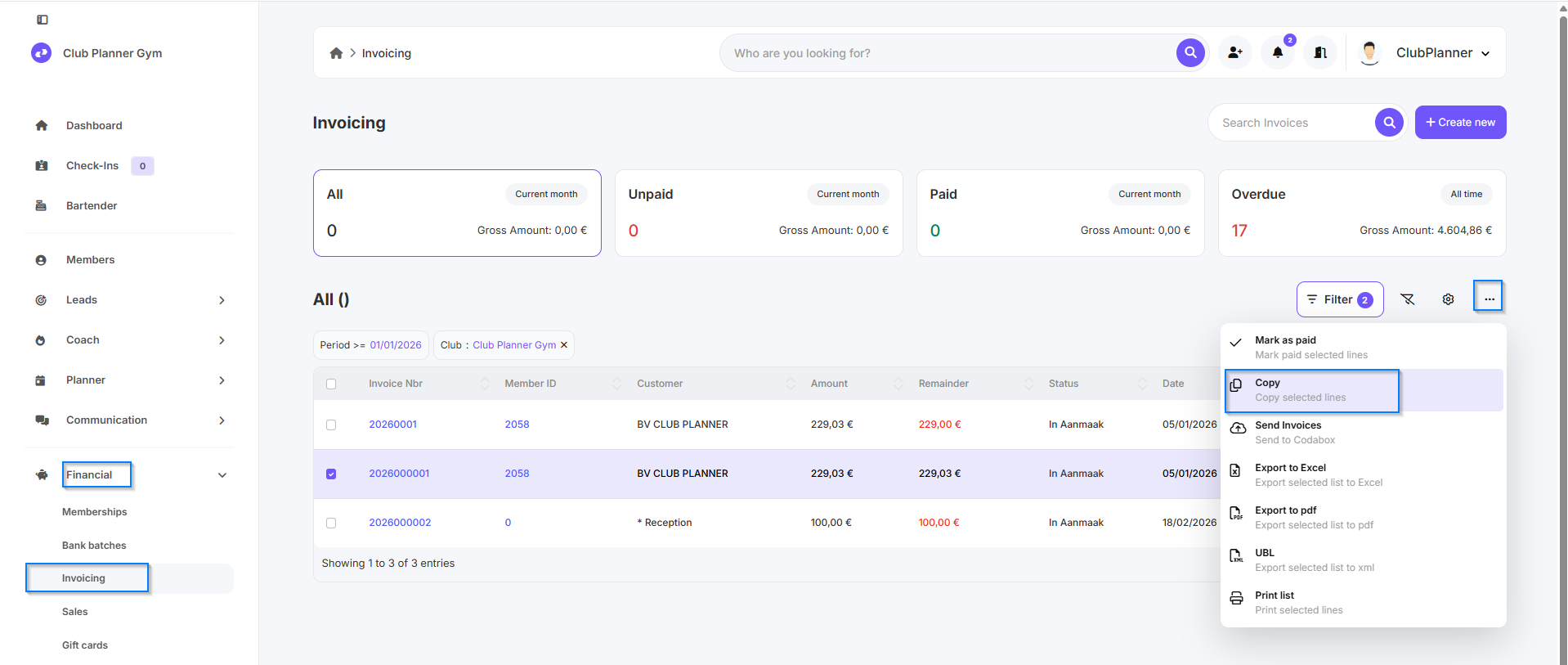
- Go to Financial
- Click on Invoicing
- Find the invoice for which you want to create a credit memo
- Select the relevant invoice
- Click the three dots (more options)
- Choose Copy
- Next, select the Credit Note option
- Click Save
- Send the credit note via email or Peppol if desired
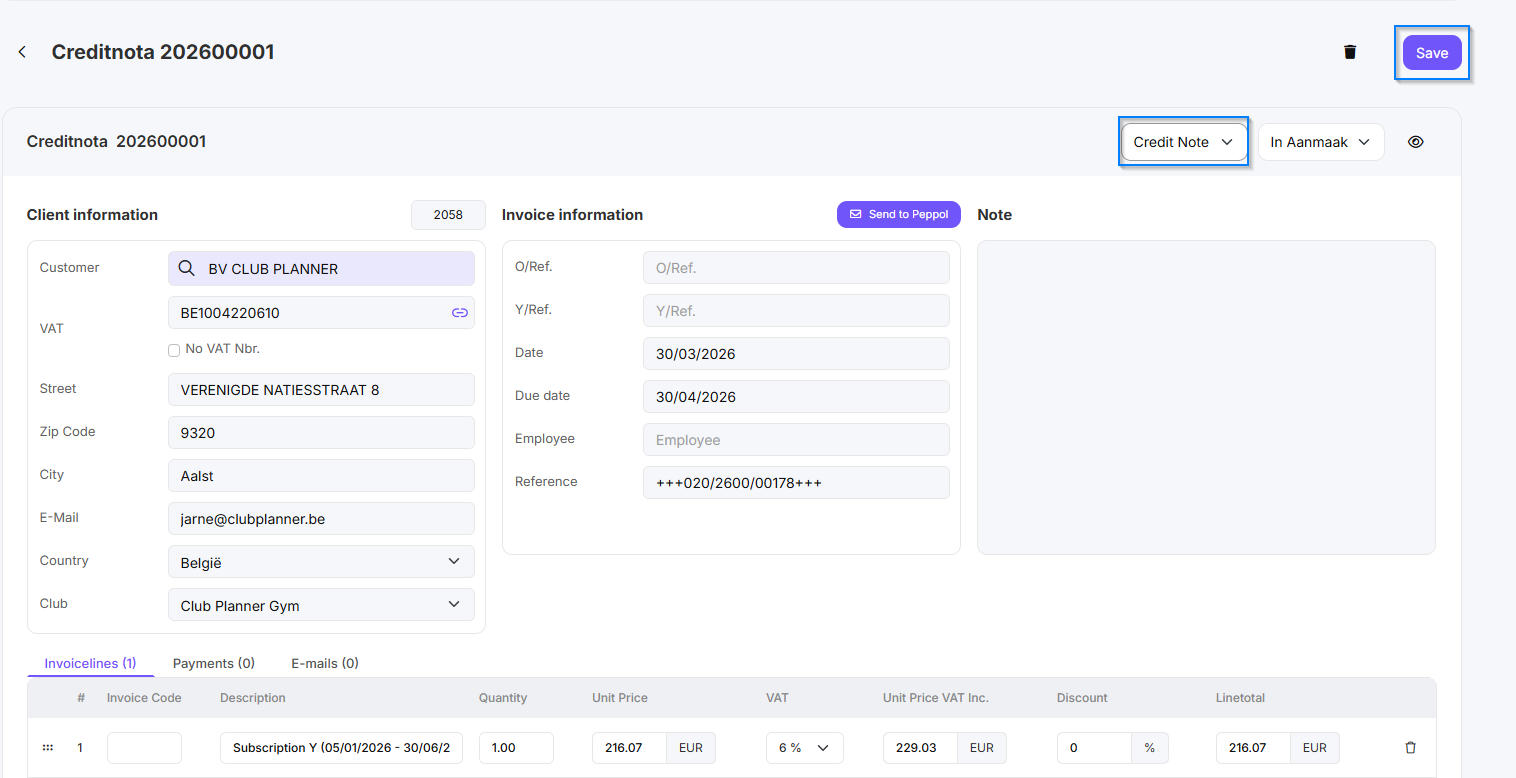
💡: Always check the details on the credit memo before sending it. If necessary, adjust the description or the amount before saving.