The web platform shows memberships in several places. The settings list the memberships you offer, the member profile shows what a member has, and under Financial you search through all memberships of your members.
Which memberships do I offer?
- Go to Settings.
- Click Memberships.
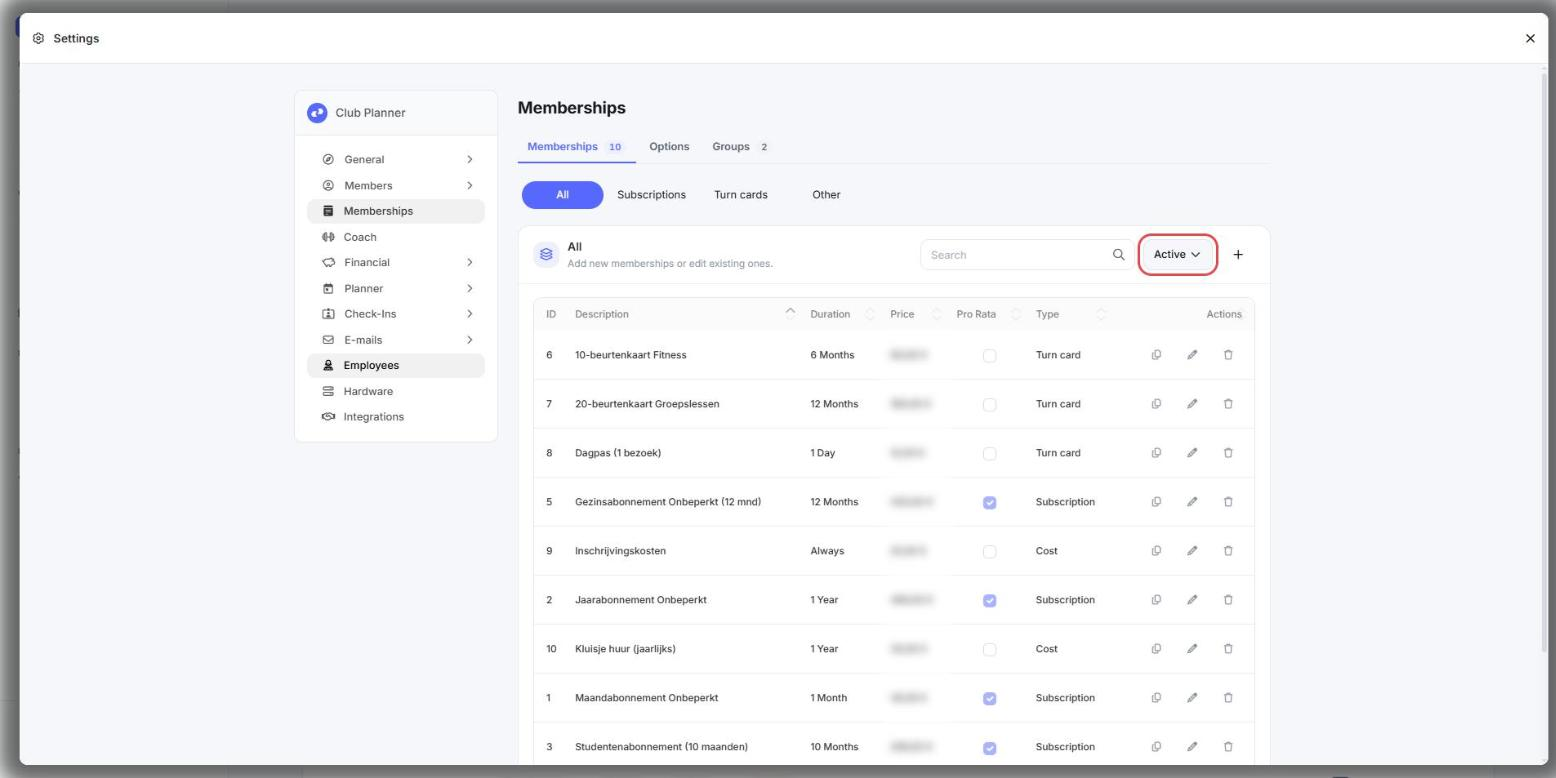
- You see the active memberships. At the top, choose All or Not active instead of Active to see the others as well.
How do I put a membership in the webshop?
- Go to Settings.
- Click Memberships.
- Click the pencil next to the membership.
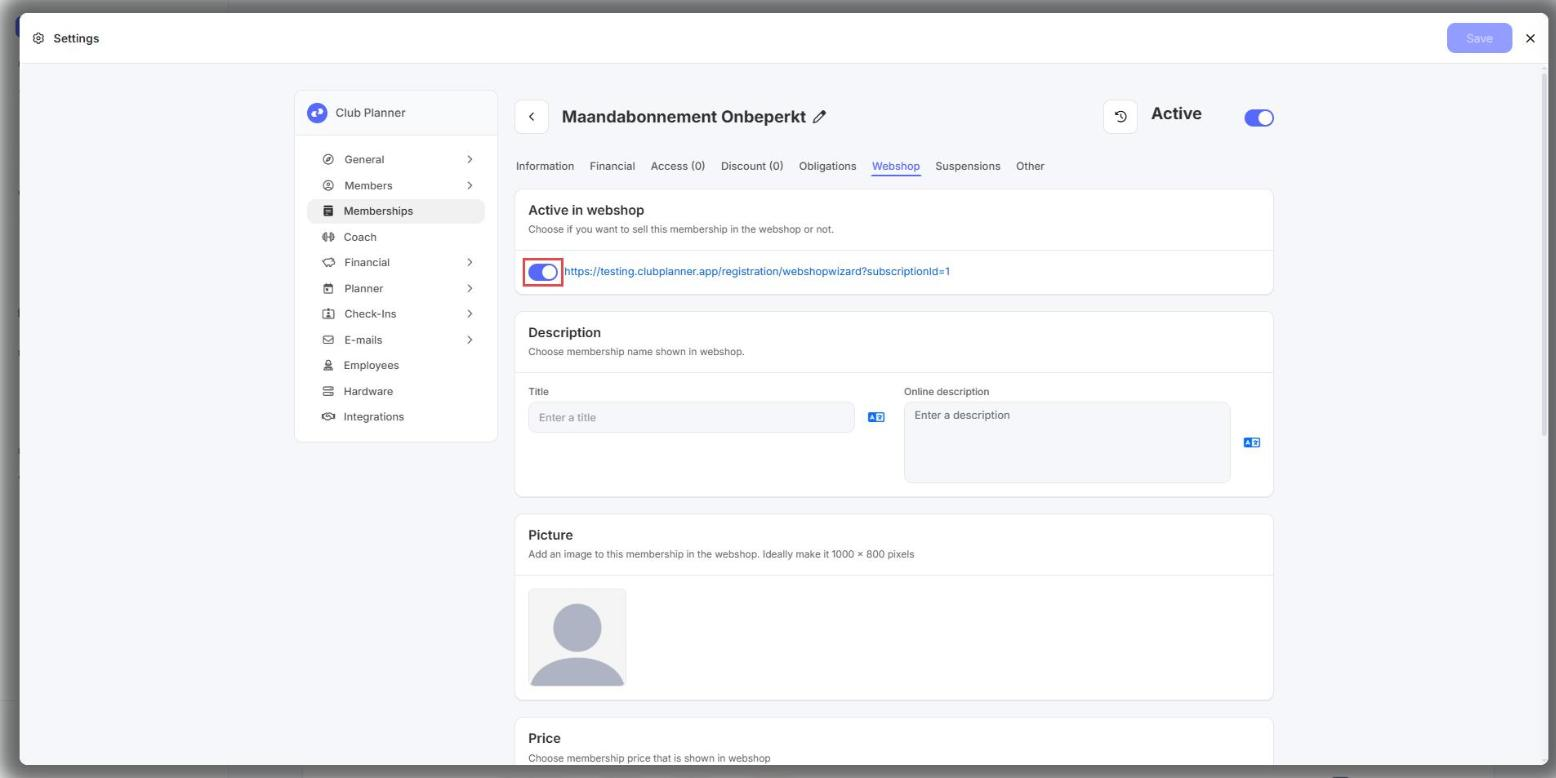
- Go to the Webshop tab.
- Switch Active in webshop on or off.
- Click Save at the top right.
Which membership does a member have?
- Go to Members.
- Look up the member and open the member profile.
- Go to the Memberships tab.
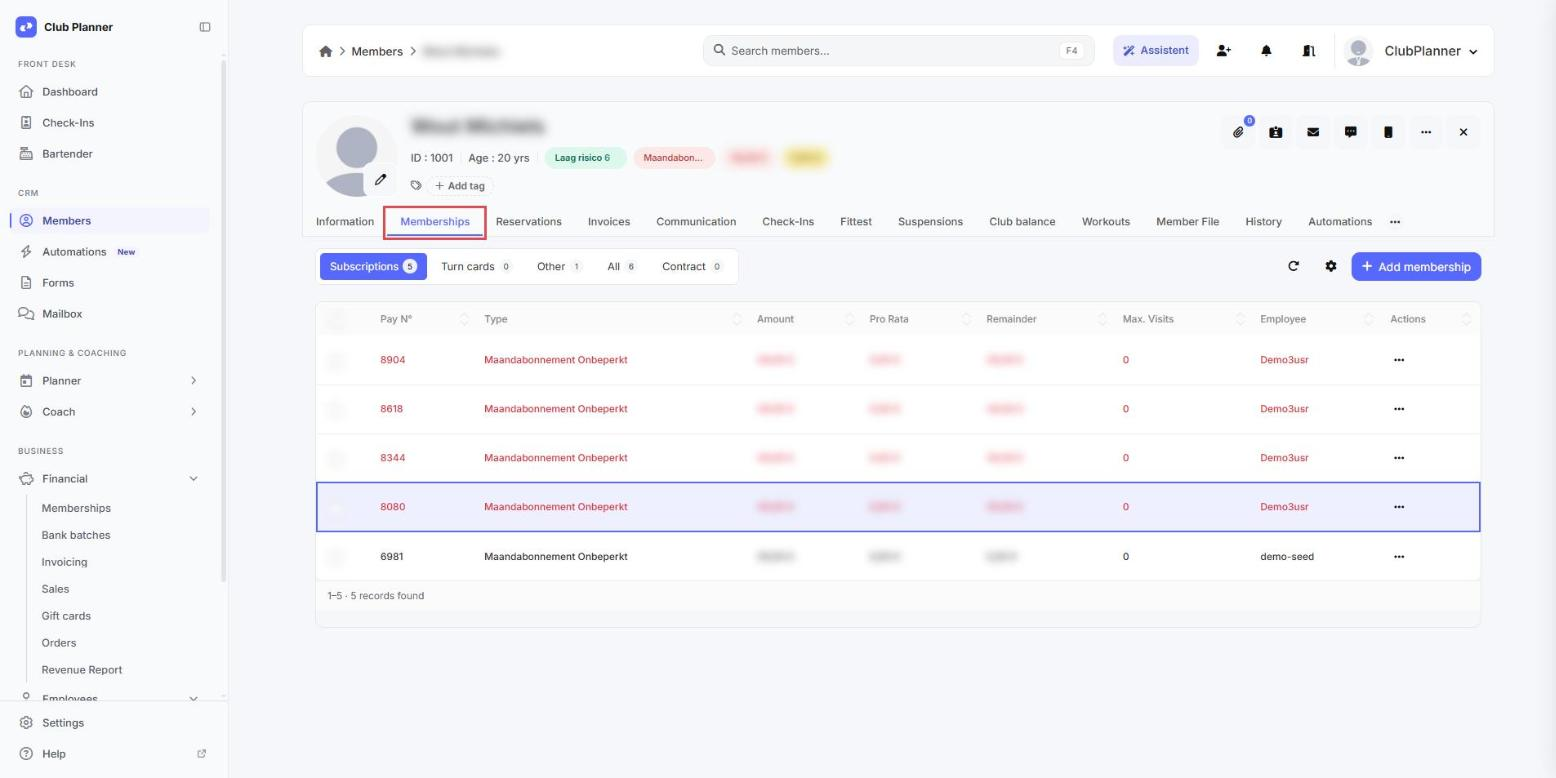
Each line in the list is a membership of this member, with the name of the membership next to it.
How do I search the memberships of all my members?
- Go to Financial.
- Click Memberships.
- Click Filter.
- Set the filters you need.
- Click Show results.
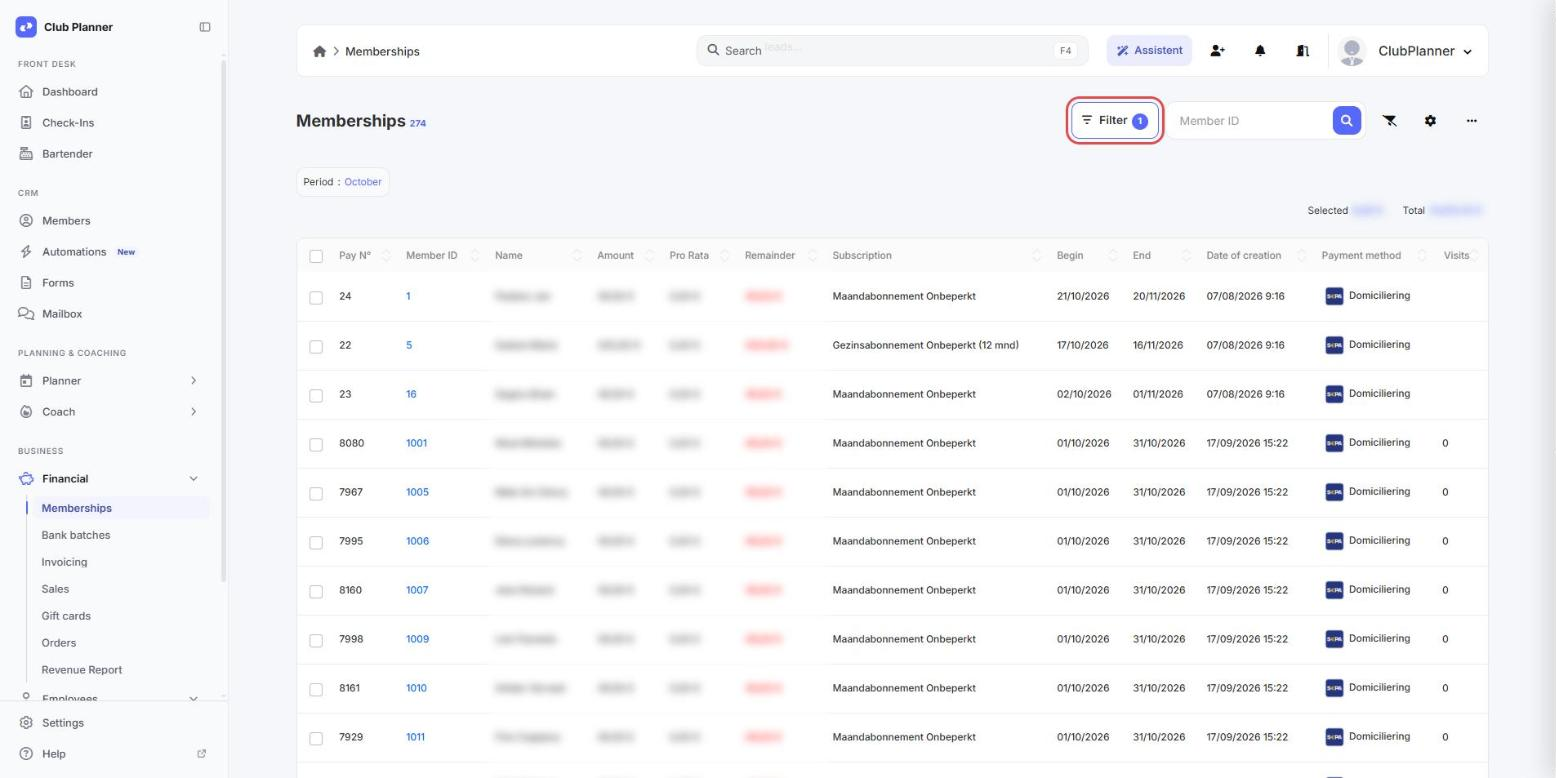
When you open the screen, Period is set to Monthly with the current month. You then only see the memberships that start this month. Set Period to Any if you do not want to filter on start date.
The column titles of the list are shown in the language of your club. That can differ from the language in which you use the web platform.
Running memberships
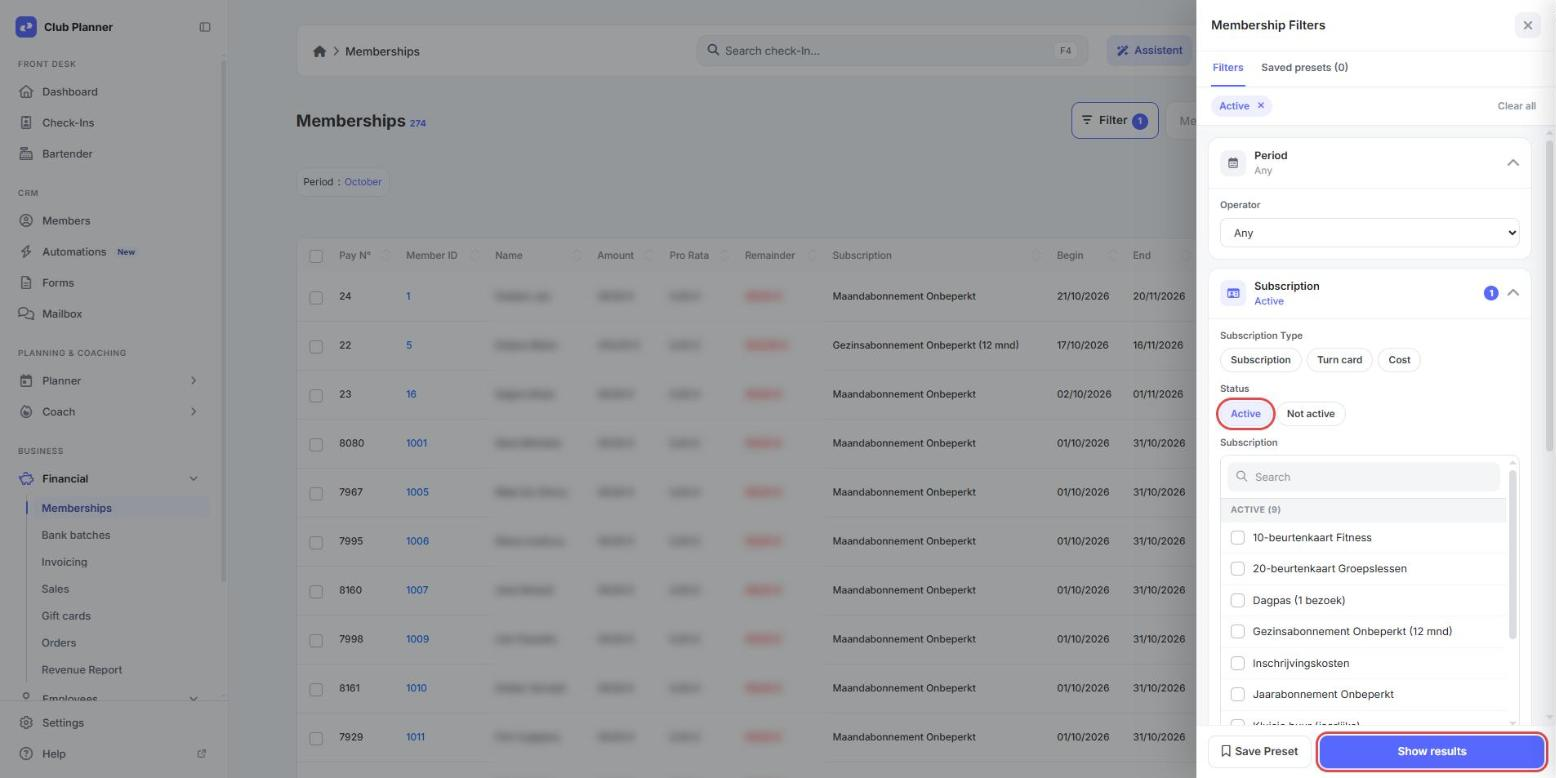
- Set Period to Any.
- Open the Subscription block.
- Under Status, click Active.
- Click Show results.
Expired memberships
- Set Period to Any.
- Open the Date block.
- Under End Date, choose Before and enter today's date.
- Click Show results.
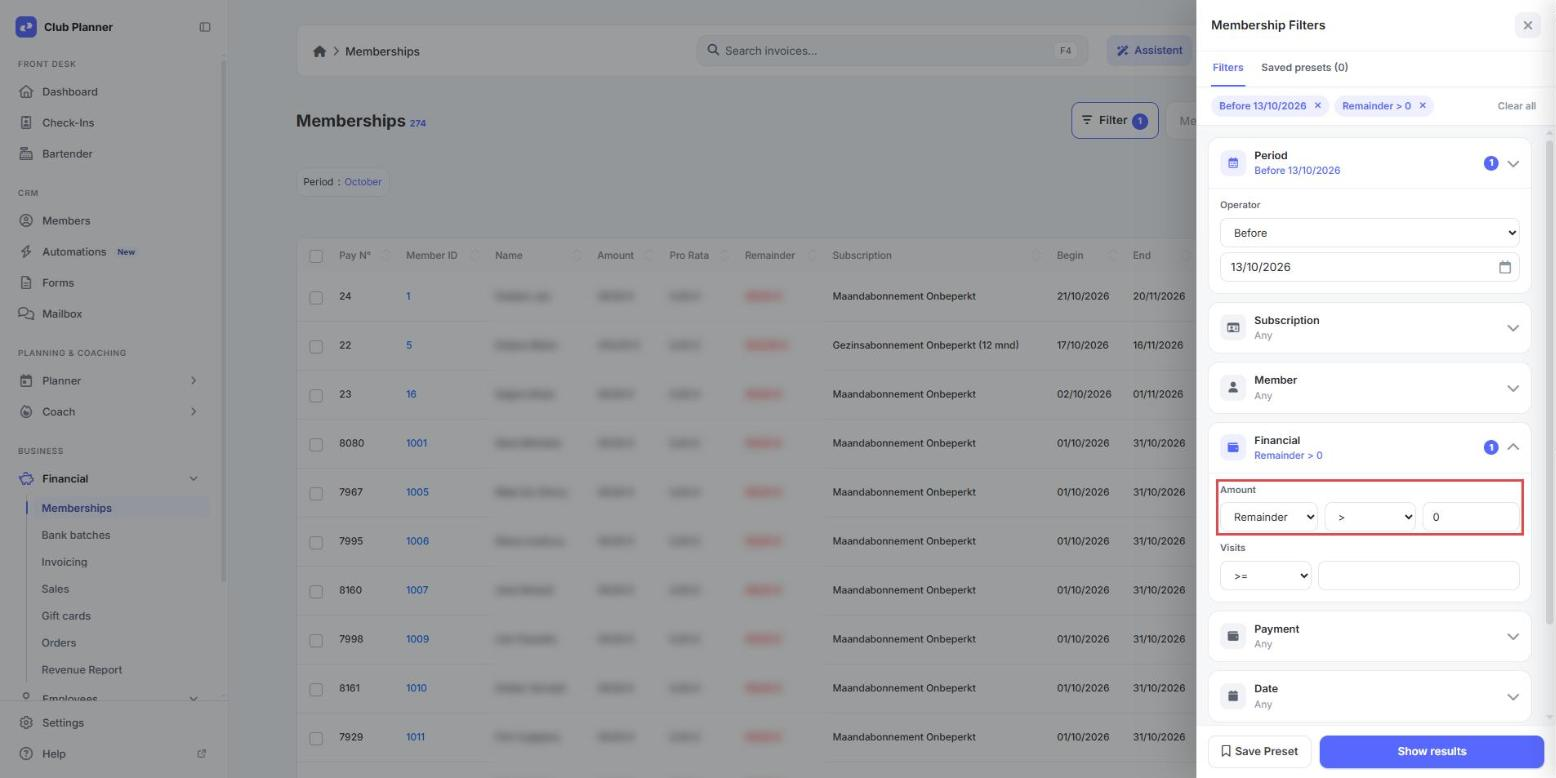
Memberships with an open remainder
- Set Period to Before and enter today's date. Lines that still have to start then stay out of the list.
- Open the Financial block.
- Under Amount, choose Remainder, the sign > and enter 0.
- To see one payment method only, open the Payment block and choose it under Payment options.
- Click Show results.