
In this guide, learn how to create additional required fields to add to a registration form
Create a new required field
- Click on Settings
- Go to Leden
- Click on Profile
- Go to the Required Fields tab
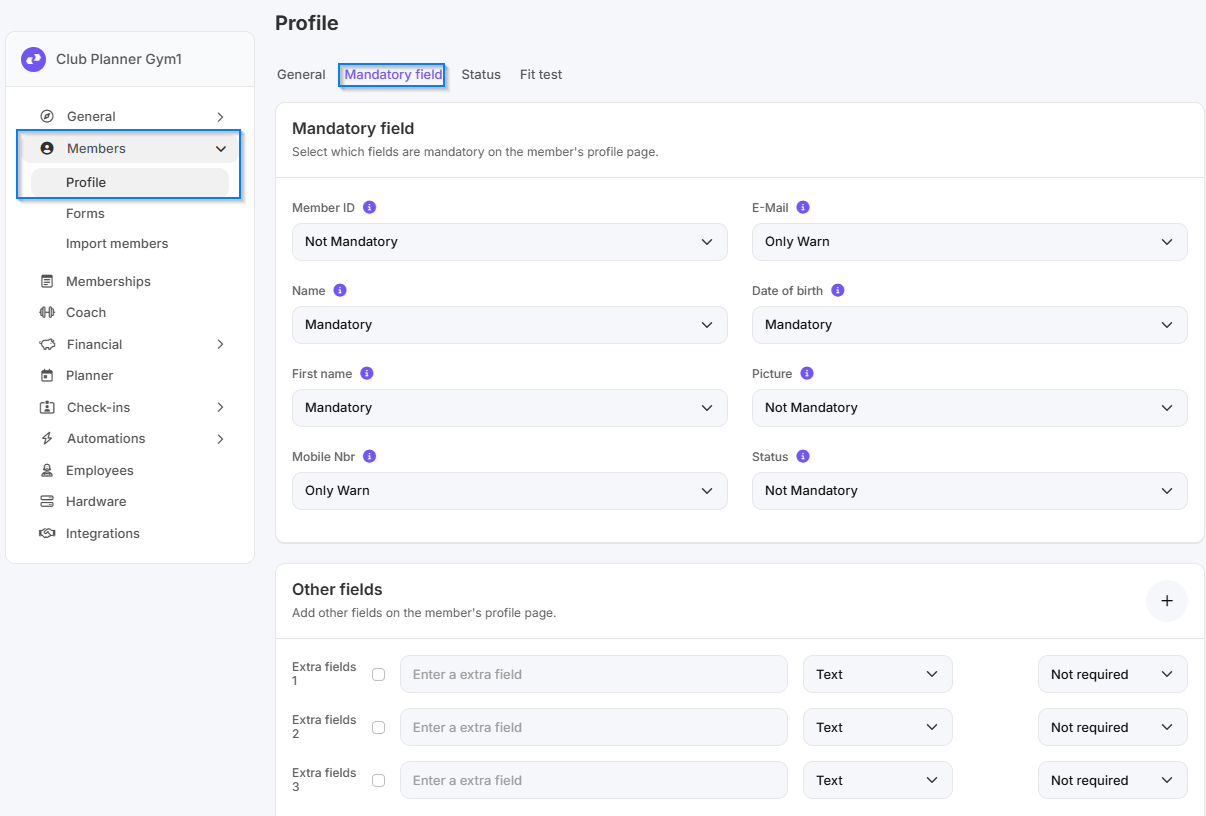
- Select Extra fields 1
- Enter a title for the field
-
Select the input field type:
Value Description Text Free-form entry of words or phrases without a fixed structure Check Checkbox with two options: checked (yes) or unchecked (no) Date Entry of a specific calendar date List Selection of a single option from a fixed list Multiselect Ability to select multiple options from a list at the same time - Select whether the field is required or not
- Click Save
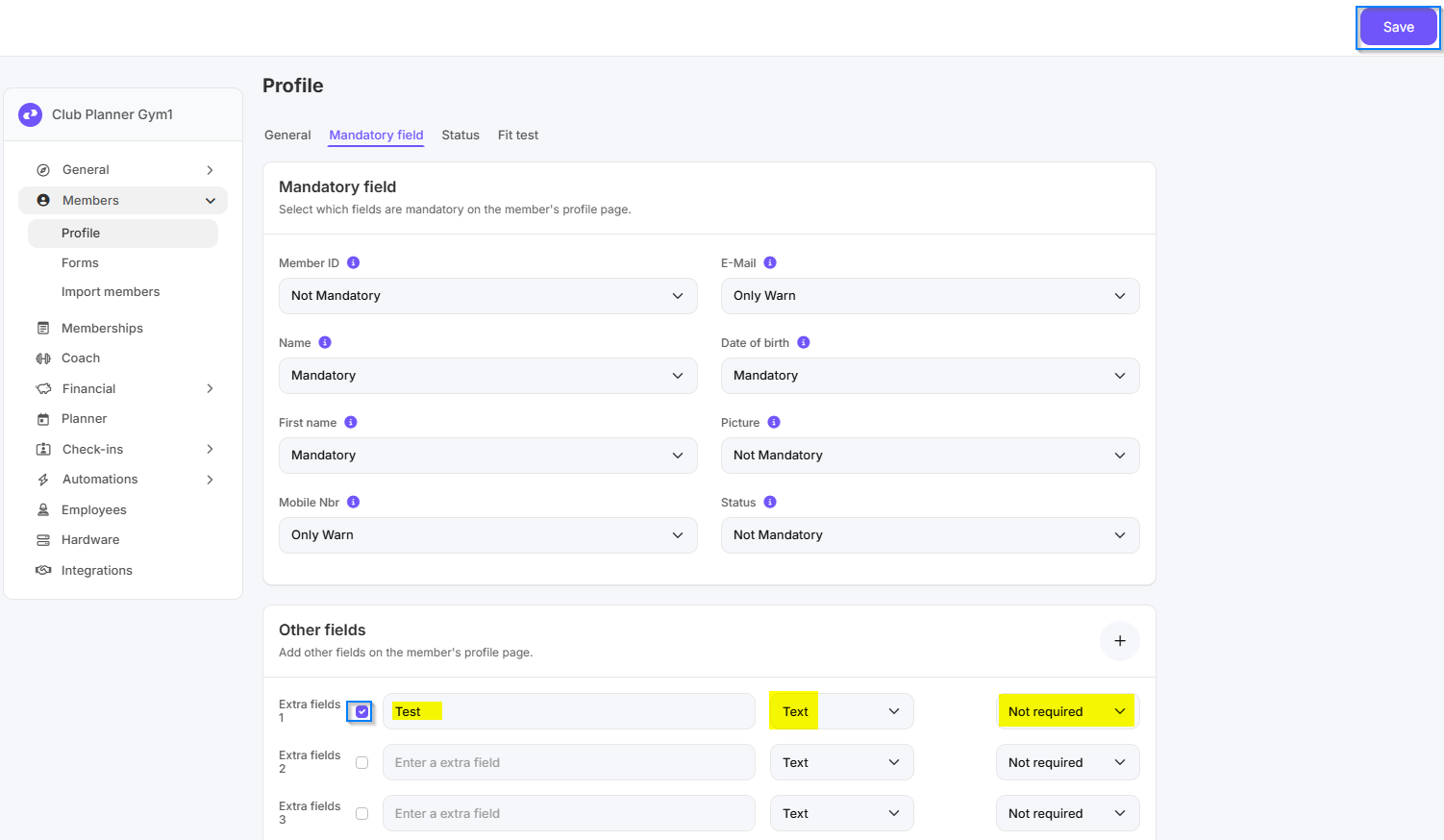
Adding a required field to a registration form
For more information on adding a required field to a registration form, please refer to this guide. You’ll find the necessary information in step 2.