
In this manual, you can find some possible causes and solutions for why a customer can't log in to the mobile app.
Account recently active on another device. Transfer request submitted.
We added this functionality because we received reports that login details were often being shared, allowing people without a membership to exercise in the name of someone else who does have a membership.
Currently, it is not possible to log in to the app on two different devices within a 24-hour period (configurable).
We can adjust this setting for you. Please contact support@clubplanner.be. You can also reset the timer for this specific customer.
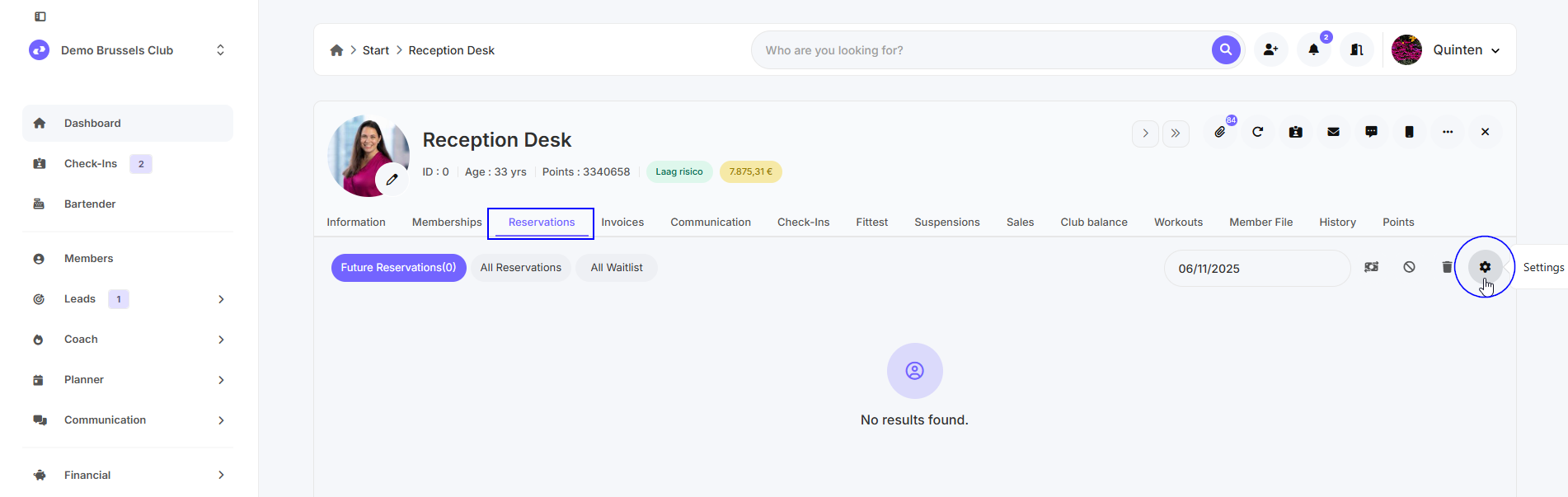
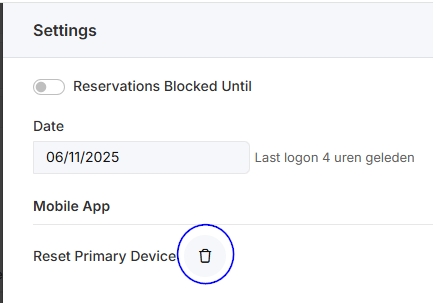
To do this, open the customer profile and go to 'Reservations'. Then click the three dots and click the trash can under 'Reset Primary Device'.
Incorrect password. Invalid user or password
To log in, you need a user name (membership number or email address) and a password. If you receive the message "Invalid user or password," this means the password for this membership number/email address doesn't match.
The customer can click on the text "No password or forgot password?" to have an email sent to their email address. In this email, they can request a new password. If the email doesn't arrive, you can check whether the email is blocked in Club Planner under "Communication - Direct messaging - Mailbox Out."
If the emails continue to fail, please contact support@clubplanner.be.
As a staff member or Club Planner employee, it's not possible to view the customer's password. According to the GDPR, passwords must be stored encrypted in the database.
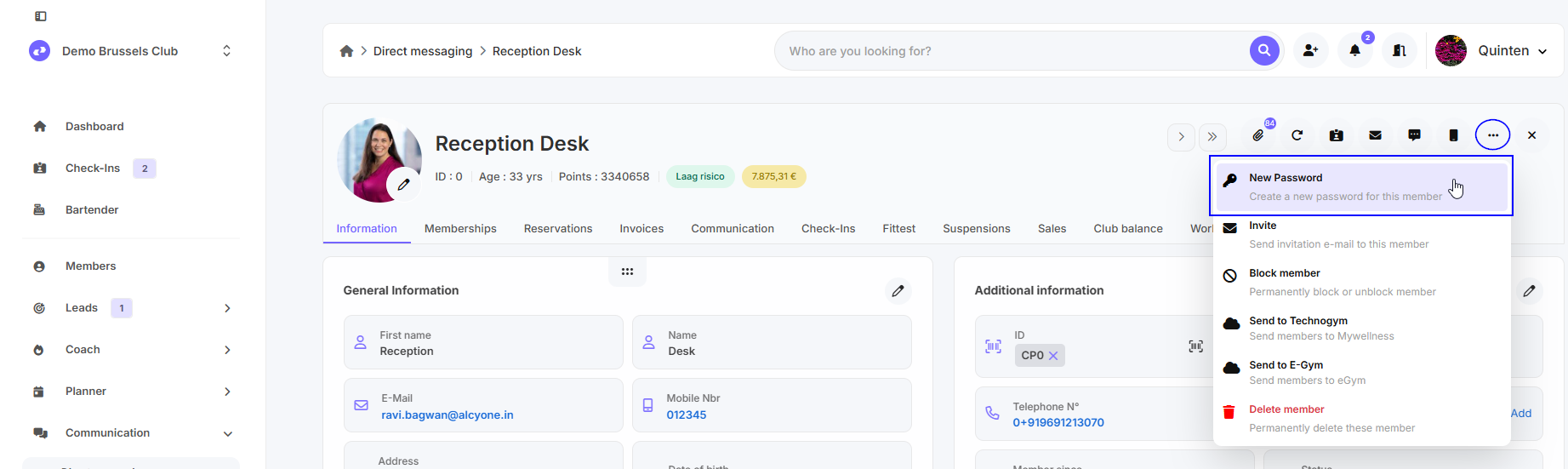
You can, however, set a new password in the member file by clicking the three dots in the top right corner and then clicking "New Password."
No account found. We can't find an account with this email address or customer number.
To log in, you need a user name (membership number or email address) and a password. If you receive the message "We can't find an account with this email address or customer number," this means the entered member number doesn't exist or the email address can't be found anywhere.
Pay attention to spaces, typos, periods, etc.
The customer number can be viewed in the member file under 'ID' and consists only of numbers. You can edit the email address under "General Information."