
In this guide, you'll learn how to create a new staff member in Club Planner.
New staff account
Go to 'Staff' in the bottom left corner and click 'Add staff' in the top right corner.
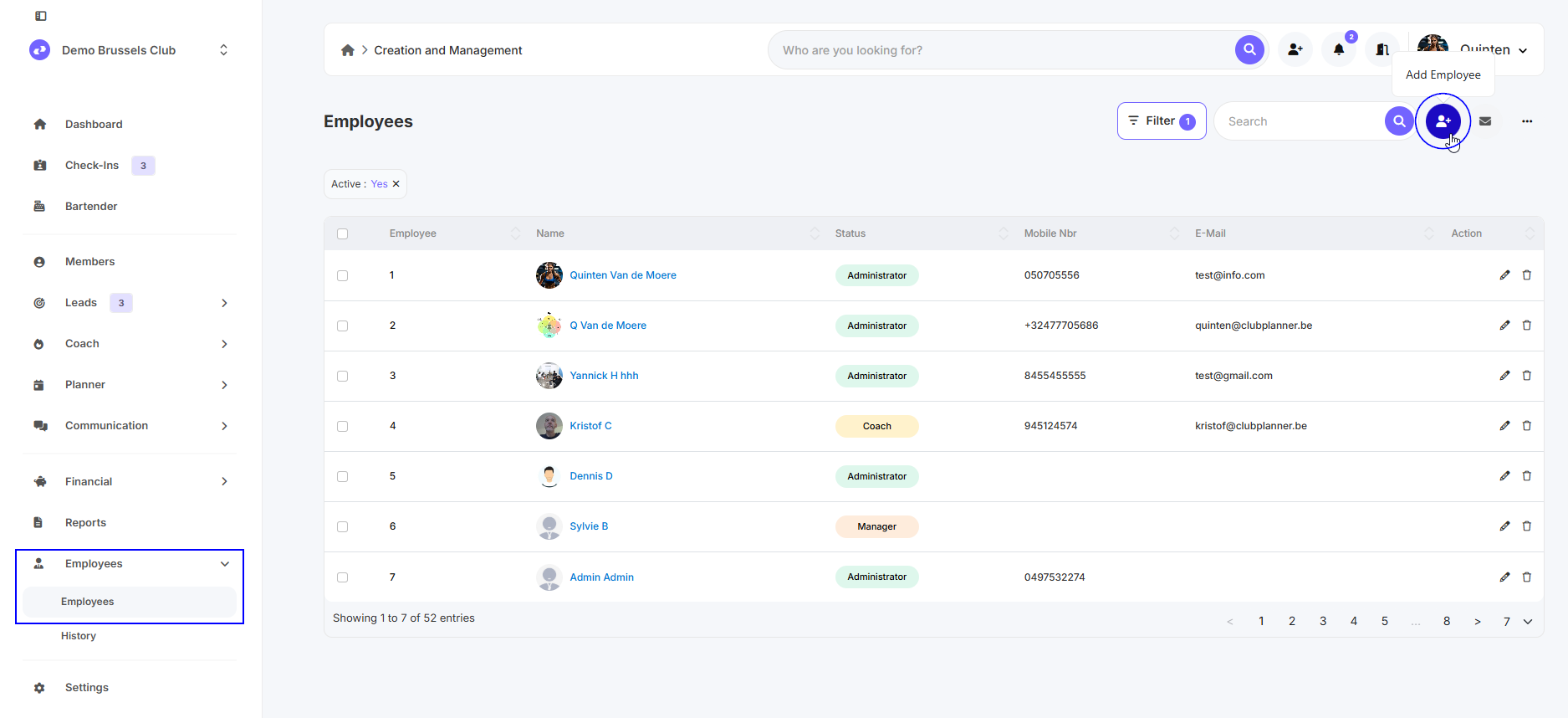
Here you can enter the name, first name, email address, club, authorization group, etc. Then click 'Save'.
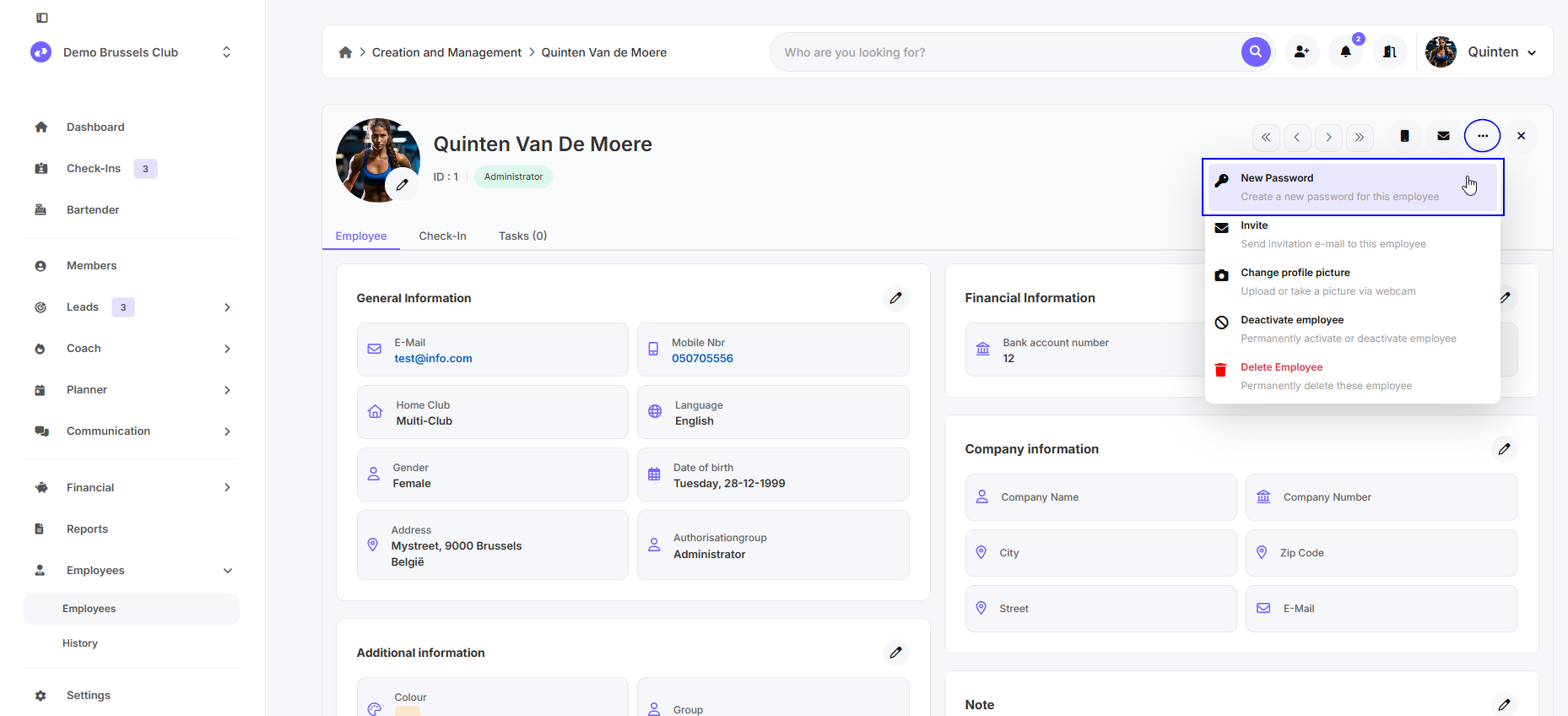
Once you've done that, you can set a password using the three dots in the top right corner.
How can my employee log in?
You can use this guide for this.
What are authorization groups?
Click here for more information.